One more annoying thing most websites do is ask for permission to show you notifications. Learn how to stop websites from asking to show you notifications.
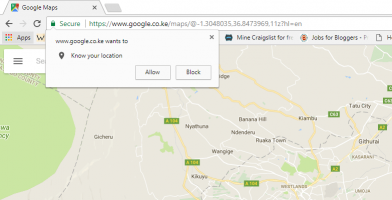
It can be annoying when every website you visit asks for your location. Follow these steps to stop websites from asking your location in various browsers.
The new “Set Aside” feature in Microsoft Edge allows you to declutter your browser. Learn how to set tabs aside in the Edge browser to improve your productivity.
You probably don’t use Internet Explorer 11 in your computer. You cannot uninstall it, but you can turn off Internet Explorer in Windows 10. Find out how.
Microsoft Edge allows users to easily share web content via social media, email, and other apps. Learn how you can easily share web content using Microsoft Edge.
For WordPress and Chrome users, there are plenty of Chrome extensions you can use to improve your WordPress usage. Here are some of the best extensions to use.
If you’re concerned about your privacy, you might want to disable the location-sharing feature. Learn how to disable location sharing in various browsers.
Everyone’s talking about Chrome and Firefox, without paying attention to the better Opera mini browser. Here’s everything you need to know about the quietly brilliant browser.
If you’ve spent a lot of time experimenting with the best adblock addons for your browser, check out these 4 browsers with integrated adblocking features. You won’t be disappointed.
Instead of saving a website and forgetting all about it later, Open Me Later! allows you to schedule websites to automatically open at a specific time. Check it out!
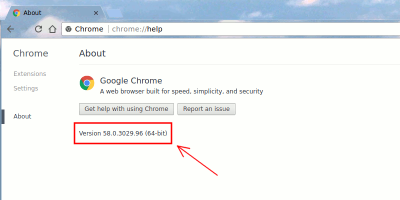
Google announced that it’ll be auto-migrating 64-bit Windows users to the 64-bit version of Google Chrome. Here is what you should know about 64-bit Chrome and how you can get it.
Instead of visiting a website on a browser, you can turn it into a web app and launch it like an app. Here is how you can turn websites into apps in Linux.
Gmail is the most popular email service out there, but some things could still use some work. Use these Chrome extensions for Gmail to tune things up and increase your productivity.
Mozilla’s WebExtensions for Firefox is a new API to replace the existing extension API. This means that a lot of your favorite add-ons might not work anymore. Here’s how it will affect you.
While it works from the search bar, Cortana in Windows 10 can also work in the Microsoft Edge browser. Here’s how to set up and use Cortana in Microsoft Edge.
There are plenty of ways to spice up your new tab page, and having a 360-degree picture is the coolest. Learn how to get a 360-degree picture in Chrome’s new tab page.
If you’re interested in blocking ad requests or seeing who tracks you when you load a website, Disconnect for Chrome can block tracking websites completely.
Chrome’s explosive growth is impressive, and it is not showing any sign of slowing down. What lessons does it teach us about how browsers should cater to the average user, which is you and me?
Reddit Enhancement Suite (RES) exists for the sole purpose of improving Reddit. Here’s how you can make the most out of it to enhance the Reddit usage experience.