
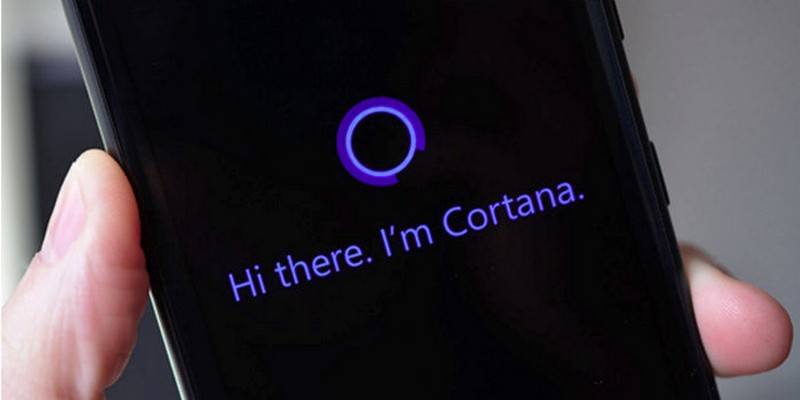

When Windows 10 first came out, there may have been more complaints than compliments. Not everything was a disaster since Cortana was one of the features many were waiting for. It allows you to set reminders, search for info and get the latest on sports scores.
The things Cortana can do don’t stop there since it can also help you launch apps, send emails and even interact with Microsoft Edge. You’re able to do this thanks to Cortana’s sidebar that you can easily find in Edge itself.
How to Activate Cortana in Windows
Cortana isn’t going to work if you don’t activate it first. To turn it on, you’ll need to go into your Windows 10 OS. Click on the Search bar at the bottom-left where it says “Search the web and Windows.” Click on the Cortana icon when the pop-up window appears. It will be the white circle in the lower-left corner.
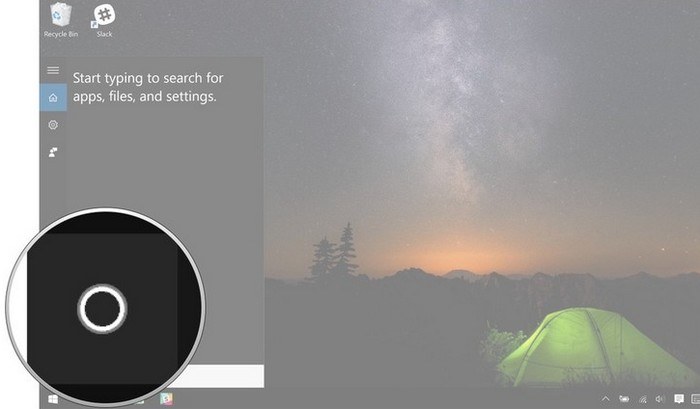
Cortana has an activation process that will use a lot of personal information from sources such as your calendar and your location. You’ll need to opt in before you can continue.
If you don’t like what you see, you can always select “No Thanks” or click on the Use Cortana button to continue. Once you’re done, the search box will now have the words “Ask Me Anything” on it.
How to Enable Cortana in the Edge Browser
With Cortana enabled on your Windows 10 computer, you’ll be able to use it anytime you need help with something. But now it’s time to enable it so you can use it in Microsoft Edge. Click on the three dots in the upper-right corner of the browser’s main window and choose Settings.
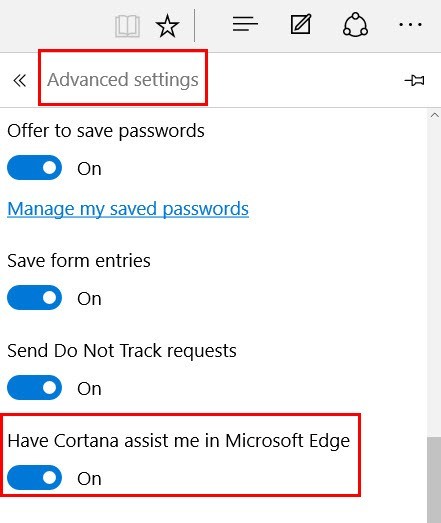
Scroll down and select the “View Advanced Settings” button. Find the Privacy and services section that has an option that says “Have Cortana assist me in Microsoft Edge.” The features might already be activated, but if it’s not turned on, just toggle it On.
How to Use Cortana in Microsoft Edge
Once Cortana is on, it’s not going to annoy you with unnecessary information. There will be times when Cortana will have the circle icon jump up and down trying to get your attention. When it does this, it means that it has something to suggest, and it’s definitely worth a look into it.
Whenever you want to go out to eat and need to visit a restaurant’s website, Cortana can offer you information such as contact information, business hours, directions and the menu.
Do you want to save money while shopping online? Of course you do, and that’s why Cortana will offer you things such as coupons for selected items.
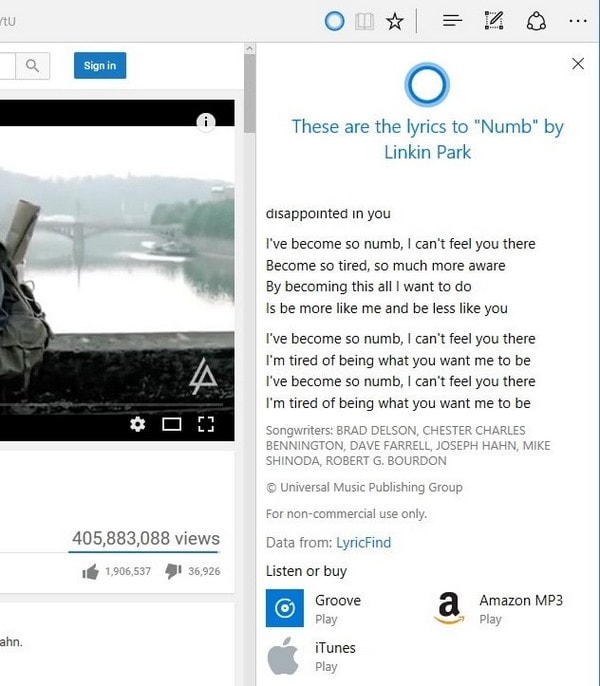
It can be frustrating when you want to sing along to a recently discovered song when you don’t know the lyrics. That’s why Cortana will show you the lyrics to the song whenever you’re listening/watching a music video. Besides the lyrics, Cortana can also offer sources where you can buy the song such as iTunes, Amazon, and Grove.
If you see that Cortana is not offering you this information, it’s probably because the online retailer or the restaurant doesn’t have the information available or doesn’t have a proper design.
How to Get Instant Answers by Using Cortana on Microsoft Edge Browser
Whenever you’re you’re online, you’re bound to see something you’re going to want more information on. To get that extra information, highlight the phrase, word or image, right-click on it and choose “Ask Cortana.” All the information Cortana has to offer will appear to the right.
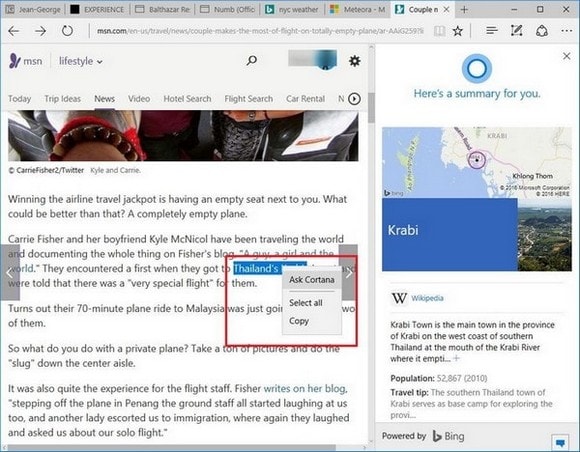
To get information without even having to click the search button, use Bing.com to get info on just about anything. As soon as you’re done typing, Cortana will give you the information you need without you having to click on anything.
A few important things to keep in mind is that Cortana is not available in every single country. Even if Cortana is available, the features it can offer can be restricted to certain regions. One example is the coupons since they are only available in the United States.
Conclusion
Cortana is competing with quite a few assistants out there. For example, it has to prove it’s better than Siri, Alexa, etc. Even though it still has room for improvement, it’s still a very useful assistant to have around. It won’t ask you for a day off or medical insurance either. How do you get the most out of Cortana? Drop a comment below and let us know.