
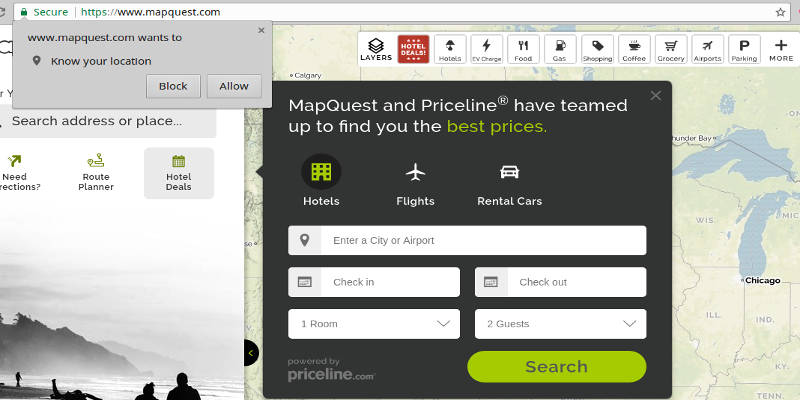

While you can’t deny there are advantages to location sharing in web browsers, if you care about your privacy, you might prefer to disable the feature. The procedure varies from one browser to the next, and while it’s not possible to show how to do it for all browses, this article will show you how to do it in the three most popular browsers today, namely Chrome, Firefox and Microsoft Edge.
1. How to Disable Location Sharing in Chrome
Disabling location sharing in Chrome is pretty easy. Just open the menu and then go to Settings. Open Advanced settings, or type “location” in the Search box, then open the Privacy section and the Content Settings Dialog.
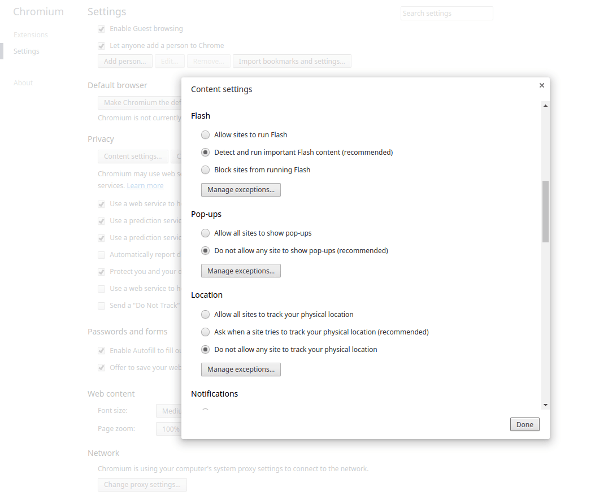
Scroll down to the Location section and select the “Do not allow any site to track your physical location” option. You can disable it for all sites, or if you want to allow special sites to track your location anyway, you can add them in the list of exceptions.
2. How to Disable Location Sharing in Firefox
Unlike Chrome, Firefox doesn’t offer the option to disable location sharing in a menu. Instead, you need to change it via an about:config setting. Open Firefox and type about:config in the address bar. This will take you to the advanced command center of the browser. Before you get there, however, you will get a warning that you might break things here. Yes, you can break things, so if you don’t know what you are doing, don’t just randomly change settings and values here.
Disabling location sharing won’t break your Firefox, though, so go ahead. When the list of preferences appears, in the Search box at the top type geo.enabled and press Enter.
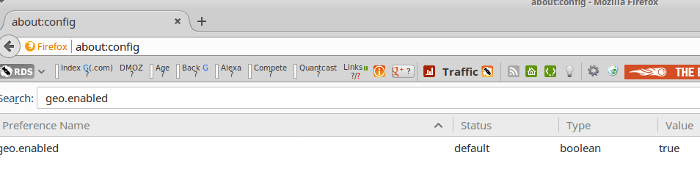
Now you will see the setting that affects location sharing. It’s a toggle, and by default it is enabled. Double-click it to set it to “false,” close the about:config tab and you are done.
3. How to Disable Location Sharing in Microsoft Edge
When I said that enabling/disabling location sharing varies from one browser to the next, I really meant it. With Microsoft Edge, enabling/disabling location sharing is everything but intuitive. If you expected to be able to change your location sharing in Microsoft from inside the browser, this won’t happen. Instead, you need to go to the main Windows menu and choose “Settings -> Privacy -> Location.” This will open a list of all apps on your computer where you can enable/disable location sharing.
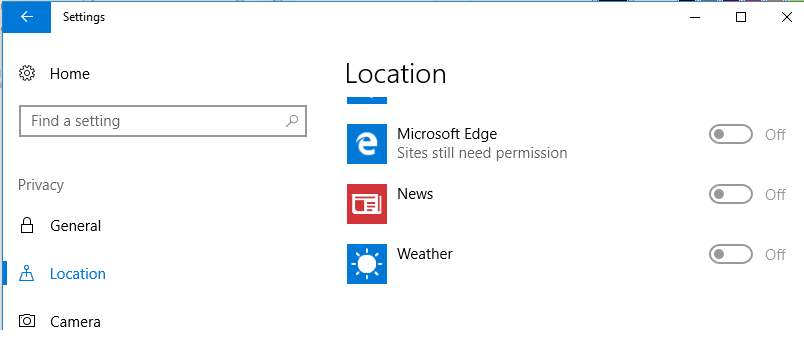
Find Microsoft Edge in the list and set location sharing to Off. If you later change your mind, you can re-enable it from here, too.
Conclusion
Disabling location sharing is a step towards protecting your privacy online. You might not get targeted ads and notices, but this is hardly a problem. If it is, and if you discover you miss location sharing, you can always re-enable it.