

Google has announced that it’ll be auto-migrating 64-bit Windows users to the 64-bit version of Google Chrome. If you’re moderately clued up about computers, you’ll probably know whether or not your CPU and OS are 64-bit.
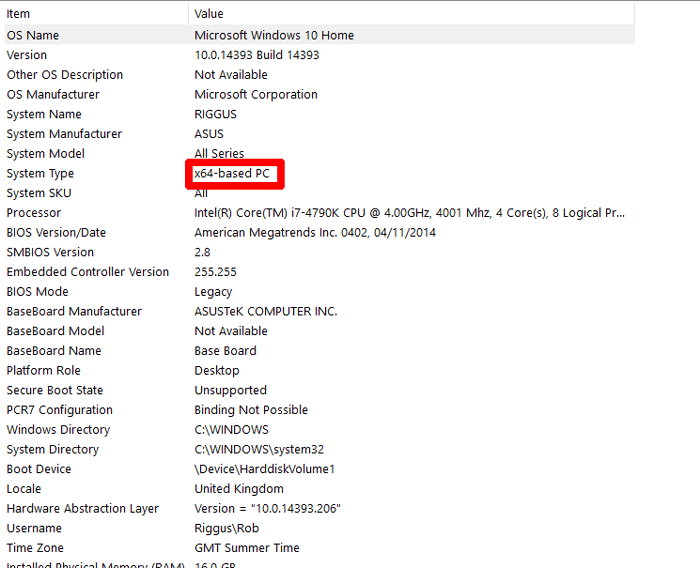
If in doubt, to check how many bits your CPU is, go to “System Information” in Windows, take a look at “System Type” and see if it says “x64-based PC” or “x86” – the latter means you have a 32-bit PC and can’t use 64-bit apps. To check the bits of your OS, go to “System” and see what it says next to “System type.” If you’re 64-bit on both counts, you’re good to go.
But there’s a little bit more to getting your hands on 64-bit apps, as they’re rarely the default option when you download them. Here we’ll show you how to find out what bit version of Chrome you have, check if you’ve received the automatic update, and manually install the 64-bit version of Chrome if you don’t have it yet (and have a 64-bit PC capable of running it).
Why Use 64-bit Chrome and 64-bit Apps in General?
Before doing this you probably want to know what the actual point of it all is. First, it’s more secure, just as with any 64-bit programs, because 64-bit software is better at sandboxing, i.e. running processes in isolated environments where they can’t affect the rest of your PC. So in Chrome’s case websites and so on are safer to browse. It’s also faster, with tests from the Chromium devs showing 15% improvements in HD video decoding on YouTube among other things.
Whenever possible, you should always run the 64-bit versions of apps to take advantage of that sweet 64-bit CPU of yours.
Check Chrome Version and Update It
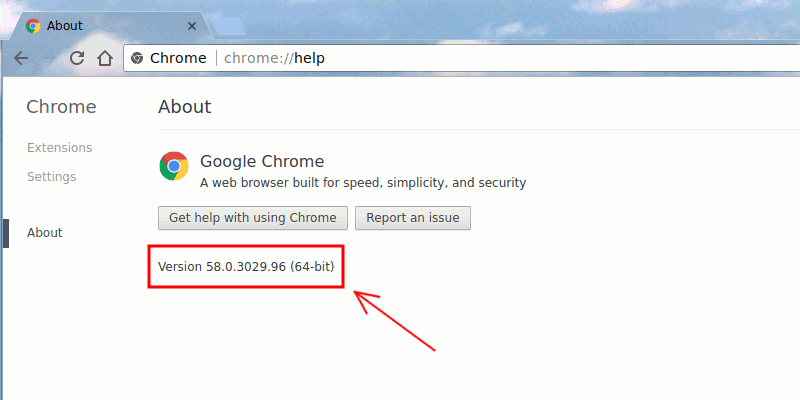
Now that you’ve hopefully been convinced to take the big step up to 64-bit Chrome, it’s time to check whether you already have it. (Chrome updates silently, so there’s a good chance you wouldn’t have noticed the update.) Open Chrome, click the menu icon at the top-right, then go to “Help -> About Google Chrome” and take a look at the version number on the new page.
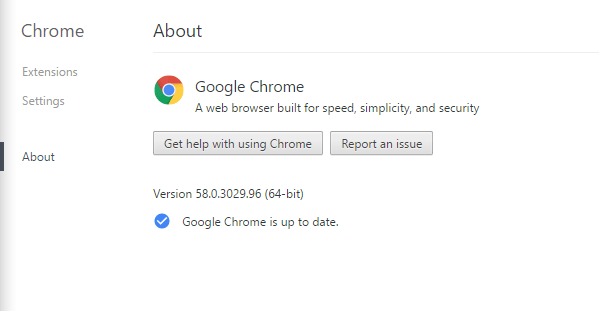
Here you’ll see quite clearly whether or not you have 64-bit Chrome because it’ll say it next to the version number. From Chrome 58 onward anyone with a 64-bit PC will have the 64-bit version of Chrome, though there’s a chance you got the 64-bit version before you got Chrome 58. In which case, congratulations! You’ve been a 64-bit Chrome user all this time without even realising it.
Install Chrome 64-bit Manually
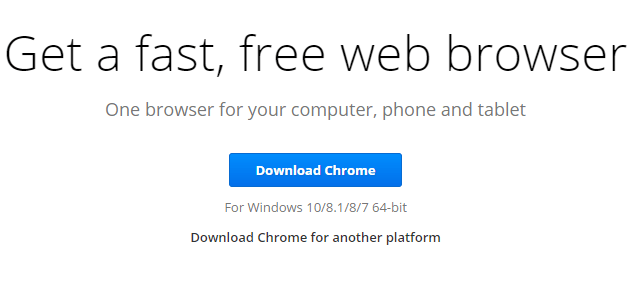
But if you don’t have the 64-bit version of Chrome, then you’ll want to get your hands on it. To do this, go to the Chrome download page, and if your PC is 64-bit, the default option should be “for Windows 10/8.1/7 64-bit.” (Google only made the 64-bit version the default version recently, so if you downloaded it a while back, you probably received the 64-bit version.)
Download the 64-bit version of Chrome, install it, and you’re away!
Conclusion
In truth, you shouldn’t expect switching to a 64-bit version of Chrome to feel like some kind of life-changing, eye-opening upgrade that leaves you wondering how you ever lived without it in the first place. Seeing as many of the perks come on the security front, most of the improvements will be invisible. Each 64-bit app varies, however, and some have greater benefits than others, so if you do have a 64-bit PC, you should approach downloading 64-bit apps with a ‘Why Not’ attitude. They won’t do any harm and just might do you some good.