


Gmail is the most popular email service out there. Why shouldn’t it be? It’s free, easy to use, and comes with features that make it a great communication tool. Despite all the great things it has, there is still room for improvement. The good news is that there are various Chrome extensions for Gmail that make it even better. All of them are free and can be uninstalled easily if you’re not happy with them. I don’t think that will be the case with the following extensions.
Also read: 7 of the Best Chrome Extensions You Need to Try
1. Rename Email Chrome Extension
It’s happened to everyone. You get an email with a subject line that says something like “Tell Me What You Think” or “Read This.” These types of subject lines are not very helpful and don’t tell you what the email is about.
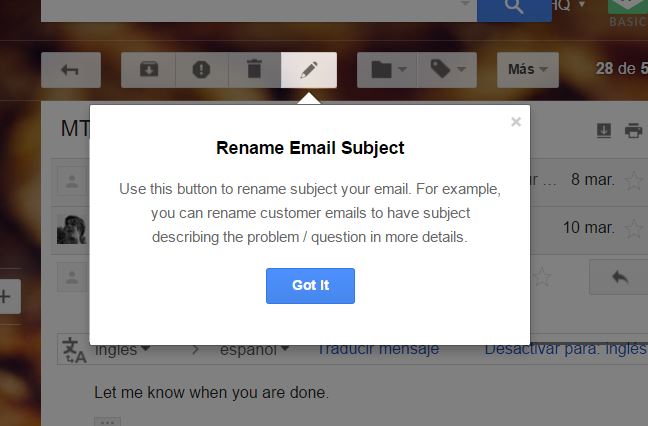
With the Rename Email Chrome extension you can change those vague subject lines to something that tells you about the email’s content. That way when you need to search for it, it’s easier to find.
Once you’ve installed the extension, open any email, and you should see a “Rename Email” button in the toolbar. Click on it and give the email a subject line that better describes the email.
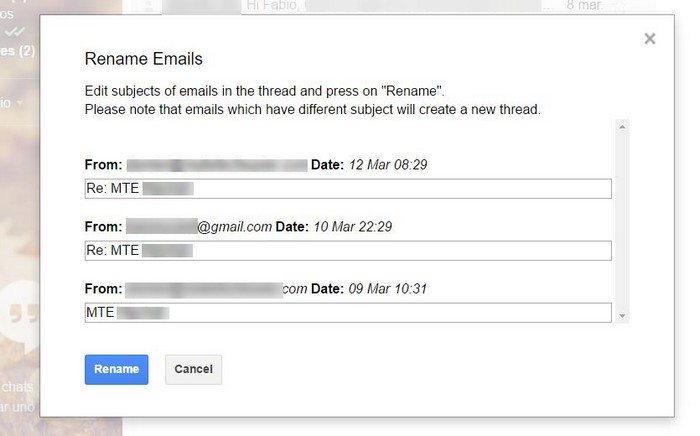
Rename Email is also compatible with Gmail threaded conversations, and you can rename all subject lines in the thread. You can do the same for selected messages if you wish. The sender won’t be notified that you changed the subject line unless you write back with a new subject line, of course.
2. Gmail Sender Icons
If you’re like me, then you get dozens of email notifications for the web services you signed up for. It can be a problem when your inbox is such a mess that you end up missing one of those notifications.
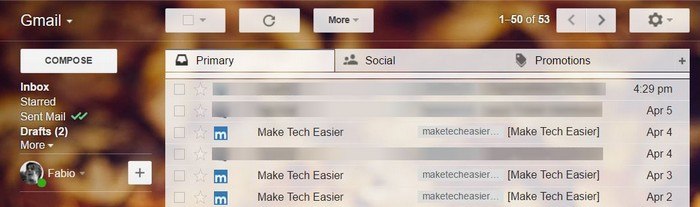
Visual icons are a lot easier to spot, and that’s where Gmail Sender Icon comes in. It gives your email an icon or little logos like you’ll see in the URL bar of the site. Whenever you get an email notification from a site, you’ll also see the site’s logo.
3. Handle: Turn an Email into a To-Do
Let’s face it: the inbox has transformed into a second to-do list. For example, a co-worker sends you some documents your need to digitally sign by 5 pm. Thanks to Handle, you can turn that particular email into a to-do.
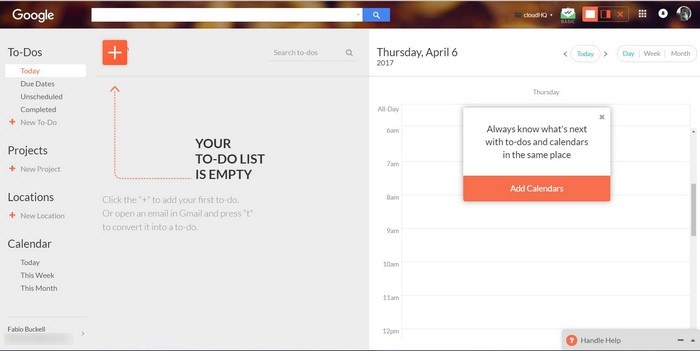
To turn an email into a task, just open the email in question and press “T” on your keyboard. All the information in that email will be transferred to the task notes.
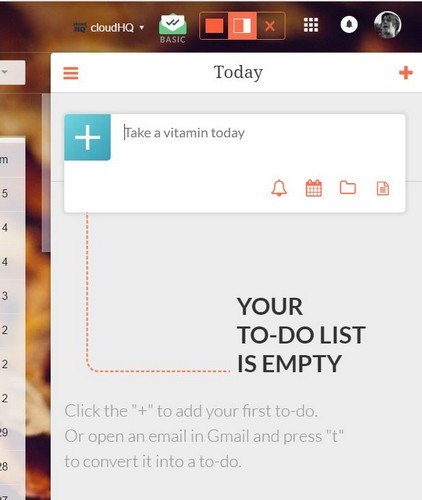
Handle is also compatible with your Google calendar so you can plan projects, set deadlines or even add reminders. While in your Gmail account you can see Handle either in full-screen mode or side view. To completely close it, just click on the “X.”
4. SnipHero to Add Media without Leaving Gmail
If you use the Gboard keyboard, one of the things you probably love about it is how it lets you search without ever leaving the window. SnipHero does something similar. By clicking on the SnipHero icon whenever you compose a new email, you’ll be shown a series of options.
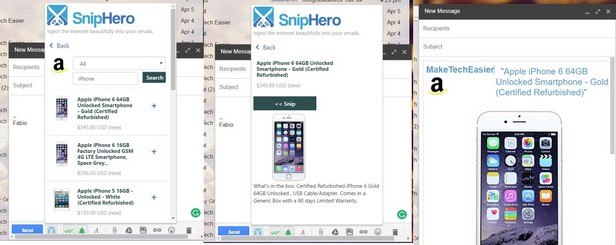
You can search from places such as YouTube, Etsy, Twitter, Amazon and more. Let’s say you’re looking to buy an iPhone from Amazon. Click on the Amazon option and type in iPhone in the search bar. Once you’ve clicked on search, you will see your results. Click on one, and it’ll be included in your email.
5. Templates for Gmail
As a Gmail user, I’m sure you’ve at least seen the canned responses to the option to set up template messages. It’s a useful feature, but the truth is that it could use a serious makeover.
If you want to enjoy an improved version of the canned responses, try the Templates for Gmail Chrome Extension. Once the Chrome extension is installed, you’ll see a Templates option right above the Social tab.
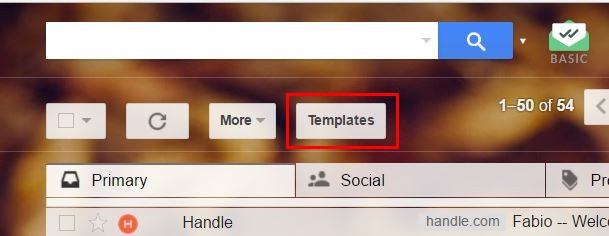
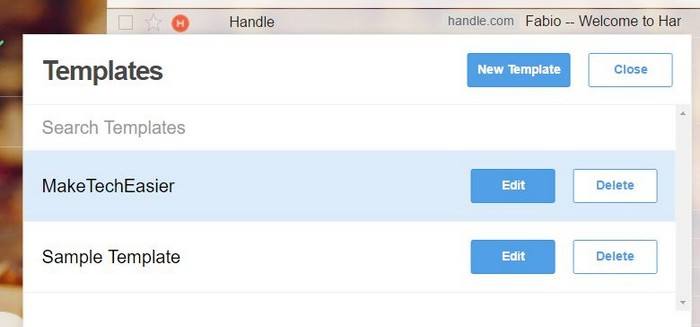
Click on it and select the New Template option. You’ll see an example template to give you an idea of how you can create your own.
Conclusion
Gmail is the most popular email service out there, but some things could still use some work. In the meantime you have these great Chrome extensions to help you get the most out of Gmail. How many of these extensions are you going to try? Share your thoughts in the comments.