Many people fall into one of two categories when talking about their browser homepage. One side wants it minimal, something that loads fast and gives them only what they need, like a blank page or the Google search. Others like their homepage to pack a punch, and include utilities to monitor and manage their web content. The first group is easily pleased, and can just point their browser to about:blank and be done with it. For everyone else though, there is a multitude of choice. Do you create your own local start page? Open to Yahoo or MSN? Use a third-party website designed for this? If you want to get more out of your home page without a lot of digging, this guide is for you. We’ll be comparing three of the top dynamic starting sites – iGoogle, Netvibes, and Pageflakes to see how they stack up.
iGoogle
If you use a lot of Google products, you likely already know iGoogle. It can work with or without a Google account, however the account is wise to have if you’d like to save your settings permanently, or use the gadgets for Google services like Gmail.
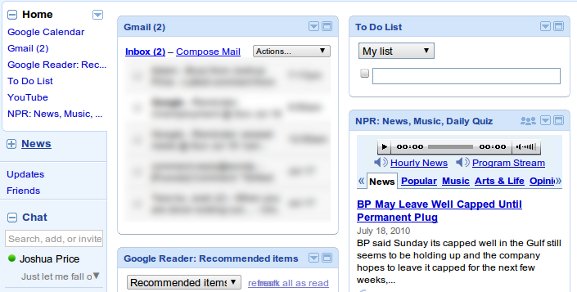
Not surprisingly, the biggest edge iGoogle has over its competitors is the integration with other Google services. The Gmail app, for instance, not only displays unread counts and summaries but also lets you read, reply, and compose messages without leaving the iGoogle page.
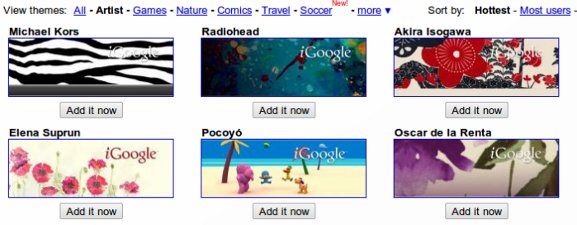
Visually, iGoogle can look quite nice thanks largely to its collection of artist themes. iGoogle includes themes designed by well known artists and professionals specifically for their web service.
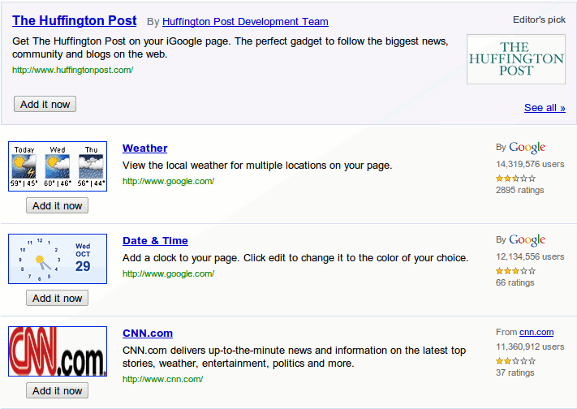
Of course none of these services would be complete without a collection of gadgets to embed. iGoogle’s gadget collection is quite large, and includes everything from a live NPR stream to Twilight quotes.
The one place where iGoogle may leave you wanting is in customization. While gadgets can be moved around to different locations, most of the page is stuck in a standard configuration. The rather large search area at the top of the screen, for example, cannot be moved or removed, and color schemes are tied directly to the theme.
Netvibes
Where iGoogle excels with Google product integration, it’s somewhat lacking in customization. Netvibes is quite the opposite, and includes far more customization options regarding the layout and appearance of your page. Color and theme information can be changed independently, and the design allows for user control over aspects like the search bar, which iGoogle has frozen in size and placement.
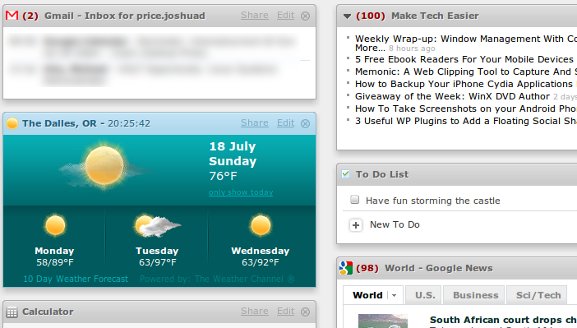
One nice aspect of Netvibes is that it allows you to take the feed widgets on your page and treat them all as one feed. If you click the Reader View button at the top of your page, your page will be reformatted into something quite similar to Google Reader and other RSS feed managers.
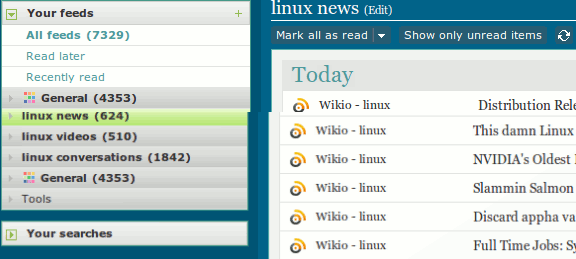
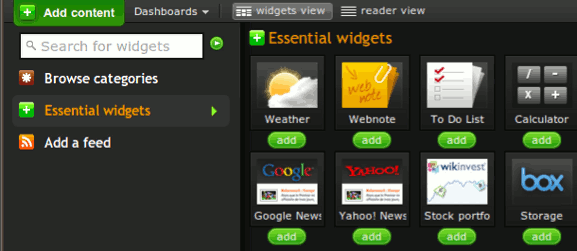
Netvibes also has an excellent gadget selector, allowing you to browse and search for whatever gadgets you may need. It places more emphasis on feeds than iGoogle or Pageflakes, so many of the items you’ll find in the Add Content screen are not web apps or gadgets, they are just RSS and Atom type feeds.
Pageflakes
The main thing Pageflakes offers over the other two options is simplicity. You don’t have the fancy visual effects of Netvibes or the extensive gadget library of iGoogle, but you do have a comparatively fast site with minimal fuss. That does, however, mean it lacks some of the capability of the other two. The Gmail gadget (in this case called a flake) requires your account be set up for POP access (something I tend to keep disabled) and the overall selection of flakes is somewhat small compared to the other two.
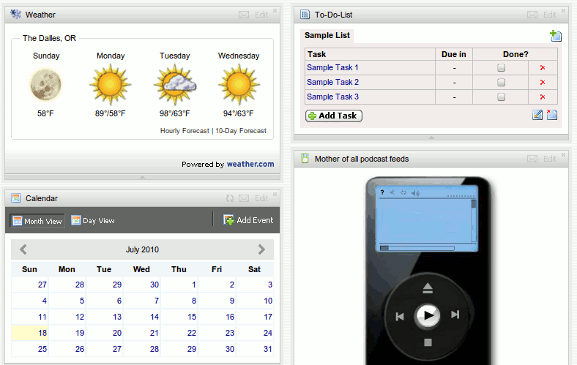
Pageflakes also supports RSS/Atom feeds as flakes, allowing you to embed individual feeds to the location of your choice on the page. It does not, however, have anything equivalent to Netvibes’ Reader View.
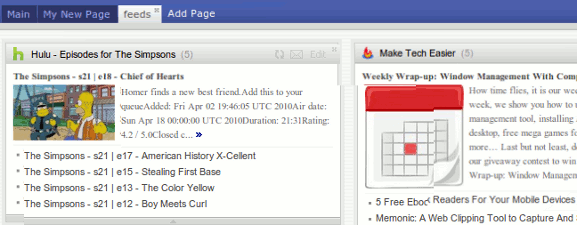
When it comes to adding new gadgets or flakes, this site doesn’t have much to make it stand above the alternatives. There is no option to search the collection, and it’s been this author’s experience that many of the flakes given do not seem to deliver the promised functionality. While this may be related to my local browser setup (Chrome on 64 bit Linux), I did not experience these problems on Netvibes or iGoogle.
Conclusion
Pageflakes, unfortunately, seems to come in last from most perspectives. Both iGoogle and Netvibes have their strong points, making it hard to pick a clear winner. iGoogle is likely best if you use a lot of other Google services (Gmail, Reader, Voice, etc), but in most other ways Netvibes seems to be the strongest player. Its flexibility, simplicity, and extensive content collection make it a very useful place to begin when you get online.
What’s your homepage? Let us know in the comments below.








