Sometimes you may wish to create a video channel of your favorite movie star but can’t find enough videos in a particular video sharing site. One of the sites may contain a set of videos while the other may contain a different set of videos. You want to create a single channel containing all those videos but you are stuck because the videos are distributed over different sites.
One option may be to download all the videos in your computer from different video sharing sites and then uploading them back in your preferred video sharing site so that you can get all the videos and create your customized channel. But this process would take hours of work and you can’t get it working in a day or two at least.
Yubby: Create Your Own Video channel from 30 Video Sharing Sites
If you are looking to create a Video channel comprising of videos from different video sharing sites (Youtube, Google video, Metacafe etc) then look no further than Yubby. Using Yubby you can search for videos in more than 30 video sharing sites at once. After you have searched for the videos, the service lets you create a video channel containing all of your chosen videos. The videos can be categorized into channels and you can also embed the video channel in your blog.
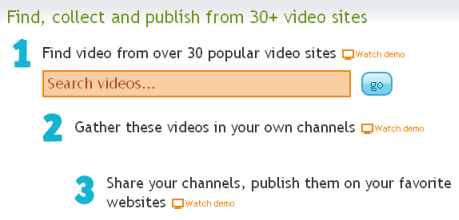
Search for videos
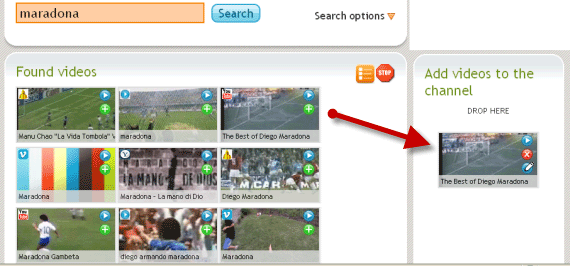
Go to the homepage of Yubby and search for your desired videos. Based upon your keyword, the site will search the top 30 video sharing sites and list the videos one after another. After that you can just drag and drop the videos and start organizing your custom video channel. The interface is very simple and there aren’t any bells and whistles.
You can even restrict your search to specific video sharing sites, if you want. Just click the search options and you are presented with a board containing the names and logos of all the video sharing sites that Yubby supports. Select the sites you want and then you can filter your results.
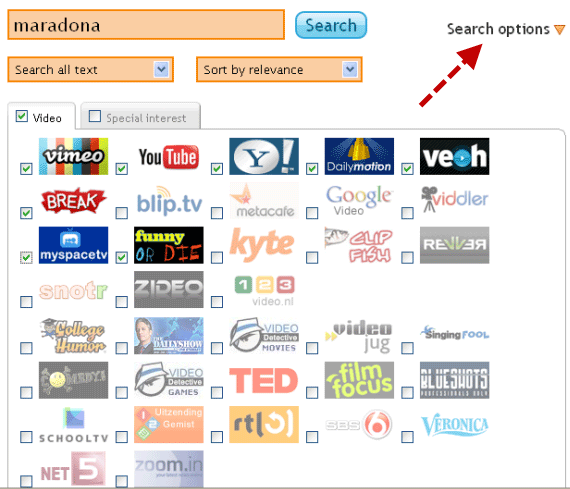
The search results can be sorted by relevance, newest and view count. You can also search videos by tags and owner name.
Previewing your Video Channel
Once you are finished adding videos and creating the video channel, you can preview it by clicking the “Play Channel” button.
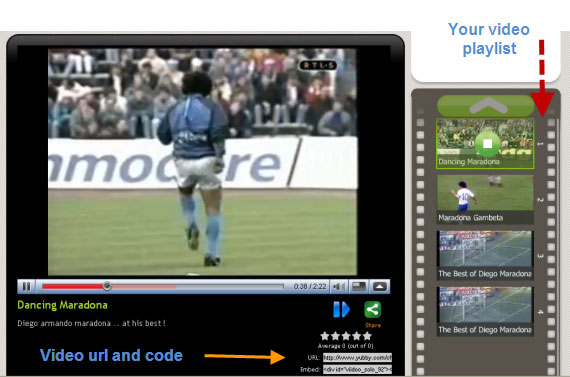
To know more about your video channel just hit the “Video Overview” button. It will show you the following :
- How many videos are added in your channel.
- The tags assigned to your videos.
- The rating of the videos in the respective video sites.
- How many people have viewed the video today.
What makes Yubby impressive is that you can even search for a particular video in your video channel. So if you have added a large number of videos to your channel you need not worry at all. Just go to the video overview tab and you can search for a particular video.

Sharing and Embedding your Video Channel
Sharing and embedding videos is also dead easy. Go to the “Embed” tab and you are given the code of your video channel. You can further customize your video playlist widget to match with your style and feel.
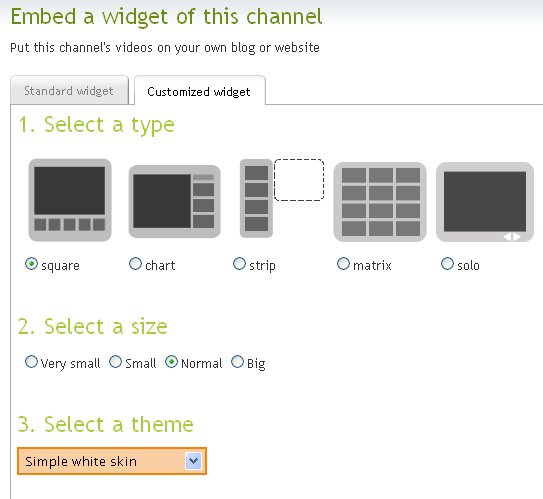
Copy the Html code and you can put the video channel in your blog or Myspace profile. Here is a sample video channel created using Yubby
Registering an Account with Yubby
You do not need to sign up and register for an account to use Yubby. However with a Yubby account you can manage your video channels at a later date. After some weeks, if you wish to add another video to your video channel you can do that from your Yubby dashboard. Other features include : Uploading photos to your Yubby account and having a free blog with Yubby.
To wrap it up, Yubby is a useful web service where you can create specialized video channels and publish these channels in your blog or social media profiles. It also supports WordPress integration so novice bloggers can get started in minutes.








