If you’re concerned about your privacy, you might want to disable the location-sharing feature. Learn how to disable location sharing in various browsers.
Mozilla’s WebExtensions for Firefox is a new API to replace the existing extension API. This means that a lot of your favorite add-ons might not work anymore. Here’s how it will affect you.
While the Firefox developer edition is available for Linux, its installation is not as straightforward. Here’s how to install Firefox Developer edition in Linux.
Firefox for Android is yet another useful browser you can use on your mobile device. Here are some of the best tips and tricks for Firefox for Android you can use.
Tracking users is a major part of the modern Web. Fortunately, if you want to stop sites from tracking you, here are a few add-ons for Firefox to reclaim some of your privacy.
Sometimes you want to do a search that you don’t want Google to track. Here are a few ways to search Google anonymously in Firefox without having to log out of your various Google services.
Firefox now has the ability to receive desktop-style web push notifications from select websites. For those who find it annoying, here’s how to disable web push notifications in Firefox.
GIFs can be fun, but they can also affect your browsing experience and cause web pages to load slower. Here’s how to stop GIFs from automatically playing in all browsers.
If you’re looking for a way to speed up your browser, one method you might want to consider is disabling images. This article explains how and why to do it.
Did you know that Firefox lets you open web pages on the left side to keep up with its information? Here’s how to load web pages in the Firefox sidebar.
One of the most essential apps in all of our arsenals, whether we do our computing on a mobile device, laptop, or desktop, is the browser. Are you loyal to one browser or are you constantly switching?
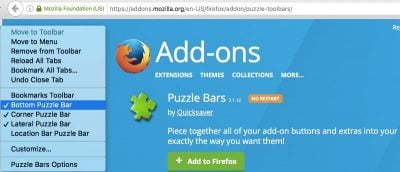
Did a toolbar magically appear in Firefox after installing a program or do you have a toolbar you want gone? This tutorial will show you how to remove them.
Do you prefer the style of Firefox’s download manager over Chrome’s? Luckily for you, there’s a Chrome extension that will allow you to get it. Check it out.