


Do you want to keep up with your to-do list while browsing the Web? Or do you want to keep a tab on some real-time information – like Forex stats – and browse the Web at the same time? Why don’t you open both of the web pages side by side? No, I am not talking about the traditional method of opening two browser windows and adjusting their size to cover half the screen. I am talking about Firefox’s built-in feature to show a web page in the Firefox sidebar.
Firefox lets you browse the Web with a web page opened on the left side to keep up with its information. In this article we will show you how to use this feature.
Note: The sidebar page doesn’t actually behave like a separate browser window that you could easily navigate. It is just a web page with information you can only see and interact with; you cannot move away from this page. If you click on any link in the page, it will open in the original browser window on the right.
Bookmark the Page
To load a web page from the sidebar, you need to bookmark the page first. I didn’t find any built-in method to directly load an opened page in the sidebar. If you know of one, let me know in the comments.
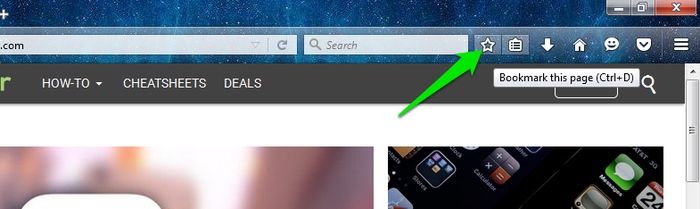
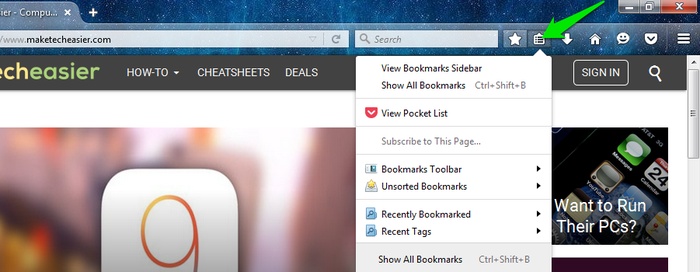
To bookmark the page, open the desired page and click on the “Star” icon in the top toolbar. You can then open the bookmark by clicking on the “Show your bookmarks” button on the right side of the “Star” icon.
Load the Web Page in the Sidebar
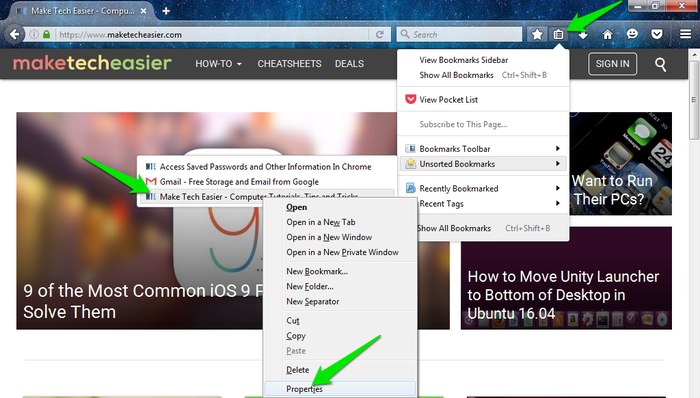
Now that the page has been bookmarked, go to the bookmarks and right-click on the page you just saved. From the side menu, click on “Properties,” and check the option “Load this bookmark in the sidebar.”
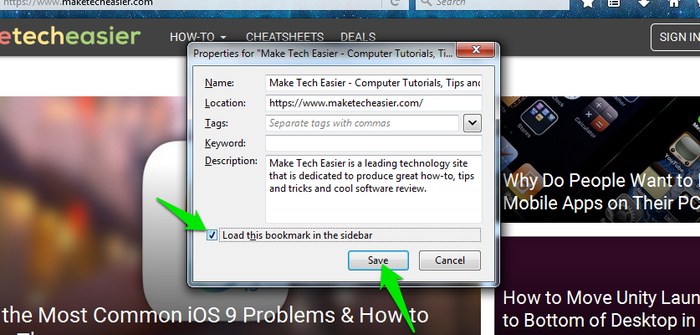
From now on whenever you access this bookmark, it will be loaded in the sidebar on the left. The space the sidebar takes can be adjusted, but there is a maximum limit that allows it to only cover approximately forty percent of the screen.
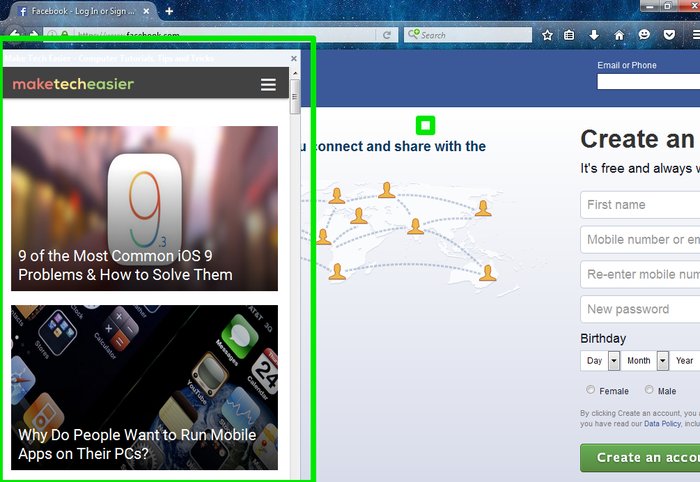
Clicking on any link will open it in the right window. You can also use the left sidebar to open a website’s main page and then easily navigate the site without leaving the main page. For example, you can open MakeTechEasier’s home page in the left sidebar and open articles in the right window, saving yourself from opening multiple tabs or leaving the home page.
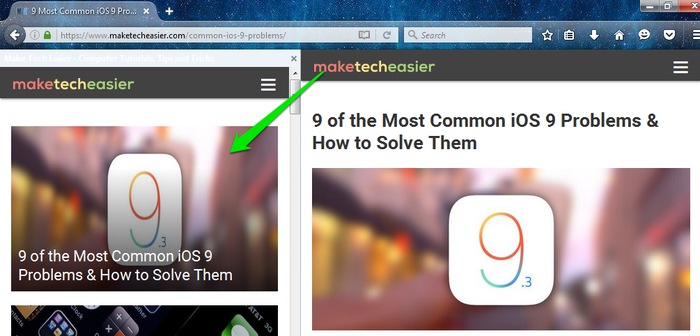
Also keep in mind that the sidebar will keep itself open even if other tabs or windows are closed/moved. You can either click on the X button on top of it or completely close the browser to close it. If you don’t want the bookmark to open in the sidebar again, then go through the same above process and uncheck the option “Load this bookmark in the sidebar.”
Conclusion
There are many reasons why you might want to open a web page in the sidebar. You can open your email client, to-do list, your calendar app and many other web apps to use them while browsing the Web. I did had some issues loading websites in the sidebar that were not mobile friendly. The sidebar doesn’t have a horizontal scroll button, so you cannot view a full desktop web page.
Are you going to use Firefox’s load-in-the-sidebar feature to open two web pages simultaneously, or are you going to stick with opening two browser windows instead? Let us know in the comments below.