


Google tracks you more thoroughly than the best private investigator could ever hope for. Like a spouse, it knows you better than you know yourself. Every interaction you have with their search engine is cataloged and analyzed, both to provide a better user experience and to help Google sell ads.
We put up with this because Google makes great services. Gmail, Docs and YouTube are indispensable parts of our lives on the Internet, in part because they’re pervasive, but also because they’re typically better than the competition.
For some people this tracking is an ethical affront. Other people don’t care at all. Regardless of your camp, sometimes you want to run a search that might be a bit … personal. And you might not want that search stored with your Google permanent record.
Fortunately, you can get the best of both worlds. If you’re using Firefox, there are a few ways that you can search anonymously without having to log out of all your Google services.
Private Browsing
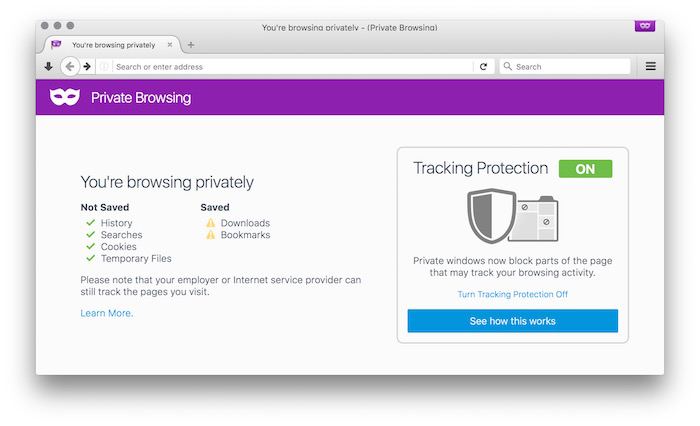
Turning on Private Browsing mode itself doesn’t make you anonymous. But it does create a temporary session that doesn’t save any history or include any of the cookies that are stored in your normal browser. Since Google (and the rest of the world) uses cookies to store login credentials, even if you’re signed in under a normal Firefox window, you won’t be signed in under Private Browsing mode. It’s sort of like a temporary “off” switch for your normal browsing. However, if you log in under a Private Browsing window, you’re searches will still be paired with your user account, so be wary of that.
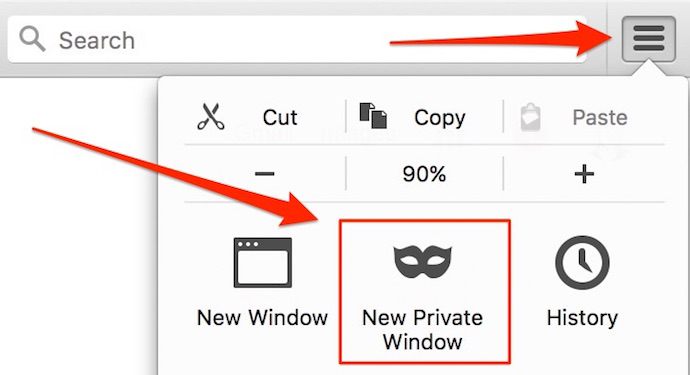
To turn on Private Browsing, click the menu button on the right side of the Firefox window and click the mask icon that says “New Private Window.” You can also turn it on under the File menu or press “Command + Shift + P” on the Mac or “Control + Shift + P” on Windows and Linux.
It’s important to note that Private Browsing will not obscure your IP address. Google will still be able to tell where you’re searching from and could potentially connect your traffic with a profile of your IP address.
Searchonymous
Firefox users can also install the Searchonymous extension. Searchonymous obscures your search cookies while leaving your other Google cookies intact. Instead of sending the normal tracking cookies to Google, Searchonymous sends randomized data, which is worthless for tracking. There’s no obvious switch to toggle the extension on and off, but you can disable it under the Addons menu if you want to use it selectively.
StartPage
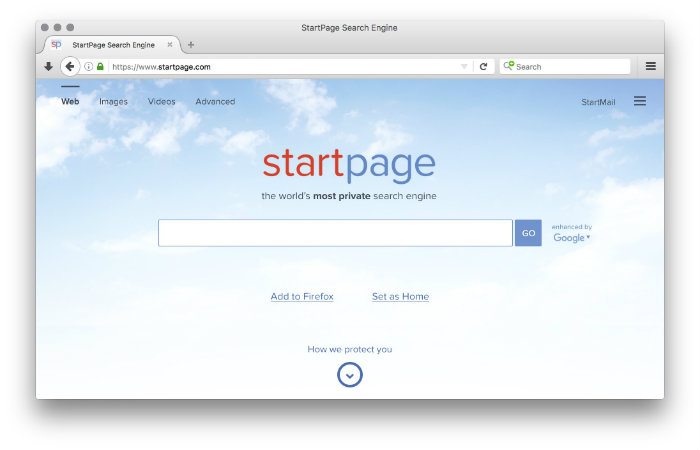
You can also use an anonymizing service like StartPage to disguise the origins of your Google searches. StartPage acts as a middleman or proxy, submitting any searches you make to Google on your behalf. It strips out all identifying information, including your IP address, and then displays the Google results inside of a frame on the StartPage website. You can also install StartPage as a search engine option in Firefox’s search box, making this process a little easier.
Conclusion
As pervasive as digital tracking may be, there are some steps you can take to mitigate the effects. You can search anonymously on Google using any of the above methods, but don’t forget that Googling anonymously doesn’t cover your tracks anywhere else online. The NSA might still be coming for you, but unfortunately there’s no browser extension for that.