

We’ve become a population that communicates through our devices. Even if it’s not favorable to do so, we send a text message or DM. It’s never a good idea to share passwords in this manner, but we do. It’s just easier. To solve this problem, 1Password now allows you to share passwords via a secure link with Psst!
Sharing Passwords through Insecure Methods
There are many reasons to share passwords. You may want to share the login details for a streaming service with someone else in your household. Perhaps you want a coworker to look over a document you have saved to one of your accounts. Maybe you just set up a new smart home device and want to share the login with the rest of the household. What if you have a visitor in your home and want to share your Wi-Fi password?
There are so many reasons – each one of them valid. 1Password reported that 76 percent of families admitted to sharing passwords insecurely. And that’s just the people who admit to it.
Also read: How to Monitor Your Email Address and Passwords for Leaks in Data Breaches
But it goes beyond home use. 1Password’s research shows 48 percent of companies share passwords through a shared document, spreadsheet, or chat.
1Password Adds Psst! to Share Passwords Securely
This is why 1Password created Psst! We’re going to continue to share passwords and documents, so we need a secure way to do so.
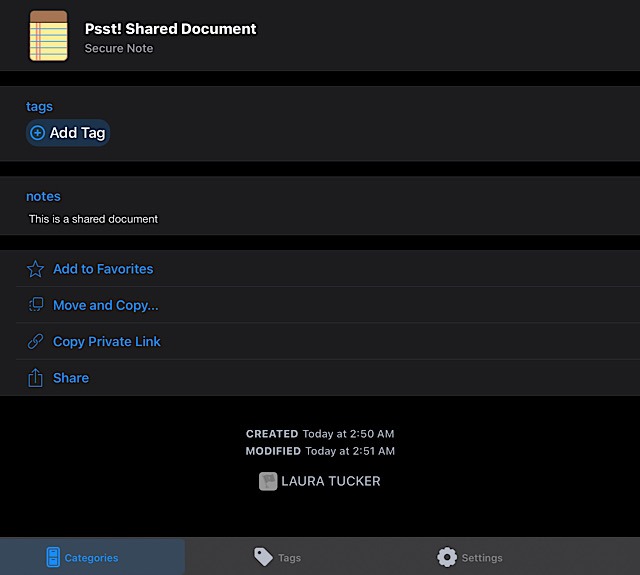
To share a password, login details, or a document stored in 1Password via Psst!, you need to select “Share” in the Share menu, which generates a link..
Choose when the link will expire. The default is seven days, but you can choose one, 14, or 30 days, or even one hour. You can also set it to expire after it’s been viewed one time. Additionally, you can restrict the re-share of the link or enter multiple addresses to share it with.
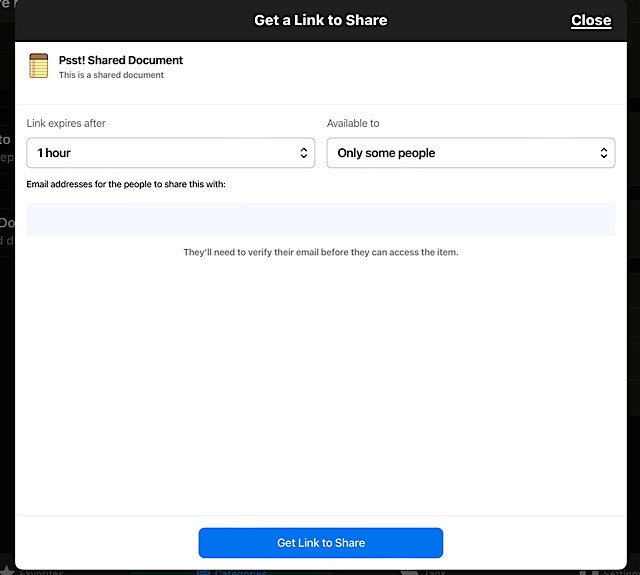
Select “Get link to share” and send via your favorite way of sharing to family, friends, or coworkers. When the recipient opens the link, they’ll see the shared password if viewing wasn’t restricted. If you restricted who views it, they will need to enter their email. This will send them an email with a verification code.
Copying and pasting the code into the Web view shows them the password, information, or document, as well as any other additional information or notes you added.
If the recipient has a 1Password account, they have the option to save the password or document to their account. But they do not have to be a 1Password user and are of course invited to sign up if they wish.
Do note the security of using Psst! to share passwords. You’re not sharing the actual text – you’re only sharing a Web view of the text.
Additionally, you can open an Activity Log as an admin or owner of an account. This allows you to see what was shared along with any other activity. Open Sharing Details, and you’ll see what was shared, who shared it, when it was shared, when it expired, who it was shared with, how many times it was viewed, and the IP addresses of who viewed it.
1Password is providing its users with the means to share passwords and sensitive documents the way they would like to but in a secure, easy manner.
Read on to learn how to view your saved passwords in macOS, iOS, and iPadOS and import/export passwords using Microsoft Edge.