

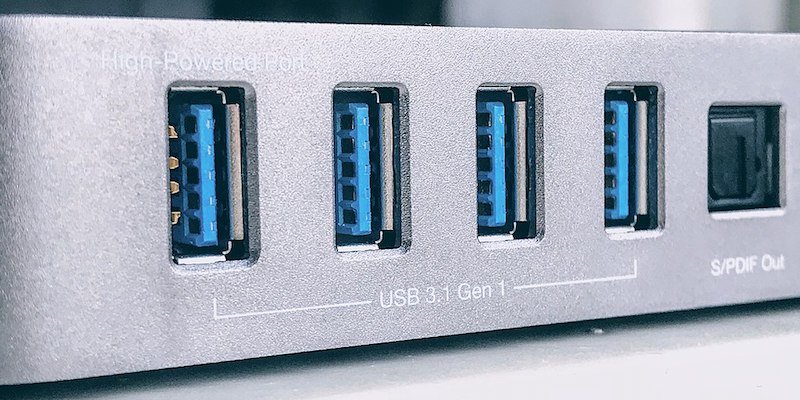
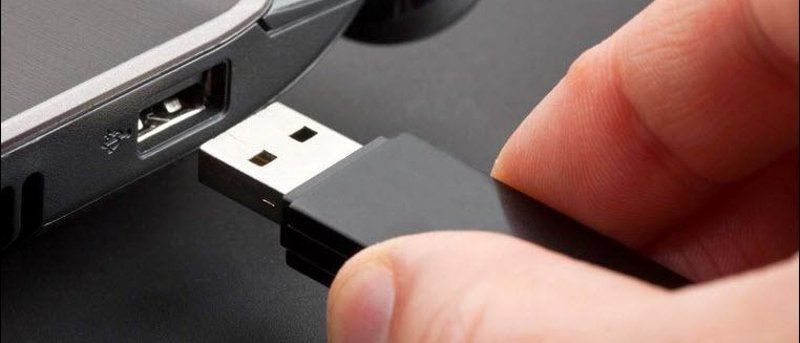
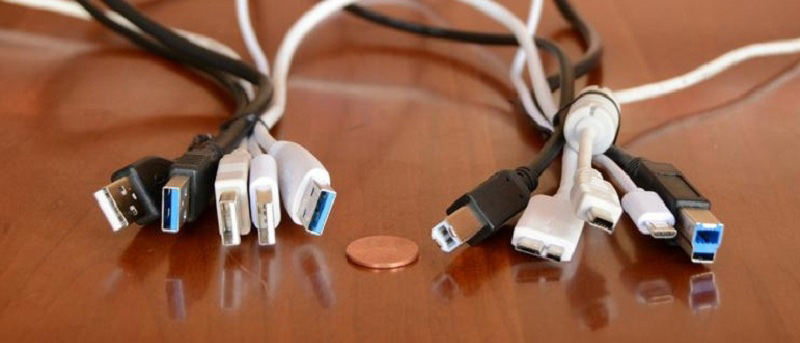






While your computer might run fine with a Windows 7 installation and USB 3.0 slots, you currently cannot exploit the full potential of USB 3.0′s speed without installing compatible drivers from a website or disc. Microsoft promises that Windows 8 will support USB 3.0 natively, meaning that you’ll be able to enjoy the qualities of this new hardware specification without having to bother installing newer drivers.
[Read more...]
Windows 8 Promises USB 3.0 Support
Replacing the USB to Dock Charging Cable For iPhone/iPad
Nothing is more maddening than wanting to charge your iPhone or iPad and misplacing the dock charing cable, or even worse, having it not work well because the cable is starting to fray. While it seems easy to replace, as USB to dock cords are readily available both in stores and online, not every cord will work well on an iPhone and iPad. And while you may have that cord laying around from your iPod, it may or may not work with your iPhone or iPad.
[Read more...]
How to Create a Windows 8 USB Boot Disk [Quick Tips]
So you have downloaded the Windows 8 Developer Preview and wanted to give it a test in your machine. If you are planning to do a clean install, the fastest way is to burn the ISO file into a DVD and boot from it. However, as DVD ROM drive is getting obsolete, more and more PCs now come without the DVD ROM, the next best alternative is to create a bootable USB drive. Here’s how you can do it for Windows 8.
[Read more...]
How To Share Wireless Connection Settings Through A USB Drive
While securing your wireless connection is as easy as entering password, it is often not the security mechanism that makes the wireless connection vulnerable. If you are sharing your security key with many other people (such as in the office environment), the chances of them compromising your wireless security is higher. Most people leak out the security key even without them knowing. However, there is an easy way for you to copy the wireless setting from one computer and apply the same settings to multiple computers without giving people access to the security key. The settings are configured automatically without installing anything.
[Read more...]
What is Thunderbolt Technology And How It Can Benefit You [MTE Explains]
You may have heard that Apple has recently refreshed their Macbook Pro product line and the latest arrival comes with a new port, known as the Thunderbolt technology.
What is Thunderbolt technology
I am sure you must have heard of and used a USB port before (unless you are still using a 486MHz PC). A USB port allows you to plug in a device to your computer and instantly access it from the system. Each USB port only allows one device (while you can use a USB hub to extend it to support multiple devices, it is still theoretically a one-one connection) and everytime you buy a new laptop, you have to wonder how many USB ports it comes with. Thunderbolt eliminates all these problems and adds a new dimension to how you connect your external devices to your computer.
[Read more...]
Codysafe – Carry Your PC Wherever You Go
We have work to do and we have places to go for completing those tasks. So it is an obvious necessity to carry your working tools along. If that means digital documents, our USB drives comes to rescue. And very recently, the dominance of portable tools has also made the job a lot more easier, but wouldn’t it be nice, if you could simply insert your USB drive, start a single app and then all other documents and tools (on your USB drive) could be opened as easily as opening the Widows start menu? Or what if there is a built-in antivirus and disk maintenance tool ? Isn’t that a lot more safer and easier? CodySafe is one such free tool that does all of them.
CodySafe is a menu app for Portable Applications. This software tool turns any portable drive from a simple data carrier to a computer-on-stick. You can easily organize all your portable applications into a menu where you can access it quickly and easily.
[Read more...]
How to Remove Windows Viruses with Linux
Viruses. They happen to almost everyone. If they don’t happen to you, it’ll be your cousin Stan who get joins the malware-of-the-month club, and you’re the only person he knows who can fix a computer. The problem is, things are so screwed up that Windows won’t even start properly. And if it does, the virus has embedded itself so deeply that you can’t access the files and tools you’d need to remove it. Enter Linux. By booting from a Linux Live CD or USB, you can remove the offending programs manually or with a Linux-based anti-virus program. This guide will cover creation of a bootable USB Linux system as well as a comparison of the antivirus software options.
[Read more...]
How to Create Your Own USB Linux Distro with LiLi
Linux Live CDs have long been well known as a handy tool in PC repair. Personally I’ve used Linux CDs dozens of times to repair Windows problems, from virus scans to file retrieval to partition adjustments. As great as Live CDs are, they still have a few drawbacks, like an inability to save any new files or changes. Bootable USB sticks solve most of the problems with Live CDs. You can write to them, change the software or the whole system without burning a new CD, and carry them easily wherever you go.
There’s a new (Windows only, strangely enough) software tool out called LiLi USB Creator. LiLi makes it incredibly easy to create your own customized bootable Linux system on a USB stick, and even run it from within Windows using an portable copy of Virtualbox that’s included on the installation. Impressed? I am.
How To Boot And Install Windows 7 From USB Flash Drive
Updated: An updated version of this tutorial can be found here, featuring an easier and faster way to create a Windows 7 USB installer drive.
The Windows 7 beta has been released for quite a while now. If you want to follow the crowd and test it in your system, but do not want to burn into a DVD, here is how you can create a bootable USB drive to install Windows 7 on your system.
[Read more...]