There is always a calling for task or to-do list applications. Whether you are using a system like Getting Things Done (GTD) or making your honey-do list, there are lots of choices. All of them will do the basic function of listing the tasks you need to do.
The first few on the list are the most popular and the most written about task applications so I will not go into a lot of detail. The others I will talk about in a little more in detail. As you will see, many of the web-based applications have a free and a paid version. You do not necessarily need to pay to get get what you need. Explore your options to see what best fits your needs for free.
1. Google Tasks
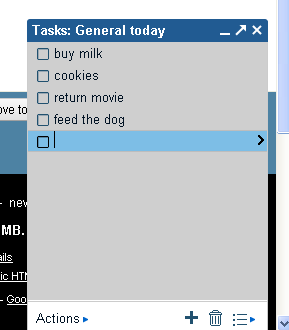
Google Tasks is a something you already have if you have a Googe account. If you have never noticed it, you can start using Google Tasks by clicking on Tasks. You can access your tasks in either Gmail or your Google calendar. If you would rather use it as a stand alone, you can go to https://mail.google.com/tasks/ig .
It offers basic task functions: listing the tasks and letting you cross them off the list. You also have the option to create multiple lists.
2. Remember the Milk
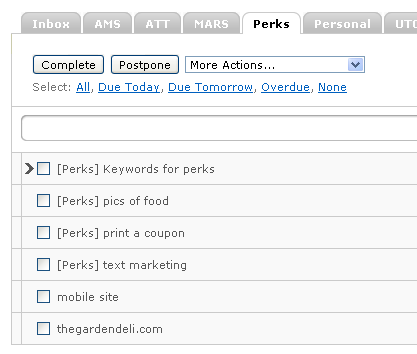
Remember the milk is my personal favorite. I went as far as purchasing the Pro version so I could access it on my mobile devices. The reason I like RTM so much is it offers a lot of customization. The date, priority, different lists, access right in your Gmail inbox are all part of the free version. Of my original testing, RTM had the most features.
3. Vitalist
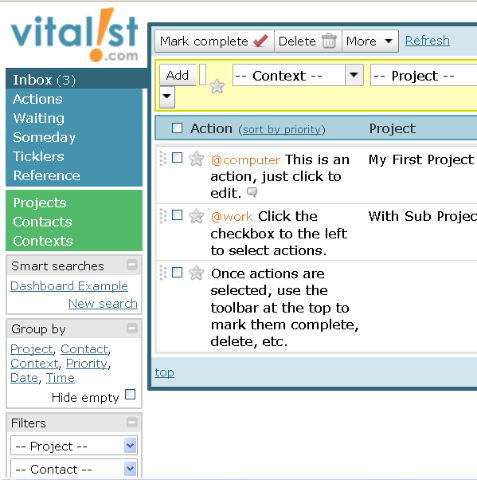
If you are using the GTD system to manage your to-dos, Vitalist is probably one of your best options on this list. You will have the least amount of setup and customizing to get it ready to use with your GTD style. The free version of Vitalist is a little limited, but if you are just getting started it will do just fine.
This one looks a bit like an email inbox. There are folders and drop downs to help you put things where they need to be according to the GTD method. If you are not using the GTD method, you may want to skip this one as it may be a little difficult to use.
4. Teudeux
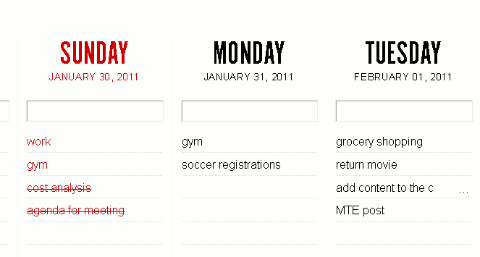
Teudeux is a very minimalist to-do list app. What you get is 5 columns with a bunch of rows. In the rows you add things you need to do. If you know you need to do something a week from now, you can click on the calendar icon to the bottom left of your list. A calendar will pop up allowing you to skip ahead to a specific date.
There are no real ways to customize the look or add options. There is an iPhone app or you can access Teuxdeux from most mobile browsers. I like this app for clutter free task management. You will need to sign up for a free account.
5. Task2gather
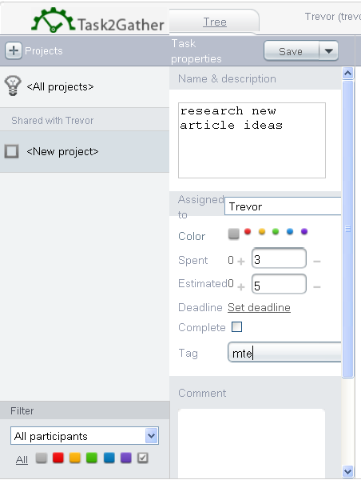
Task2gether is a great option if you are managing a group of people. This is the only web app on the list that allows any kind of group collaboration feature. Because it is geared for more of a group use, you can do things like assign tasks to a specific person, estimated vs actual time spent on the task.
Using this kind of to-do list application is ideal for assigning tasks such as articles to writers, leads to your sales staff, duties in a group school project. Really anything else you would work with multiple people on a common project.
6. Tada Lists
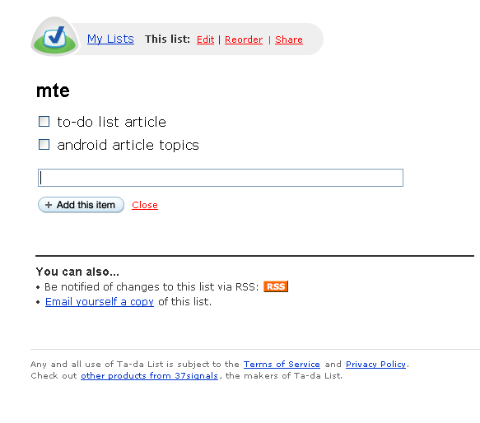
Tada list is another simple task manager. Tada isn’t quite as minimalistic as TeuxDeux. With Tada Lists, you can create multiple lists.
For those of you who use their RSS feed reader to keep track of things or would like to your list, you will have RSS feeds for each list. There is also the option to email the list to yourself or someone else too.
As you can see, there are quite a few options for to-do lists ranging from the basic to the more feature-rich. In the end, the most important part of using a to-do list is how easy it is to access.
Many of the apps listed above can be accessed through a mobile application or mobile browser.
What tips do you have to help keep track of the things you need to do everyday?
image credit: westy48








