KDE’s default web browser is Konqueror, and many users love it for its speed, integration with KDE, and its host of features. Nevertheless, some sites do not perform as well as they do in Mozilla Firefox, and some users prefer the large number of available Firefox add-ons. Furthermore, users who move from Windows to Linux might prefer Firefox for its familiarity
Regardless of their reasons, there are plenty of KDE users who want or need Firefox. Unfortunately, Firefox uses GTK themes for its visual appearance, which ruins the visual continuity that KDE users have come to expect. But fear not, there is a way to make Firefox look and partially feel like a real KDE app. Using four Firefox add-ons and one GTK theme, you can give Firefox an extreme makeover.
The first step in the makeover process is to install a GTK theme that mimics KDE’s Oxygen theme. Although, the gtk-qt engine can apply QT themes to GTK apps, it is not perfect, and Firefox in particular has problems with it.
Visit KDE-Look.org and download the Oxygen-Molecule KDE & GTK+ unified theme. This is a GTK theme, and you can install it just like any other. First, make sure the gtk-qt-engine is not installed, and then follow these instructions:
1. Extract the compressed files into a folder of your choice
2. Copy the theme folder to the GTK themes folder (will vary by distribution – see the installation guide). From the command line, type:
sudo tar -C /usr/share/themes -xzf kde43-oxygen-molecule.tar.gz
3. In System Settings, Click “Appearance” and then “GTK Styles and Fonts“.
4. Select kde43-oxygen-molecule, and click “Apply“.
If you do not have a “GTK themes” button, follow the included instructions to enable the theme manually.
Firefox Add-ons
1. Oxygen KDE
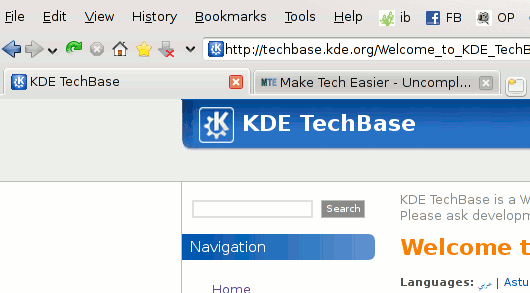
The first Firefox add-on is a theme that gives Firefox an even more polished KDE look than the GTK theme. The reason I recommend installing the GTK theme is that it will give all dialogs and any external GTK applications the KDE Oxygen look as well, making it all unified.
I found this theme to be very crisp and fast compared to other Firefox themes I have used. It actually feels like a KDE application and even replaces the Mozilla progress indicator with the Konqueror “K”.
2. Xclear
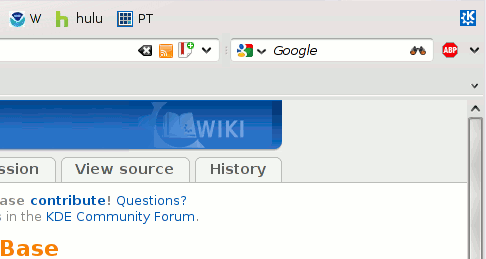
A common Konqueror feature is the button that lets you quickly clear Location or Search bar text. Apple’s Safari browser also has this feature. With Xclear, you can add this functionality to Firefox.
3. PlasmaNotify
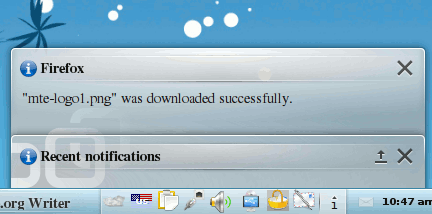
Normally, when downloads finish, Firefox pops up a notification window in the bottom right corner of the screen. Some people turn this feature off completely, but if you still want notification, PlasmaNotify integrates Firefox with KDE’s notification system. It should also work with other Firefox notifications, other than download completion.
4. KDE Wallet password integration
This is by no means an essential add-on, but it is definitely useful if you want your passwords all stored in one secure location. Rather than having Firefox store your information, why not have KWallet do what it was designed to do? Konqueror and all other KDE applications can use KWallet by default. This extension adds that capability to Firefox. KWallet uses a master password system, which is more secure than having Firefox save your password, allowing anyone who happens to be at that computer access to your accounts.
Each of these add-ons is optional, so feel free to pick and choose the ones you think are essential for the best overall KDE desktop experience. There are a couple of others out there that provide support for services like KTTS (KDE Text-to-Speech) that you might also want to consider. Once you are finished applying all of these add-ons, you will have a hard time remembering that Firefox is not part of your KDE desktop.








