While Chrome extensions have allowed us to have a great deal of flexibility to customize the browser, beware, as you might have installed a fake ad-blocker extension you thought would protect you!
To answer one of the web’s most divisive questions: which is better, Google Chrome or Mozilla Firefox? Loyalists on either side will tell you that their browser is the best, so the only way to reach a verdict is to compare numbers.
Google is going to make it easier for us to find out which pages are secure. All unencrypted pages in Chrome that are not HTTPS will be marked as “not secure.”
The Chrome URL autocomplete feature may not always show you the right URL. This article includes some things you can do to prevent that annoying autocomplete feature from appearing.
If you just switched to Firefox, you’ll want to import your bookmarks or favorites from your current browser. This tutorial will walk you through the process of importing user data from Chrome to Firefox.
Chrome will always send a prompt when you install an extension. Find out about the various Chrome extension permissions and how you can protect yourself.
There are times when you want to disable the Chrome auto update because it is disrupting your work. Here’s how to disable automatic Chrome updates in Windows.
Javascript can be useful and harmful at the same time. Here is how you can block intrusive javascript by selectively blocking certain sources of Javascript.
Google Chrome has an internal DNS caching system. If you are struggling connecting to websites, here’s how to clear the Chrome DNS cache to fix the issue.
If you’re concerned about your privacy, you might want to disable the location-sharing feature. Learn how to disable location sharing in various browsers.
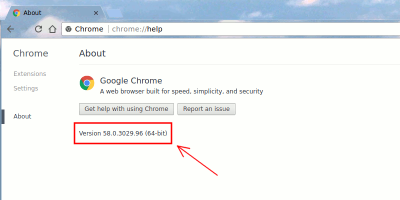
Google announced that it’ll be auto-migrating 64-bit Windows users to the 64-bit version of Google Chrome. Here is what you should know about 64-bit Chrome and how you can get it.
Instead of visiting a website on a browser, you can turn it into a web app and launch it like an app. Here is how you can turn websites into apps in Linux.
Gmail is the most popular email service out there, but some things could still use some work. Use these Chrome extensions for Gmail to tune things up and increase your productivity.
There are plenty of ways to spice up your new tab page, and having a 360-degree picture is the coolest. Learn how to get a 360-degree picture in Chrome’s new tab page.
If you’re interested in blocking ad requests or seeing who tracks you when you load a website, Disconnect for Chrome can block tracking websites completely.