• Computing
  • Mobile
  • Lifestyle
  • PC Guides
  • Reviews
  • Tech Explained
    • Windows
    • Linux
    • Mac
    • ChromeOS
    • Android
    • iOS
    • Gadgets
    • Productivity
    • Smart Home
    • Social Media
    • Gaming
  • Internet
  • Tech Explained
  • News

More from us

  • Reviews
  • Cheatsheets
  • Buying Guides
  • Deals
  • Newsletter

How to Fix YouTube When It is Not Working

There are plenty of reasons why YouTube is not working. If you are having this issue, here are some ways for you to fix it when YouTube is not working.

By Fabio Buckell – Jan 18, 2019

Intermediate Tech Literacy: The Skills You Need to Be Savvy

You have basic knowledge about using a computer, but these are some intermediate tech literacy skills for you to step up to the next level of tech-savviness.

By Andrew Braun – Jan 17, 2019

How to Create a Customized Alexa Skill Using Blueprints

Amazon Alexa has a useful option to create your own skills with no coding knowledge! Learn how you can create custom skills with Alexa Blueprints.

By Tracey Rosenberger – Jan 12, 2019

Hygger.io: A Unique and Capable Project & Task Manager with Built-in Prioritization

Hygger is a next-generation project management suite that includes all the tools you need to sort and manage projects. Here’s how it works.

By Alexander Fox – Jan 10, 2019

Useful Tips to Make YouTube Safer for Your Kids

You can’t rely on YouTube to prevent your kids from viewing inappropriate content. Here are some ways to configure YouTube and make it safe for kids.

By Tracey Rosenberger – Jan 8, 2019

Why Are So Many Browsers Based on Chromium?

More than 65% of Internet users browse the Web with a Chromium-based browser. Why are varous browsers moving towards Chromium, and what does it mean for the future?

By Andrew Braun – Jan 7, 2019

How to Change Google Chrome Download Settings

By default, Google Chrome automatically saves all the downloads to the “Downloads” folder. Learn how to manage and change Google Chrome download settings.

By Kenneth Kimari – Jan 2, 2019

Recommending the Best Email Hosting Providers for 2019

Searching for a reliable email hosting provider can be a troublesome and complicated matter. Here is a list of the best email hosting providers you can use in 2019.

By Sayak Boral – Dec 31, 2018

Facebook Photo Bug: How to Check If You Are Affected

The recent Facebook photo bug exposed photos of Facebook users to apps. Here is how you can check if you were affected by the Facebook photo bug.

By Afam Onyimadu – Dec 30, 2018

The Differences Between Push and Fetch Emails and Which One You Should Use

When configuring an email client, you will see a prompt to choose between push and fetch email. What’s the difference between them and which is better?

By Alexander Fox – Dec 26, 2018

What Are Mobile-Only Neobanks, and Are They a Good Idea?

A new breed of bank, the “neobank,” is available only as a mobile app and focuses on providing cheap, well-designed banking services. Find out if they are a good idea.

By Andrew Braun – Dec 25, 2018

Fixing the Emotional Gap in Online Communication

The lack of emotion in online communication causes a lot of emotional firestorms when one don’t understand what others are saying. Here are some ways to fix it.

By Andrew Braun – Dec 19, 2018

forward-emails-featured

How to Forward Multiple Emails at Once in Gmail with Chrome

Gmail only allows you to forward one email at a time. Multi Forward is a Chrome extension that lets you quickly forward multiple emails. Check it out.

By Mike Tee – Dec 15, 2018

Useful Chrome Command-Line Switches and What to Do with Them

Google Chrome comes with various command-line switches that you can append to the app launcher. Here are some of the more useful Chrome command line switches you should know and use.

By Alexandru Andrei – Dec 11, 2018

Basic Tech Literacy: Eight Things You Should Probably Know by Now

Basic technology literacy skills are the new fire-making. These 101-level things you’ll need passing grades in to take full advantage of the modern world.

By Andrew Braun – Dec 11, 2018

How to Use the Built-in Dictionary of Microsoft Edge

Microsoft Edge comes with a built-in dictionary that makes it possible for you to see the meanings of words just by hovering above the words. Here’s how to use it.

By Afam Onyimadu – Dec 9, 2018

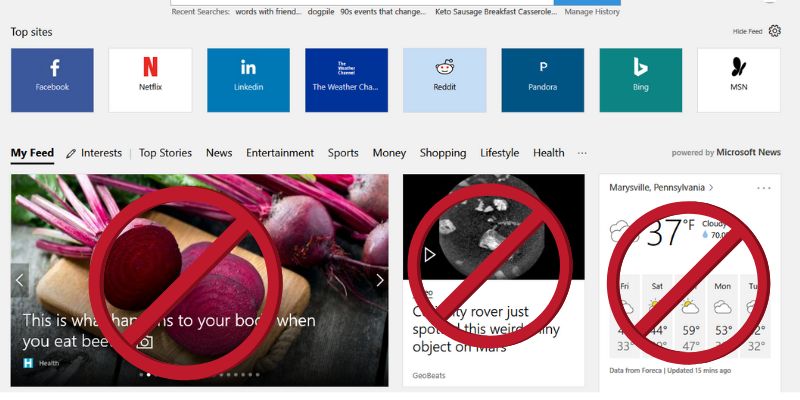
How to Disable the Articles on Microsoft Edge Start Page

The latest version of Microsoft Edge came with a “News Feed” feature that shows articles when you open the browser. Here’s how to disable that.

By Tracey Rosenberger – Dec 8, 2018

How to Find the Best Wi-Fi Channel for Your Network

Did you know that your Wi-Fi signal has a channel? It’s a good idea to check your Wi-Fi channel to see if it is crowded and affecting your speed.

By Simon Batt – Dec 6, 2018

How To Move Emails From One Gmail Account To Another

How to Move Emails from One Gmail Account to Another

Moving from one Gmail account to another is easy, but what about those emails left in your old account? If you want an easy way to move emails from one Gmail account to another, here’s how to do that.

By Mike Tee – Dec 6, 2018

Featured Not Secure Lock for Chrome

How to Deal with the “Not Secure” Warning on Google Chrome

Google started to label all non-HTTPS sites as “Not Secure.” If you have encountered such sites, this shows how to find out if it’s secure and what you should do.


By Sayak Boral – Dec 5, 2018

Pagination

<1…55565758>

Trending

Twitch Vs Youtube Gaming Vs Facebook Gaming Featured

Twitch vs. Facebook Gaming vs. YouTube Gaming: What’s the Best Live Game Streaming Platform?

Mar 31, 2026

Anytype Android

I Swapped Notion for Anytype on Android, And I’m Not Going Back

Mar 31, 2026

What Is Emulation Featured

What is Emulation? Benefits, Downsides and More

Mar 31, 2026

Play Legend Of Zelda Pc Featured

How to Play The Legend of Zelda on PC

Mar 31, 2026

Nvidia Dlss Featured

What Is NVIDIA DLSS? Upscaling and DLSS Alternatives Explained

Mar 30, 2026

Featured Image depicting the latest Windows10 and 11 Update Problems

Latest Windows Update Problems and How to Fix Them

Mar 30, 2026

More Posts >

Affiliate Disclosure: Make Tech Easier may earn commission on products purchased through our links, which supports the work we do for our readers.

Uncomplicating the complicated, making life easier

Make Tech Easier provides tech tutorials, reviews, tips and tricks to help you navigate the complicated world of technology. We aim to uncomplicate the complicated, making your life easier.

  • About
  • Contact
  • Advertise
  • Editorial Guidelines
  • Terms of Use
  • Privacy Policy
  • RSS Feed Terms

© 2026 Uqnic Network Pte Ltd.
All rights reserved.