


Most people tend to use popular email services that are available: Gmail, Yahoo, etc. However, ProtonMail is one of the few that offers native PGP encryption to safeguard your privacy and data breaches. Learn how to take advantage of it.
The Needs For PGP Encryption
With free services like Google’s Gmail, a good rule of thumb is to always assume that all your emails are read or at least checked by AI bots for keywords. That is why you need to encrypt your email, so that they are only read by you and the intended recipients. ProtonMail comes with PGP encryption by default so that you can easily encrypt your emails.
How Does PGP Work?
PGP algorithms work by generating an encrypted session key. When you use PGP to send an email, you need the recipient’s public key. The recipient then uses their own private key to unlock the encryption. Likewise, if someone gets a hold of your private key, it would allow them to read the email.
In both cases, ownership of your private key means owning the key to your privacy. Switzerland-based ProtonMail, which now offers its own VPN service for free, is one of the rare email providers with native OpenPGP encryption, so you don’t have the hassle with plugins and third-party software.
Here is how you can set up PGP encryption in ProtonMail.
1. Attach Public Key
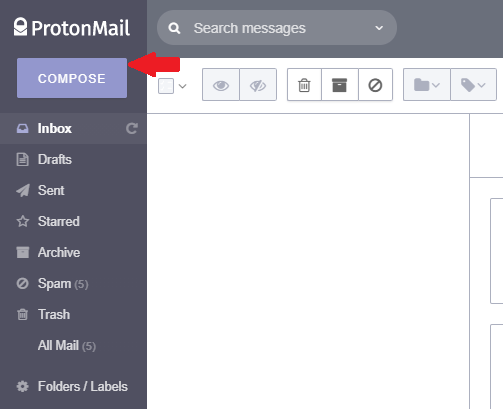
When you log in to your ProtonMail account, preferably by using a good dedicated password manager, click on the big “Compose” button in the upper-left corner, above Inbox, to create a new email.
Once the new window for messages opens, go to the end of the formatting bar on the far right to click on the upward arrow icon. Once you hover over it with your mouse, the “More” option will pop up. Click on it and then on the “Attach Public Key” from the drop-down menu.
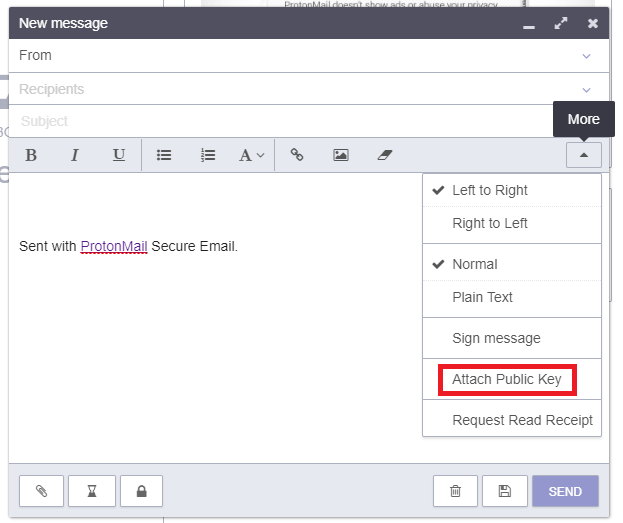
Now that it is checked, your email will be PGP-encrypted. To do this for all future email instead of just one, go to “Settings -> Security” and scroll down until you see “Automatically attach public key” under External PGP Settings. Click on this button so that it is checked and your PGP encryption becomes active for all further emails.
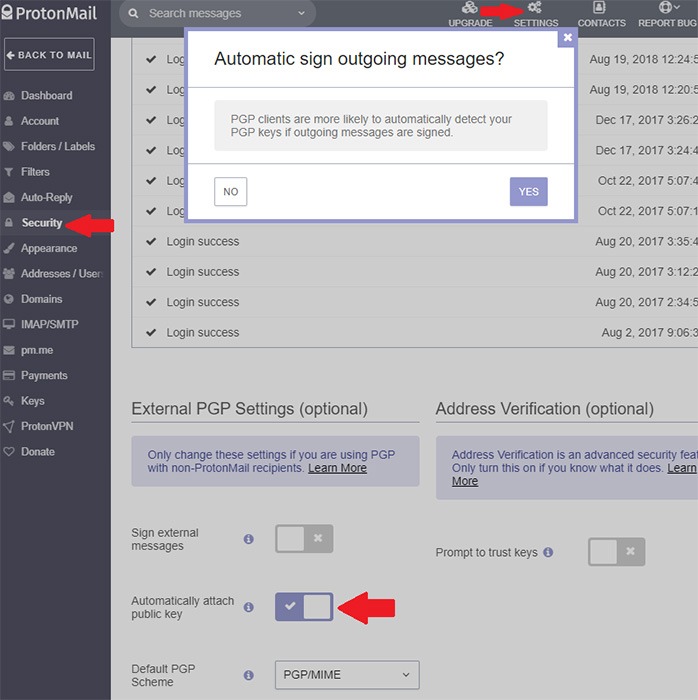
Click “YES” to confirm.
2. Sharing the Public Key
With PGP encryption enabled, all that remains is having the recipient share their public key. This will come as an email with the attached public key file.
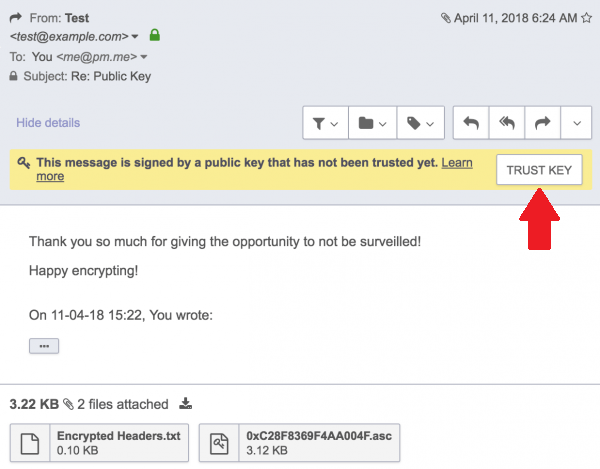
You will see a yellow-highlighted notification informing you that this message is signed by a public key. Once you click on the “Trust Key” button, it will become trusted. Furthermore, check the “Use for Encryption” box that appears in the new prompt after you have clicked the button. This signs the emails you send with your private key.
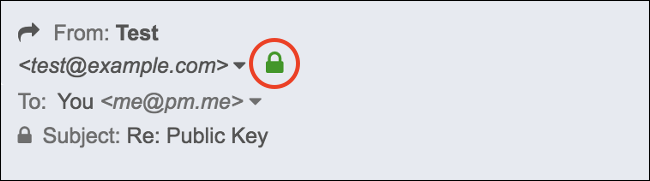
With all new emails that are PGP-enabled, both received and sent, you should see a green padlock icon.
Use PGP for a Short List of People You Trust
As you can see, the main friction in exchanging messages this way is to have an already established repository of contacts with their public keys. Otherwise, you would have to go through the same procedure for every person you wish to contact. It is rather inconvenient than simply composing a message and pressing Send, but this is the price one has to pay for extra security.
Other than ProtonMail, you can also try out these alternative email services for better privacy.