


Online subscriptions are everywhere – from streaming services to finance management – making life easier but sometimes pricier. Without a clear plan, it’s easy to lose track and overspend. Here’s how you can take control of your online subscriptions with simple, effective strategies.
1. Use a Dedicated Email Account For Subscriptions
Managing dozens of subscriptions means keeping up with their renewal times, pricing updates, promotional emails, and much more. Having all this conflict with your work or personal account will make things very difficult. Your work/personal account will have dozens of emails from subscriptions, and similarly, your subscriptions will get mixed with work/personal things.
The easier way to manage subscriptions is to create a dedicated email account for subscriptions. This will not only separate the emails but also allow you to better manage using filters and folders.
For example, you can create labels and filters in Gmail to automatically separate active subscriptions, free trials, and subscription renewal emails. When synced up with the calendar app, you can also easily set reminders for free trials and subscription renewals.
For a service that won’t let you use a free trial without signing up, you can also use a disposable email address instead of risking your main one.
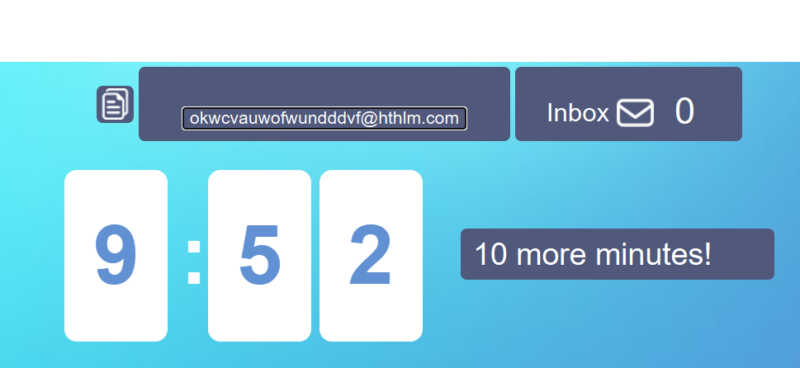
If you are concerned about managing multiple email accounts, don’t worry, most top email services allow login to multiple accounts from the same interface.
2. Use a Disposable Credit Card For Subscriptions
Most online subscriptions are on auto-renewal, which can come to a surprise for people who forget to cancel the plan. Using a virtual or disposable card for subscriptions can solve such surprises.
Disposable cards are virtual debit/credit cards that are attached to your main card but have a different card number, expiration date, and CVV. They work similarly to a physical card, but you can generate a new card for each transaction with limited expiry and maximum balance.
While many banks now offer virtual card services, you can also use third-party virtual credit card services to generate virtual cards for free. Below are some benefits of using a disposable card for online subscriptions:
- Subscribe to free trials: Most free trials require your credit card details and will auto charge you after the trials ended. With a virtual card, you can easily subscribe to free trials, and restrict the payment if you don’t enjoy the services.
- Stop Auto-Renewal of Subscription: If you don’t want to commit long-term or don’t want to take risks forgetting to cancel, use a virtual card with a fixed balance. You’ll subscribe once and the service will not continue at the time of renewal.
- Merchant-lock the card: Some disposable cards can be merchant-locked so they may only be used at that specific merchant. This will prevent misuse of a card at other services.
3. Save Money on Subscriptions
Usually, people just click on the Plans section of the service and choose their preferred plan to subscribe. However, there are many ways to save money on subscriptions if you look around a bit first.
Take Advantage of Group/Family Plans
Many popular online services like Netflix, Google One, Nintendo Switch Online, etc. offer group plans or the ability to add more members. These multi-member plans are usually much cheaper than individual plans. For example, Disney+ Premium costs 15.99/month for individual plans, but if you add a member you can bring it down to $9.99/month.
While some services may limit you to family members in one household only, many allow you to share with friends. You can subscribe together with family or friends to get huge discounts.
Choose the Right Subscription Duration
Annual plans are almost always cheaper than monthly plans, but they aren’t always the best decision. You need to evaluate how much you’ll be using a service in the upcoming months. If you know you’ll be fully utilizing the service for a long time, then the annual plan makes sense. However, a monthly or quarterly plan might be better if you think there will be inactivity.
Take Advantage of Sponsors
Many services offer exclusive discounts to users who click on their advertisement. For your specific service, search its name with the keyword “review”. If there is a paid review, they might have a discount link.
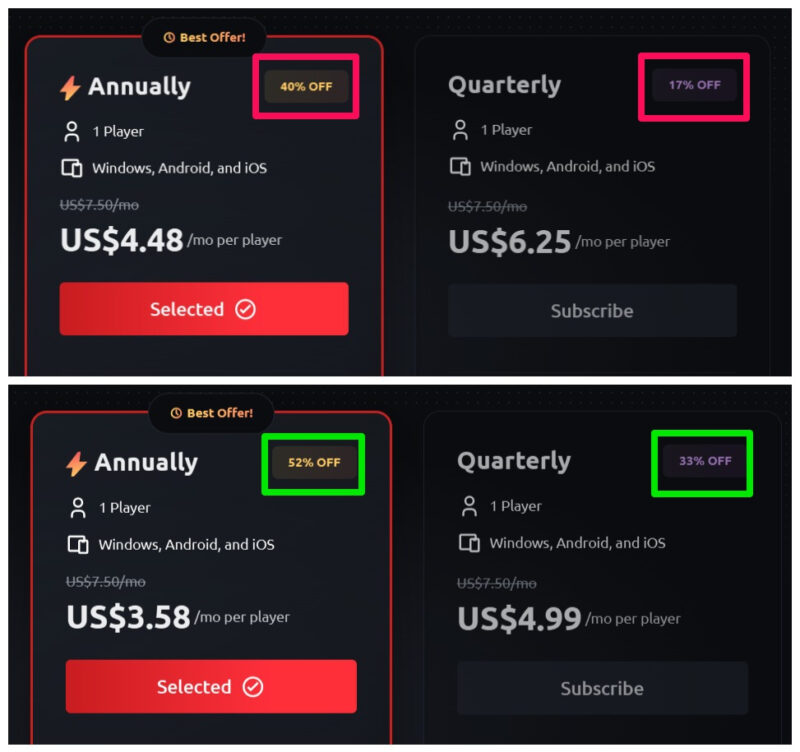
For example, as of writing, Exitlag gives 40% and 17% discounts on annual and quarterly plans when accessed directly. When accessing it from a sponsor’s link, the discount jumps to 52% and 33% instead.
Explore Eligibility Discounts
Some subscription services also have special discounts based on the user’s status, such as student, teacher, military personnel, etc. For example, Hulu costs $9.99/month normally, but students can get it at $1.99/month.
There are many websites that can help you find these discounts:
- Student Beans: Discounts for students.
- ID.me Shop: Offers discounts for communities like military, government, medical, teachers, and more.
- TechSoup: Discounts on software for non-profits and their employees.
- Health Service Discounts: Offers discounts for healthcare staff.
All of these have a search function where you can enter your service name to see if there is currently a discount available.
4. Utilize the Pause Option For Better Control
Many subscription-based services offer the feature to pause the subscription anytime and continue later. Sometimes you can also cancel without losing your current profile data. This feature is great for saving money and also trying other services without losing access to the current one.
When you pause the subscription, you are not charged on the next billing cycle while still have access to the service during the current cycle. However, the pause is usually limited and the subscription will automatically continue again after a specific time.
Some popular services that have pause/cancel features to easily continue later include Hulu, Netflix, Peloton, Canva Pro, Coursera Plus, YouTube TV, and Audible.
5. Use a Subscription Tracking App
If you have too many subscriptions, then a dedicated subscription tracking app will make things easier for you. These apps can track your current subscriptions and provide insights. They can help you track spending, total subscriptions, unused services, free trial ending times, and renewal times.
We recommend Rocket Money as it’s a powerful app that has many automation features. It links to your bank account and automatically fetches subscriptions. You can view all the subscriptions and how much in total you are paying yearly. Furthermore, it will also alert you for any upcoming payments.
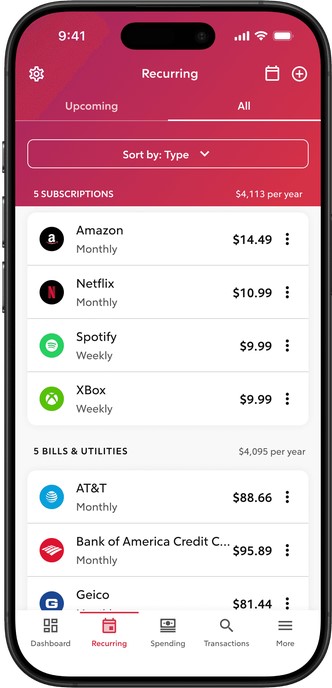
While it’s mainly a web-based app, it also has an Android and iOS app. However, if you want something simpler, Subby is great for Android users and Bobby for iOS. Both apps let you manually add subscriptions, and they will track and keep you updated with their status.
Taking control of your subscriptions doesn’t just save money – it gives you peace of mind and freedom to explore the best options without stress. If streaming services are a bulk of your subscriptions, you might want to know ways to save money on streaming services as well.
Image credit: Vecteezy. All screenshots by Karrar Haider.