9 Useful Tools to Get The Best Experience Out Of GrooveShark

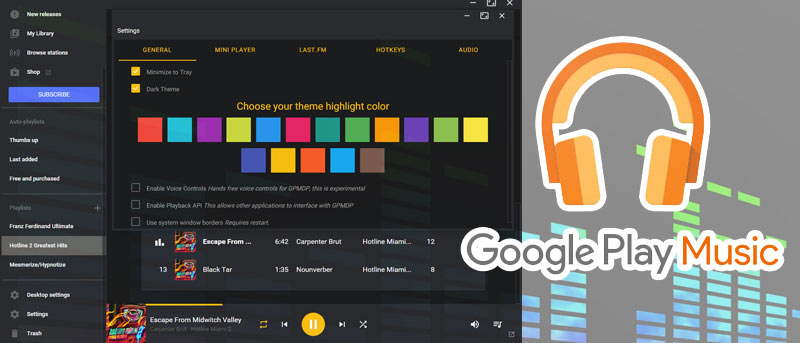
grooveshark-logoGrooveshark needs no recommendation. It is the best online music service out there. It is your one-stop music hangout where you can search for, stream, and upload music that can be played immediately or added to a playlist. It also comes with a recommendation engine where you can find the popular songs other people are listening.

By default, Grooveshark is only accessible via a browser. To use it, the usual way is to open your browser (or open a new tab), go to the Grooveshark site and start listening to your music. This isn’t really the most user-friendly way. What if, with the help of some tools, you can have a better Grooveshark experience? Let’s check them out.
[Read more...]

Six Tools that Brings Facebook to your Mac Dashboard

list of applications that brings facebook to your mac dashboard Are you a Facebook addict just like me? Are you using Mac OSX & annoyed to start your Safari everytime you wish to get connected with your friends on Facebook? If your answers are yes, then read along. This article will let you know how to do everything on Facebook without using your browser and just from your Mac dashboard.

Why do you need this list ?

There are many dashboard widgets in Mac that perform several particular tasks related to Facebook, but not a single one lets you do all of them. So I’m putting in some simple tools that will let you use Facebook’s most performed tasks from dashboard.
[Read more...]

4 Useful Google Wave Apps

waveapps-introLike most everything Google does, they give you the core product and let other people create the tools to use it; Google Wave is no exception. If you would like to read more about Google Wave, Joshua did an outstanding job in a couple earlier posts. Read them here and here.

Below are the most popular desktop applications and plug-in for Google Wave. Now keep in mind, Wave is very simple and doesn’t have a lot of bells, whistles and blinky lights, so the applications don’t really have a lot to work with just yet. I am sure later on, more apps and more features will be available.
[Read more...]

The New Facebook Desktop Client By Adobe And Why Should You Use it

facebook-iconIf you are a Facebook fan then you must have used the official Facebook desktop application.The app is good but it’s not detailed and offers only limited features. You can’t see live notifications of new stories, can’t post a comment and if you need to upload a photo you have to open Facebook in the browser all the way.

If you are not quite satisfied with the official Facebook desktop application or other desktop clients have a look at Facebook –Photo uploader. It is a new desktop client for Facebook, released by Adobe with really useful features.
[Read more...]

Syncplicity – More Than Just A File Storage Solution

syncplicity-logo While there are many sites that provide online storage solution, most of them are limited to basic upload/downloading and sharing features. If you are looking for a comprehensive online backup and file-sharing system that allows you to sync across multiple computers, then Syncplicity could be the one you are looking for.

Syncplicity is an online storage service that aims to make backup, sync and sharing a breeze for its users. By installing the desktop client on your computer, you will be able to easily specified the folders to backup and get it sync quickly and automatically to the server and any other computers that have Syncplicity installed.

[Read more...]

How To Access Gmail on your Desktop

Gmail on DesktopGmail is one of the most preferred web mail service among many Internet users. Apart from accessing Gmail using POP client in your desktop, there are other ways that you can access your Gmail on desktop. In this tutorial, we shall discuss two other ways to access Gmail on your desktop.

[Read more...]