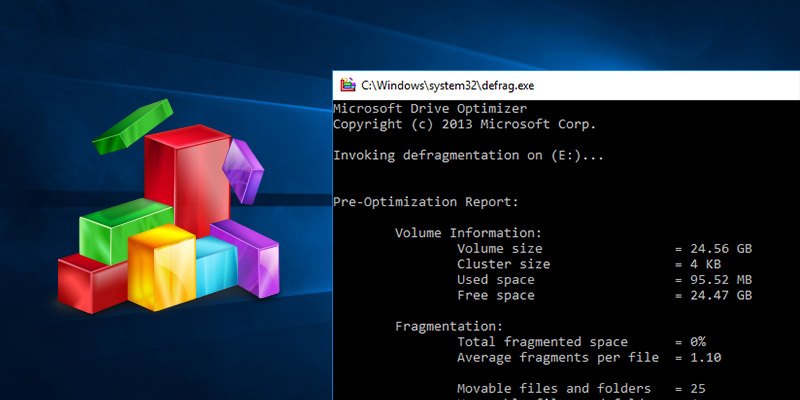
If you’re not familiar with defragmentation in Windows, you really need to learn about it as soon as possible. Soon enough, you’ll be wondering where it’s been all your life, especially with the new features that Windows 7 introduces, which allow the drive to consolidate its free space and run multiple times in one session to make sure that the drive remains free of fragmented files.
[Read more...]
Defragment Your Disk With Auslogics Disk Defrag
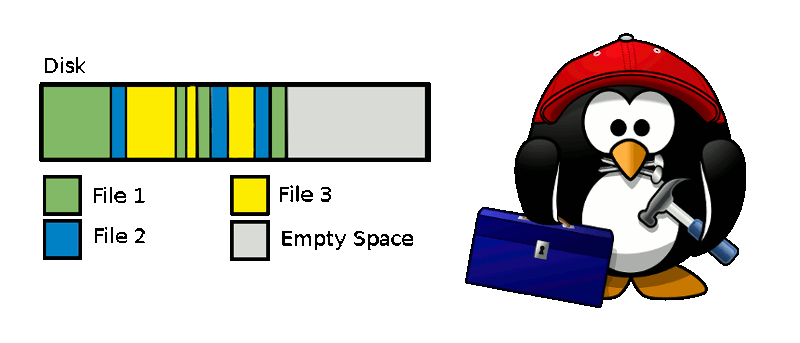
If you ask any experts on tips to speed up the performance of your Windows PC, the answer you often receive is “Defragment your hard disk“. The reason for hard disk fragmentation is because whenever you load any files or data into your hard drive, the operating system breaks it into uncountable number of pieces or chunks and store them in the empty spaces in the hard drive. When you try to open that file, the operating system has to gather all the parts and assemble them back to one piece. As more and more files are being split up and stored in various places, the hard disk become very crowded with fragmented parts and more time is needed to retrieve the files.
To fix this fragmentation problem, we need to run the disk defragmentation application where it locates the various parts of a file and arranges them in running order. By default, Windows comes with its own set of defragment tool that anyone can use, but it suffers from some drawbacks such as inability to defragment a single selected file and ignores files that are smaller than 64 MB.
[Read more...]
Use Registry Defrag to Clean up the Windows Registry
The Windows registry is a database which Windows uses to store all user and system related settings. Most Windows software also use the registry to store their settings. Most, if not all, of these software packages also do not remove their entries from the registry when uninstalled.
Needless to say, the windows registry tends to be in a mess most of the time.
As a Windows user, you also might have noticed Windows becoming progressively slower as you use it, installing and removing software, going about your daily business. One of the reasons for this is because the Windows registry tends to get bloated with stale entries and such, over time and since it is stored in the memory as long as the computer is being used, it slows down the whole computer.
Defrag System Files Using PageDefrag
If you’ve used Windows for any length of time, you must have noticed that it tends to get slower over time. One of the reasons for that is that the filesystem becomes fragmented with use.
Defragmenting is the process of reading all the bits on the file system and re-arranging them to be contiguous.
This is a pretty time intensive process and is quite complex for an operating system to handle. Imagine, you’re trying to access a file that you know resides on particular place and the next time you go to access the same file, the file’s position has changed, since the user ran a defragmenting utility over the file system.
How To Properly Maintain Hard Drives with Defraggler
If you read our earlier article about tuning up your PC with CCleaner, then you already know about the high calibre of software that is developed by Piriform. I’m definitely a big fan of the CCleaner product. I’m sure you can guess that it was a no brainer that when Piriform released their next masterpiece, I just had to try it out!
Enter Defraggler, a powerful and easy-to-use defragmentation tool for your Windows managed hard drives. This defrag tool really sets itself apart from it’s competitors by being a quality product with the perfect price tag – free. This tutorial will give you a nice overview of the Defraggler tool, as well as provide you with the necessary knowledge to use it effectively on your home computer.