If you are a blogger or a webmaster, you must be using Google analytics to get detailed data about your blog. Undisputedly, It’s the best free web analytics software out there and provides you with valuable information about how your site is performing in search engines and which sites are sending you traffic etc.
If you want to check your Google analytics data from desktop, then here is a very good Adobe Air app called Trakkboard. It let’s you check Google analytics data of different website accounts from your desktop. You do not have to keep your browser open all the time and be logged in at Google Analytics anymore.
How to Download Trakkboard
In order to download the Adobe Air application, you have to first register with the site. Just head over to this page and submit your email address to request a key.
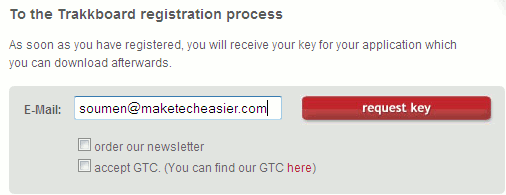
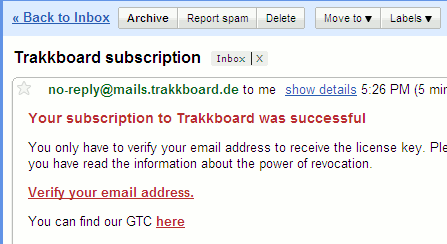
Hit the “request Key” button and you will receive an email containing the verification link to verify your email address. Click the verification link and you are done with verifying your email address.
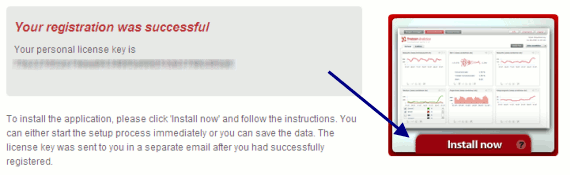
Once you click the link, you will be redirected to a page containing your Trakkboard license key. After that click the “install now” button and the application will start to install Trakkboard in your computer.
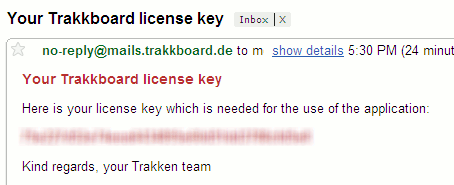
Immediately after the installation you will receive another email containing your Trakkboard license key. Do not lose this License key as you will need it to start the desktop application.
That concludes the installation part. Now let’s see what Trakkboard has to offer.
How to use Trakkboard to View Google Analytics reports from Desktop
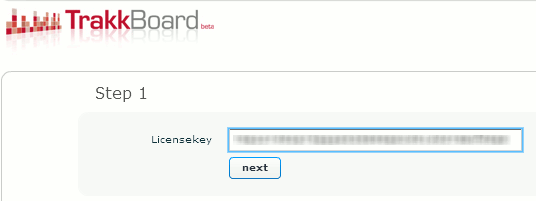
After the installation is complete start the application and put the Trakkboard license key and hit next.
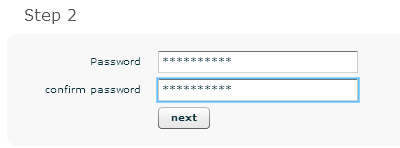
The next step involves choosing a password for Trakkboard. This password is not your Google analytics account password. Instead, this password is used to protect your Trakkboard data in case anyone else wants to sneak peak into it.
After choosing your password, you have to enter your Google analytics account details. This will be used to Login to your Google analytics account and let you see the website data from desktop. If you have multiple Analytics account, don’t worry as you can always add another account later on.
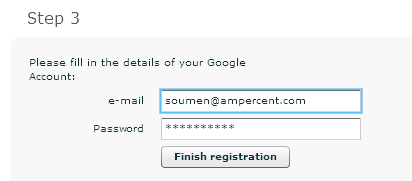
That’s it. Hit the Finish registration button to complete the installation. Now you are ready to use this amazing software.
Using Trakkboard – Features , Widgets and Interface
The entire Trakkboard interface works in widgets. You have to select a website profile from the upper bar and select the corresponding widgets to display them into the application.
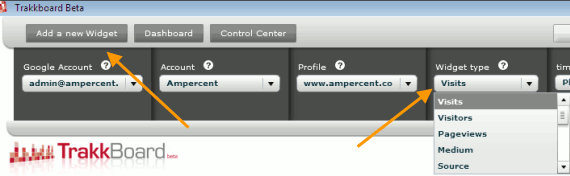
Just select a time span and the widget type. After that click save and your widget is placed in the application panel. Here is how the Trakkboard panel looks with all the custom widgets set up.
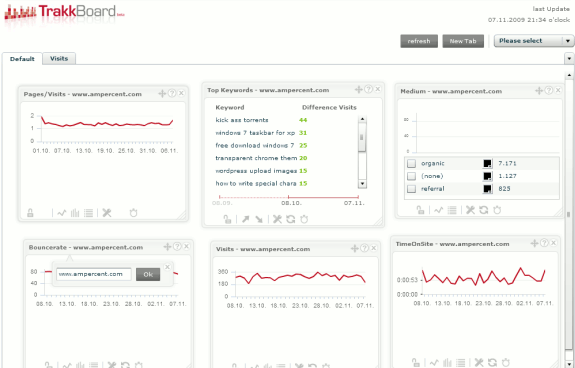
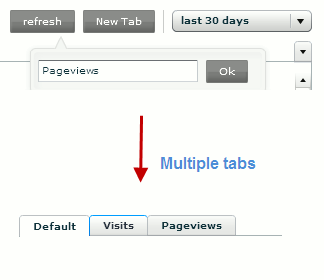
You can drag and drop widgets to your preferred locations. If you feel the application is getting cluttered with too many widgets, you can always open a new tab and organize your data.
Available Widgets in Trakkboard
There are quite a number of widgets to choose from. And they are :
- Total visits over a definite time span.
- Total number of page views
- Traffic sources
- Medium
- Top Keywords
- Bounce rate
- Time on site
I guess all these features are more than sufficient for you to analyze the data. However the benchmarking feature hasn’t been implemented yet.
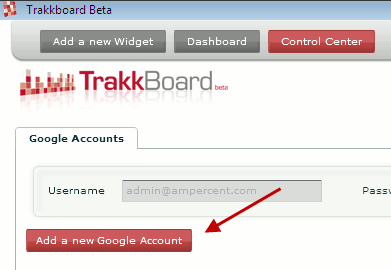
Adding a New Google Analytics account
If you have multiple Google analytics accounts, then you can add them up from the control center.
Well that’s about it. Have you tried out the new desktop client for Google Analytics ? tell us what you think about it.








