The Internet continues to make the distance between people in different countries shorter and shorter. People, regardless of where they come from, are constantly interacting with one another. As we all know, not everyone speaks the same language, so how can you make your WordPress blog multinational to reach different language speakers.
What is Translate WordPress?
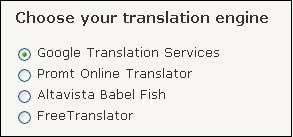
Translator WordPress is a WordPress plugin that gives you the ability to make your blog accessible to your readers in 41 different languages (Please see the next section for the 41 languages). It uses four different translation language – Google Translation Services, Promt Online Translator, Altavista Babel Fish and FreeTranslator – that will be the deciding factor as to which languages your blog can be displayed in.
What are the 41 languages?
The 41 languages are Italian, Korean, Chinese (Simplified), Portuguese, English, German, French, Spanish, Japanese, Arabic, Russian, Greek, Dutch, Bulgarian, Czech, Croatian, Danish, Finnish, Hindi, Polish, Romanian, Swedish, Norwegian, Catalan, Filipino, Hebrew, Indonesian, Latvian, Lithuanian, Serbian, Slovak, Slovenian, Ukrainian, Vietnamese, Albanian, Estonian, Galician, Maltese, Thai, Turkish, Hungarian
Note: Remember that the number of languages you are able to access depends on which translation engine you choose
How do I install it?
- If you are using WordPress 2.7 or higher, you are able to search for the Translate WordPress plugin on the plugin search page and automatically install it.
- If you don’t, then you can click this link: Download Translate WordPress here
– Extract the zip file and upload global-translator folder folder into the /wp-content/plugins/ directory.
– Login to your WordPress admin page, click Plugins. Look for “global-translator,” and click the Activate link.
How do I customize it?
After installing the Global Translator plugin, on your Dashboard, go to Settings->Global Translator.
1. Choose your translation engine (i.e. Google Translation Services, Promt Online Translator, Altavista Babel Fish, or FreeTransalator)
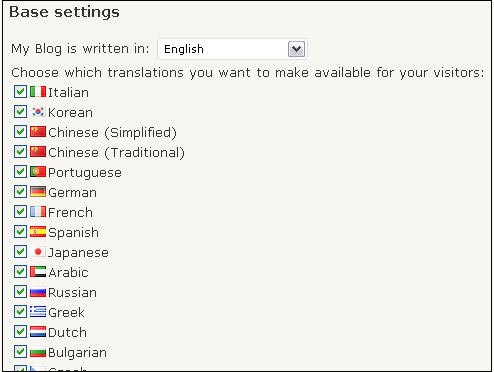
2. Select your default language in the My Blog is written in drop-down menu
3. Choose which languages to make available to your visitors
4. Select how you want the language flags displayed

5. Press the Update Options button
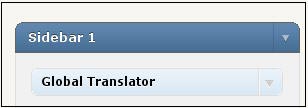
6. Go to the Appearance->Widget section, drag the Global Translator widget to your blog’s sidebar
What if my blog is not widgetized or I want to show the language flags on the actual blog post?
Go into your Editor to the location you want the language flags to appear and type the following php code:
What do my users have do to translate it to their desired language?
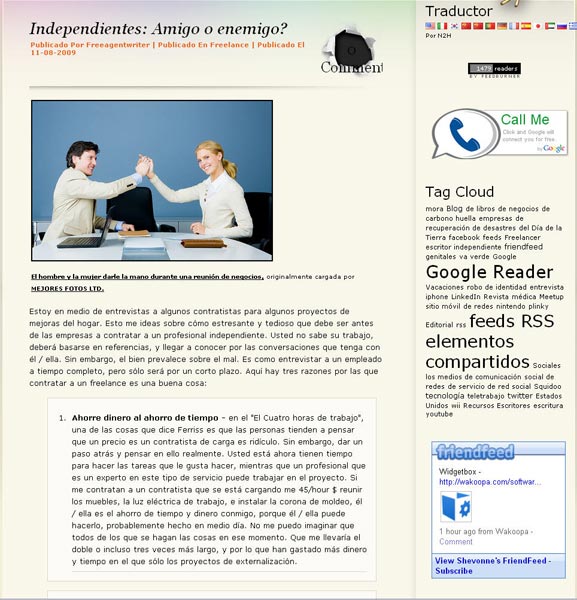
I recommend placing the Global Translator widget as the first widget on your blog’s sidebar. Users will select their desired language’s flag, and the page will be translated. Below is a an example where the blog was translated from English to Spanish:
What other software do you use to translate your site?








