I know that it is easy to forget your password, especially when it contains plenty of symbols, digits and upper/lower case. In WordPress, if you have forgotten your password, you can get it to reset your password via your email account. However, in the event that you also forget your username or the email you have used to open the WordPress account (I know this type of situation is rare, but it does happen), you can always reset your password via the phpMyAdmin.
This tutorial is applicable only if your Web host is using phpMyAdmin to manage your database.
Log into your Web host account and go into the phpMyAdmin admin page.
Search for the database that you have configured for the WordPress account.
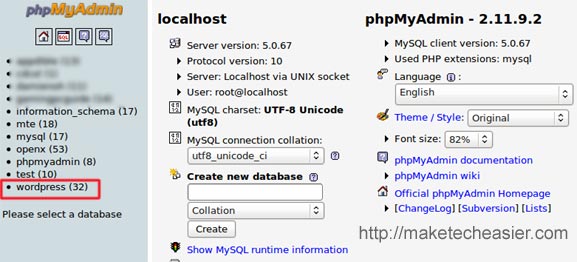
If you have no idea what is the name of your WordPress database (probably because you used the auto installation script in cPanel) or forgotten the database name, download the “wp-config.php” file from the WordPress server (using SFTP). You should find your database information there.
On the left side of the phpMyAdmin screen, you should see a list of the table used in WordPress. Scroll down until you see the entry “wp_users”. If you are using a different table prefix other than “wp_”, you should see something like “yourprefix_users”
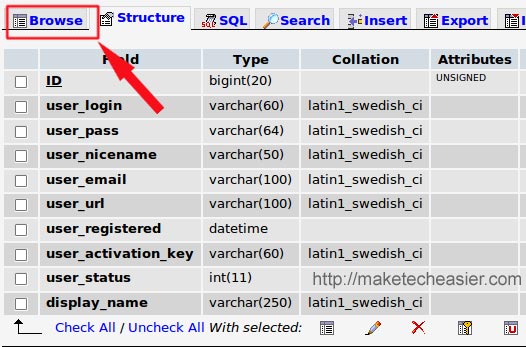
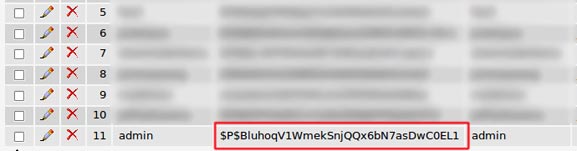
On the right, click on the Browse button. This will get it to display all the user information. The “userpass” column is the password field. Note that it is of an unrecognizable format, definitely not the same as the one that you have set for your WordPress. Don’t worry, this is the exact same password that you have set, except that it is encrypted with MD5 Hash.
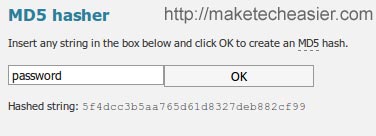
Now, open a new tab in your browser and head on to MD5 hasher. Enter your password and and click OK to create a md5 hash of that password. Copy the hashed string to your clipboard.
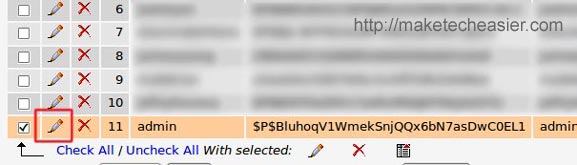
Back to your phpMyAdmin, check the box beside your username and click on the pencil icon to edit the entry.
Replace the password with your newly generated md5hash password.
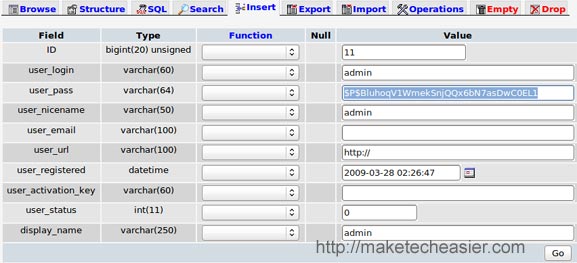
Click on “Go” to save the changes.
That’s it. You should be able to log in with the new password now.








