If you are thinking of creating your own screencast, but can’t find the appropriate screen recording tool that is both free and easy to use, then Screen Toaster could be the one for you.
Screen Toaster is an online screencast service that allows you to record your desktop screen without installing any application. No matter which OS platforms you are using, as long as you have a browser and an Internet connection, you will be able to use SceenToaster record your screencast.
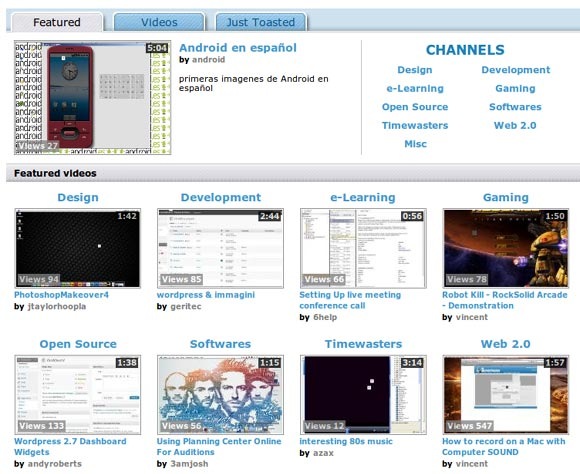
Similar to any other video sites, when you first visit ScreenToaster, you will be greeted by a library of videos. All these videos/screencasts are created by the ScreenToaster’s users and are sorted in its respective categories. Most of the videos are ”How-to” and tutorial based videos, making it a rather niche video site for people to teach/learn new stuffs. You can easily browse and search the library via the tag cloud, the search bar or the channels.
To make use of the screen recording function, you need to first register yourselves as an user. Don’t worry, the registration is free and it only takes you a minute.
Once you are registered and logged on, you can then click on the Record button to start your recording.
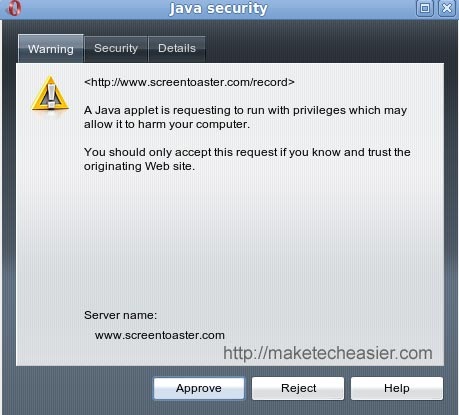
Before the Java applet can run, you need to first grant it permission to access your desktop.
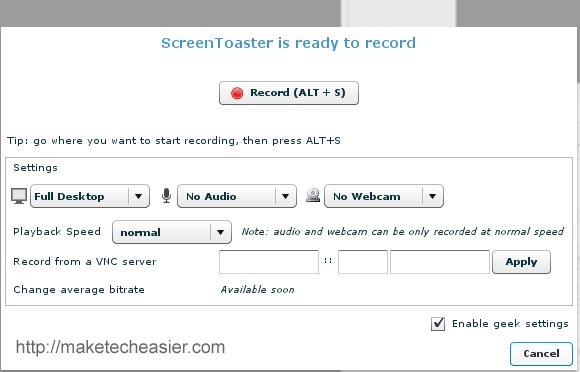
After you have approved the java applet, a window showing all the recording controls will pop up. This is where you configure your video setting and control when to start/pause/stop the recording. Options that can be configured include whether to capture the full desktop or only a defined rectangular area, select audio input source and whether the web cam should be used.
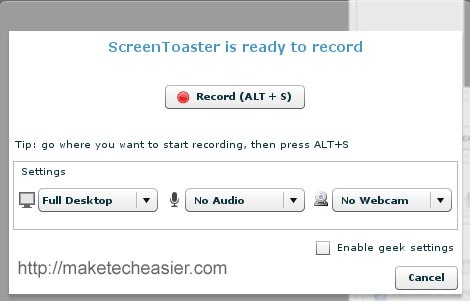
When you are done with the setting, simply click on the “Record” button, or press the hotkey Alt + S to start recording.
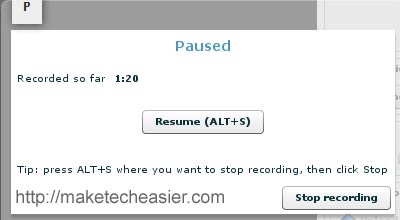
- To pause/resume recording, press Alt + S again.
- To finish up and stop the recording completely, click on the “Stop Recording” button.
If you are geeky enough, there is also a geek recording mode where you can configure Advanced setting such as the playback speed or to record via VNC server.
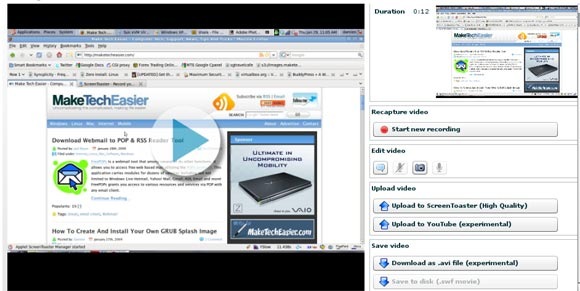
After you have finished recording your screencast, you will be brought to the video editing screen. This is where you decide what you want to do with your finished video. You can watch your recording or upload it to the ScreenToaster server or YouTube. As there is limited editing functionality, you may also want to download the video (in .avi format) so that you can edit it offline.
Overall, ScreenToaster is a simple and easy to use screencasting service. The fact that it is web-based, free (as in zero cost), installation-free and provides a server for you to host your videos have already make it worth trying and using. What I would hope to see is more editing features (such as annotation, video splitting etc) on the video editing section so that I won’t have to download the video, touch it up with another application and upload it again.
What other tools do you use to record your screencast?








