One of the problems with email attachments and using a browser based email client is the amount of time it takes to upload all the attachments. If you are using a slow internet connection, you know how frustrating it can be to upload multiple attachments to a new email message. Sometimes, the connections may fail in the middle and you have to start the process all over again.
Uploading multiple files simultaneously may also freeze the browser. For instance: if you are using Firefox and try to upload some PDF documents of high file size, there are chances that Firefox may stop responding. In such situations it becomes difficult to save the draft which kills your precious time
Another problem with attachments is when you want to find them later. If you send and receive dozens of emails every single day, you might not remember the date and actual message thread of the uploaded attachment. In such situations, you have to search the file in your computer or ask one of the recipients to forward you the attachment.
What if we can use a desktop tool to upload attachments to our Gmail account? What if we can store an online copy of all the attachments to a file hosting provider for free ? In this tutorial we will learn how to automatically archive all the email attachments to a free file hosting provider (using Drop.io)
Upload Attachments To Gmail From Desktop
First you will need to download the Affixa desktop client. Affixa lets you upload attachments to your email using Drop.io, a popular file hosting service, you can also use Affixa to add the attachments to your desktop Email client e.g Microsoft Outlook, Thunderbird, Zimbra etc.
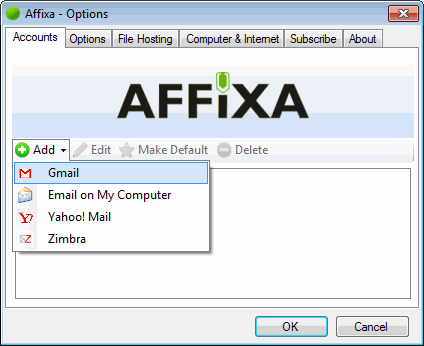
Once you have downloaded Affixa, install it and run the program. Click the “Add” button to add your Gmail or Yahoo email account, as shown below
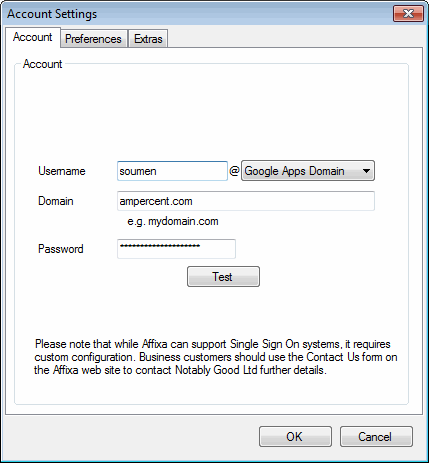
In the account settings, you can choose “Google Apps” or “Gmail from the “Username” dropdown. Enter your account credentials and click “Test”
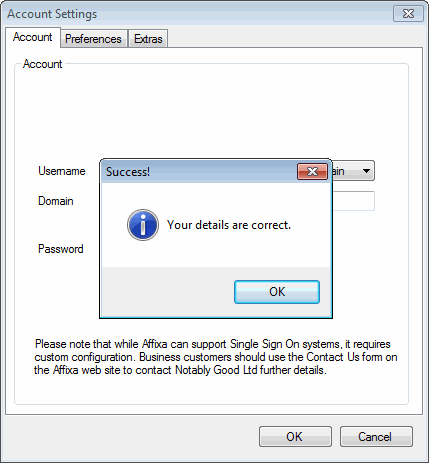
Affixa will confirm whether the username and password is correct and show a message as shown below:
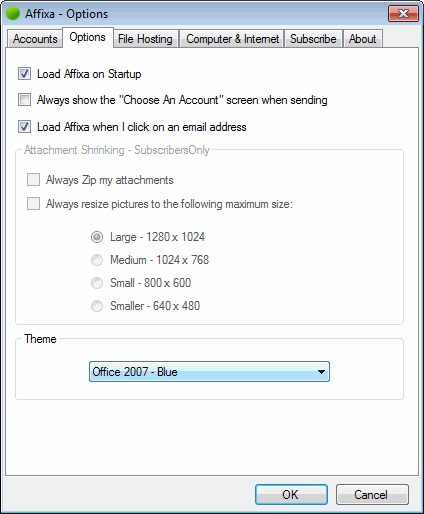
Now switch to the “options” tab and select “Load Affixa on Startup” and “Load Affixa when I click an email address”. This will automatically invoke the program when you want to add the attachments and do not have to run the program manually.
Next, browse to the “File Hosting” tab and choose the attachment rules. If you want to always use the Drop.io service to host your attachments, select the checkbox “Use the File host automatically” and again select the check box “Always use file hosting for my attachments”
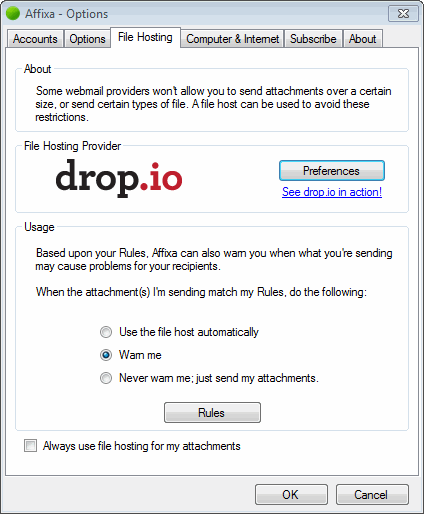
Now click “Preferences” and choose a password for the Drop. A Drop is nothing but a location where your attachment will be uploaded (see example).
Setting a password ensures that only selected people can see your attachment and it’s not public. You can easily send the password of your created “Drop”to the recipients in the email message.
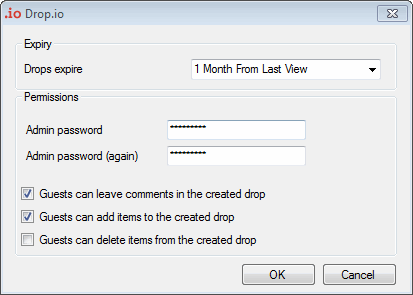
From the expiry drop down, select an interval for which you want the drop to be active. The expiry interval can be set from 1 day to 1 year. You can also choose other options which includes whether other users can post a comment on your attachment or whether they can add new files to the drop created by you.
The setup portion is over, now to upload an attachment simply right click a file and choose Send to -> Mail receipient
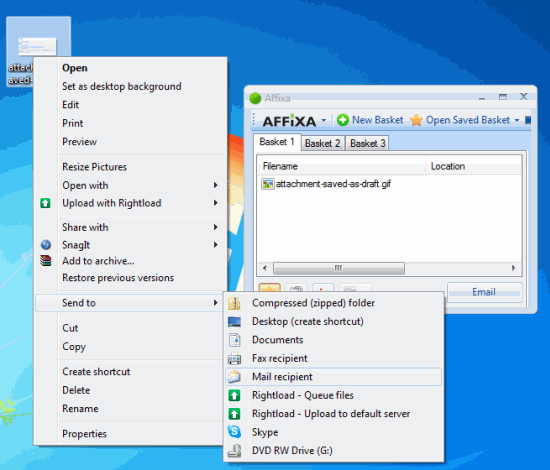
You can also manually start the Affixa program and drag and drop to add emails to the Drop.io Basket. When all the files are added, simply hit the “Email” and Affixa will upload those files to Drop.io and add them as attachments to a new Gmail message. The following message is shown once all the files have been uploaded:
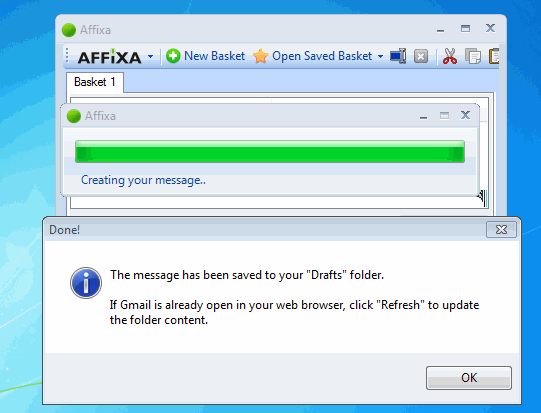
Now open your Gmail inbox from the browser, go to the Drafts folder and you will see a new message with the file attached to that message, as shown below:
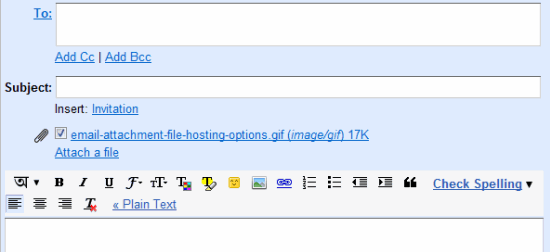
Now send the email to whoever you want. Once the email is sent, you will immediately receive a notification from the Drop.io service, as shown below:
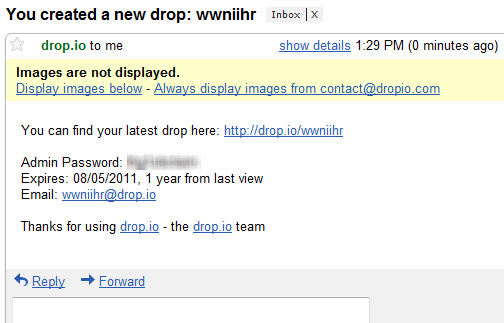
Your recipients can then download the attachment with the Administrator password or else they can subscribe to the RSS feed of the attachment as well. This is very useful because when you want to update the particular message thread and add new attachments, you don’t have to create a new email message. You can simply upload the new files on the Drop.io page and your subscribed recipients will get a notification in their inbox. Great!
The Free version of Affixa lets you use only a single account, you can purchase the commercial version if you want to have advanced options supporting multiple accounts.
Do you use any service for archiving your email attachments? Please share your ideas in the comments section.