Navigating YouTube TV to find your favorite games is often more of a headache than anything else. If you have a Roku device, you can now quickly find current and upcoming YouTube TV sports, along with games from other sources, directly on Roku Sports Zone.
YouTube TV Integrates With Roku Sports Zone
As of September 2025, YouTube TV is the latest streaming service to integrate with Roku Sports. The “experience,” as Roku calls it, has brought together numerous services into one area on your Roku. Instead of jumping from app to app or scrolling through YouTube TV’s numerous suggestions, everything is now in one convenient location.
Currently, Roku has Peacock, HBO Max, FOX One, Xfinity Stream, Spectrum TV, DAZN Live Sports, and more. You’ll find a combination of both premium and free services across almost every major sport.
With the addition of YouTube TV, you’ll also be able to access your NFL Sunday Ticket games from the Roku Sports experience. If YouTube TV isn’t loading for you on Roku, try these fixes.
You must have an active subscription to any of the premium services in order to access any of the games listed in the Sports section on Roku. But, you can still browse to see which services are the best to subscribe to during your favorite sport’s season.
Finding Sports on Roku
Before Roku added this feature, you had to know exactly which app was partnered with which sports. You also had to remember if different platforms split games throughout the season. For example, NASCAR fans have to jump between Amazon Prime Video, HBO Max, Peacock, Fox Sports, and CW. That’s a lot to keep track of.
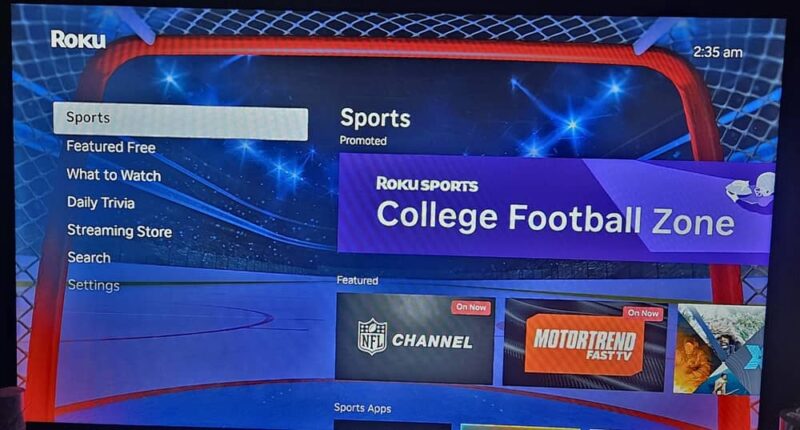
Now, press the Home button on your Roku remote and select Sports from the left menu. This brings up the Sports Zone.
How to Find Different Sports Categories (Zones)
The more popular sports season typically appears at the top of the list. At the time of writing, college football is in full force. But, if you’re not a football fan, you’re not limited to just football games.
You have three main ways to access other sports categories, also called zones.
The quickest is to select the promoted sport banner at the top of the Sports Zone page. Then, quickly scroll to the bottom of the list to view the other categories.
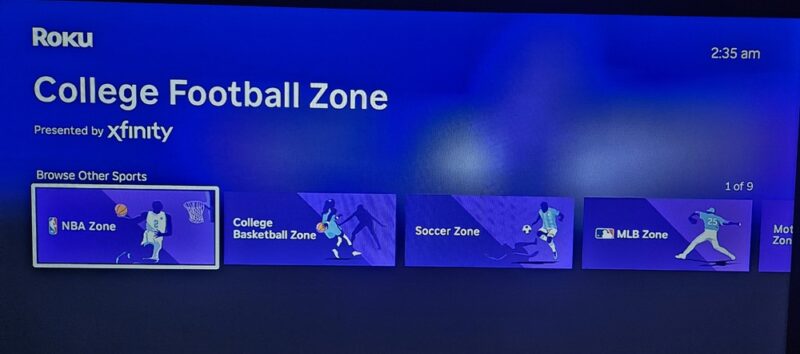
The next easiest is to scroll to the Browse by Sport section of the Sports Zone page. This is usually much further down the page than if you use the previous method.
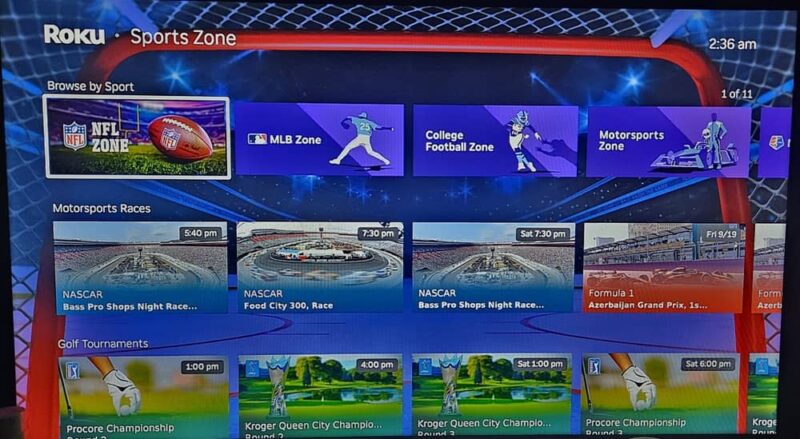
The final method is more cumbersome. Scroll through the list on the main Roku Sports Zone screen until you find the sport you want. They’re not in any real order and the order may change from day to day.
Jump Straight to Your Favorite Sports App
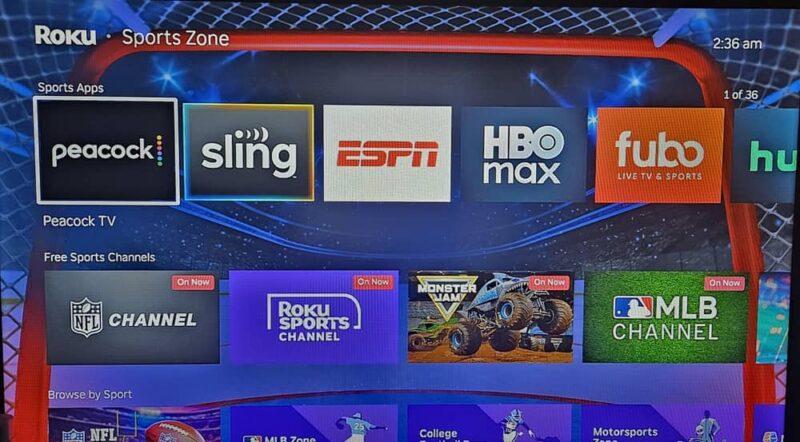
Currently, Roku Sports only lists apps that have partnered with Roku to show their content in this experience.
Look for the Sports App section in the Sports Zone. It’s usually the second row in the list. For me, it lists almost every sports app with 36 options. Just remember, if it’s a premium app, you still need to subscribe to access it. Roku just lists it for your convenience.
Find Where a Game is Playing
Since the Roku Sports Zone doesn’t jump you directly to the sports section of an app you choose, it’s often easier to locate the game you want to watch within the Sports Zone and check the viewing options.
For example, I might want to check out an NFL game on YouTube TV. Selecting YouTube TV from the Sports App list just takes me to the YouTube TV home screen. I’d still have to manually find the game from there.
Instead, scroll down the list of sports and available current and upcoming games. Select any game, current or upcoming, to view where to watch.
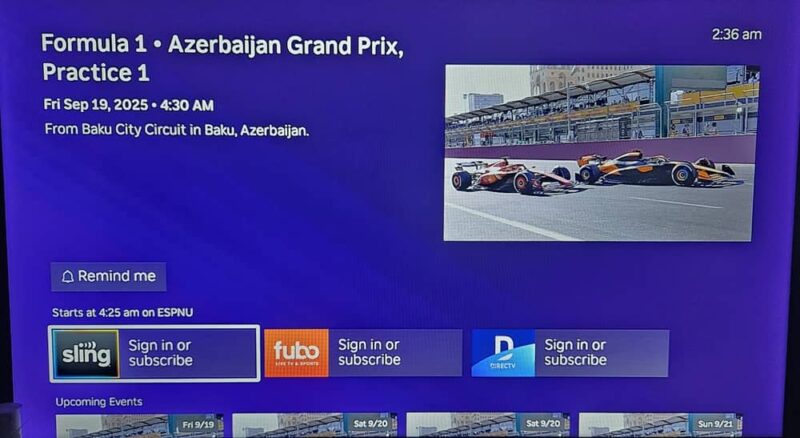
When you select a game/event, you’ll see all available options to stream. If it’s not currently on, click the Remind me button to have a reminder sent to the email associated with your Roku account.
If the game is currently on, select which app you want to watch it on and Roku takes you to the live game on that app.
Access Free Sports on Roku Sports
At first, it might seem like this is all about premium sports app, especially with YouTube TV joining forces with Roku to push its NFL Sunday Ticket. But, if you don’t want to subscribe to premium services to watch sports, you’ll find free options as well.
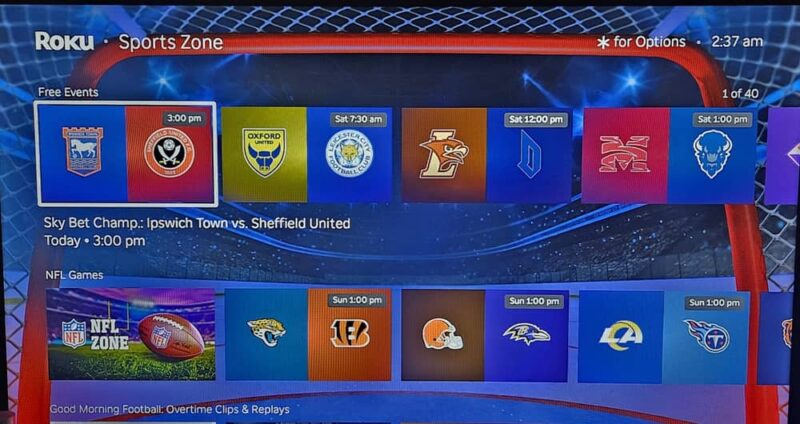
Just below the Sports Apps section, select a channel from the Free Sports Channels section. This is a list of live sports channels. Select any channel to jump directly to it and stream whatever game is on live. Since these are live channels, you might also see highlights, replays of previous games, and analysis shows.
Another option is to scroll down to the Free Events section. Select any game to view where to stream it for free.
If you already know exactly where your game is airing, you don’t have to use the Roku Sports Zone. But, if the app you need suddenly has a blank space on the Roku home screen, here’s how to restore it quickly so you don’t miss a moment. And, if your Roku TV isn’t turning on, use these steps to get it to respond.