
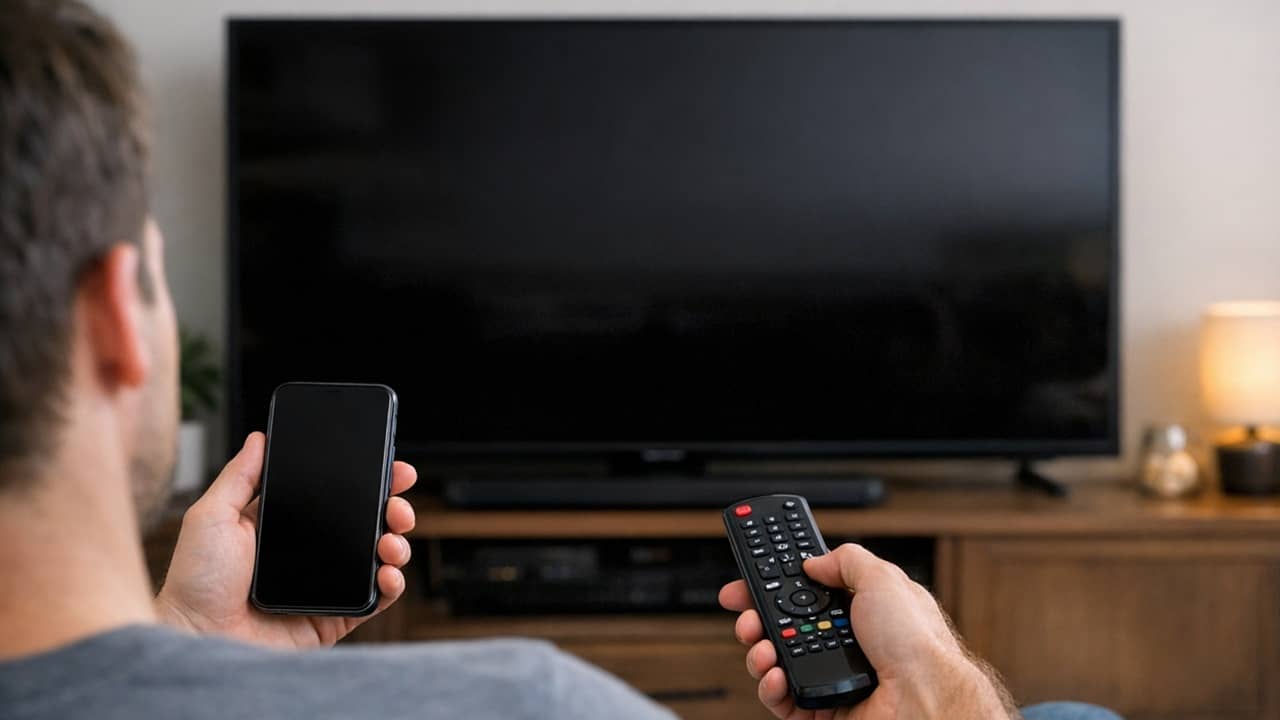

I love my smart TV, but I can’t stand the remote. It’s difficult to search for shows and isn’t really designed for the smart TV experience. Also, it is easy to get lost, or spoilt. The good thing is, if you have a smartphone, you can connect your phone to the TV via Bluetooth, and use it as a remote.
All You Need is Bluetooth
You don’t need a fancy setup to transform your phone into a smart TV remote. As long as the phone and TV support Bluetooth, you’re all set.
Check your TV to make sure it does support Bluetooth connections. For me, I had an older smart TV that didn’t support it, but my newer one (around 4 years old) does support it. Also, some brands support Bluetooth, but only for audio or their own apps, such as Roku.
If you don’t want to run down your phone, I suggest repurposing an old smartphone. Then, you can just leave it wherever you typically store your remotes.
Set Up Bluetooth Remote
You’ll find numerous Bluetooth remote apps in the Google Play Store. I chose Bluetooth Remote by Atharok. Please note this is only for Android phones. It’s also open source and ad-free. If you want to explore more open-source options for your Android TV, try these useful apps.
As soon as I launched the app the first time, I was prompted to turn on Bluetooth for obvious reasons. Then, I just had to connect my TV.
By default, Bluetooth Remote searches through your list of previously connected Bluetooth devices. I didn’t have my TV connected to my before now. So, I tapped the Bluetooth icon at the top and selected Pairing a device.
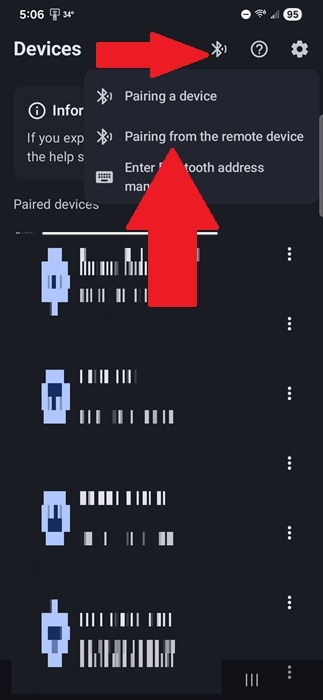
Depending on your TV, you might have to go into the settings and turn on Bluetooth pairing. The process varies greatly based on your TV. If this is the case, select Pairing from the remote device in the Bluetooth Remote app.
If your TV doesn’t show and you’re certain it does support Bluetooth, search your TV’s settings for the Bluetooth MAC address. In the Bluetooth Remote app, tap Bluetooth Connections (Bluetooth icon at the top right) and select Enter Bluetooth address manually.
Once paired, it’s time to customize the remote itself.
Customizing the Bluetooth Remote
While you could start using the remote immediately, I suggest taking a moment to customize it. Tap the Settings cog at the top right.
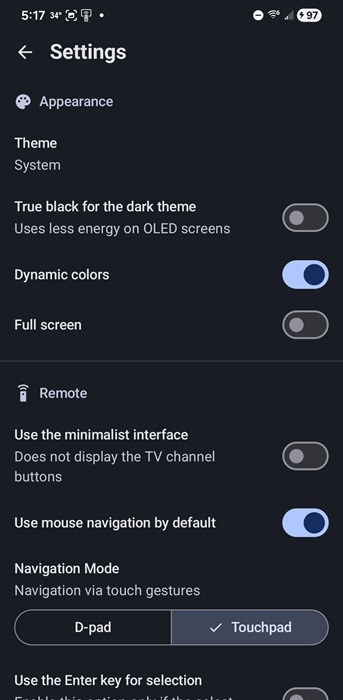
A few things you might want to change:
- Theme – This defaults to your phone theme. Since my phone’s theme is dark mode, it defaulted to dark. But, you can set the app to Dark or Light if you want. I chose dark since I’m usually using my TV in a dimmer setting. I do recommend turning on True black for the dark theme if you have an OLED screen.
- Navigation Mode – The default is a D-pad control, much like most smart TV remotes already have. This is fine, but I prefer the Touchpad. It works like a touchpad mouse and makes navigating through menus much easier. But, if some apps don’t work with the touchpad, switch back to D-pad at any time.
- Use the minimalist interface – By default, TV channels buttons may appear, but if you don’t want those, just turn this setting on.
If the touchpad seems to move too quickly or slowly, adjust the mouse pointer speed. The default seemed to work fine for my TV and phone, but this is personal preference.
Converting to a Bluetooth Mouse
My favorite part of using Bluetooth Remote on my Android TV is essentially having a Bluetooth mouse to simplify navigation. Instead of constantly tapping an arrow, I just move my finger around the touchpad in the app and jump between menus, rows, shows/movies, etc.
I honestly didn’t realize how much time I spent pressing the arrow buttons on my actual remote until I started using this app. I also find it hard to go back to using my TV’s normal remote. My phone is so much faster.
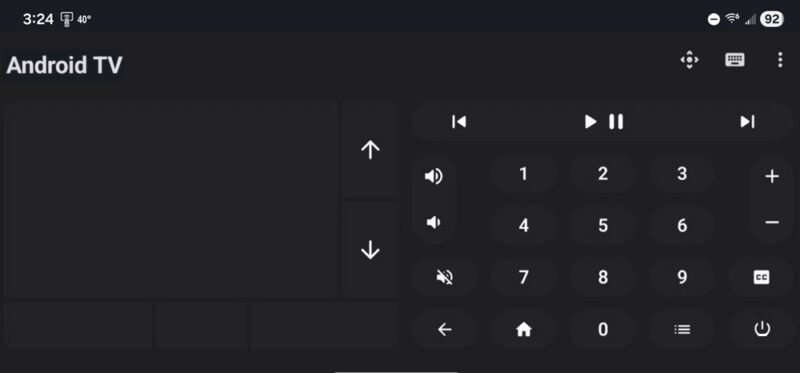
I suggest turning your phone horizontally to make it easier to use, but the touchpad works no matter what orientation you prefer.
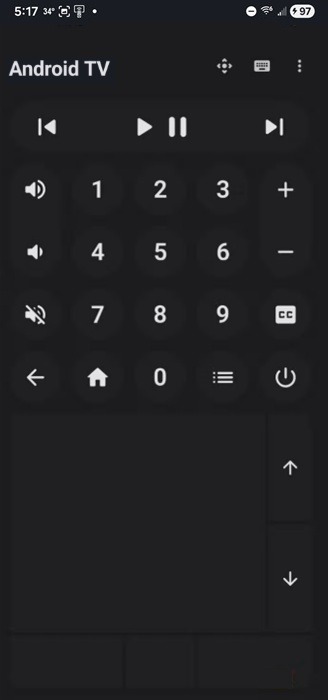
Use the D-pad icon (turns into mouse icon when the D-pad is in use) at the top right to switch between the touchpad and D-pad.
Typing Isn’t a Chore Anymore
Typing on a smart TV remote feels more like a punishment than anything useful. Sure, most smart TV also support voice searching, but let’s be honest, that only works right about half the time. So, instead of having a yelling match with my remote or TV, I enjoy typing the names of shows and movies on my phone in a fraction of the time it takes on my usual remote.
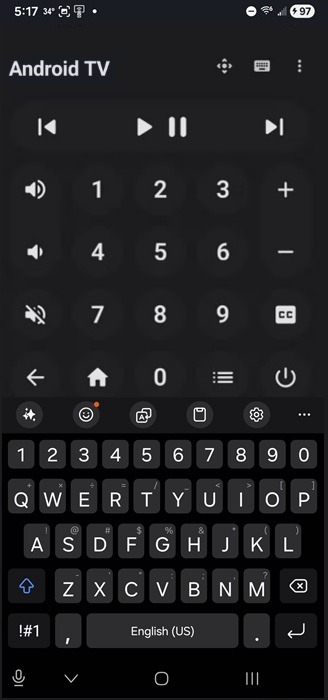
Bluetooth Remote features a keyboard. Just tap the keyboard icon at the top right to bring it up. It stays minimized most of the time to leave more room for the rest of the buttons.
In this instance, I typically stay in portrait/vertical orientation since that’s how I usually type on my phone. But, you can turn your phone for a better spaced keyboard. The app sticks with your default keyboard.
Whether you lose your remote regularly or just want an easier way to navigate, turning your phone into a Bluetooth remote for your smart TV is just a smarter way to use your TV. And, if you have any files on your phone you’d like to transfer to your TV, use these simple methods. If you want your TV to feel more like art than a big black screen when it’s not in use, give the Samsung Frame TV a try.