

PayPal is the go-to default payment method for online transactions. It’s to online payments what Google is to search engines and what Steam is to PC games. It’s not “officially” the foremost way to pay for things online, but it may as well be.
But things can get pricey on PayPal if you’re dealing with international currencies. PayPal sets its own exchange rates when you buy things in foreign currencies, and it’s not too cheap. Thankfully, there’s a way around this, though it’s so well hidden that even all PayPal employees don’t know about it (I spoke with them, so I know this for a fact!).
Avoid PayPal’s Currency Exchange
PayPal’s interface is pretty confusing. There’s a ton of information onscreen at the same time, and they’re prone to regular UI redesigns which means you constantly need to adapt to them. Navigating your way to the page where you change how you convert your currency is a labyrinthian task.
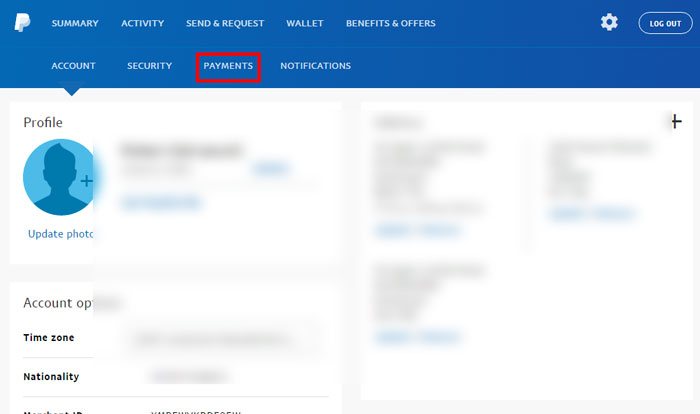
First, log into PayPal, then click the cog/settings icon at the top-right corner of your homepage.
Next, click Payments in the blue sub-menu at the top of your profile page.
After that, click “Manage pre-approved payments.”
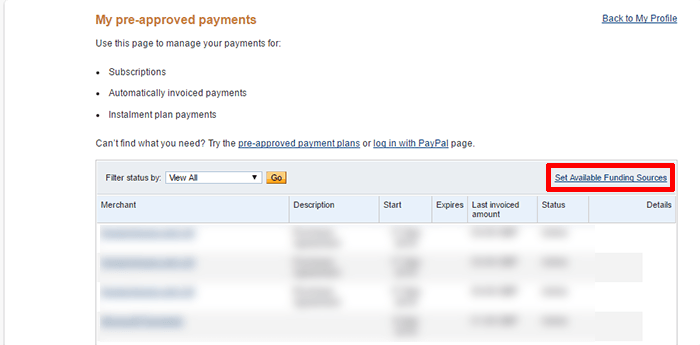
On the next page you’ll see all your pre-approved payment options. Click “Set Available Funding Sources” just above your list of merchants. (It’s written in tiny fonts – presumably so you don’t notice it.)
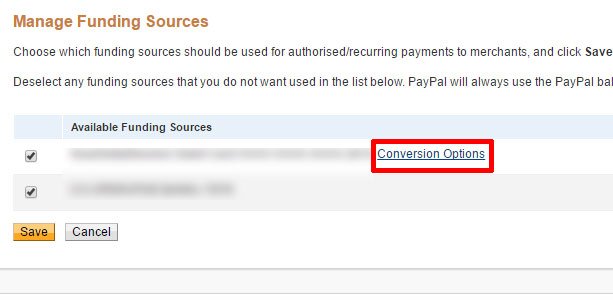
On the next page you’ll see your available funding sources. Next to the information for your credit/debit cards, click “Conversion Options” next to the card where you don’t want PayPal dealing with the exchange rates.
On the next page select “Bill me in the currency listed on the seller’s invoice.” Note that this won’t have an effect on payments you make using your PayPal balance which will go through PayPal’s currency conversion process no matter what. This will then use your card issuer’s exchange rates instead of PayPal’s which in most (but not all) cases will be better value for you.
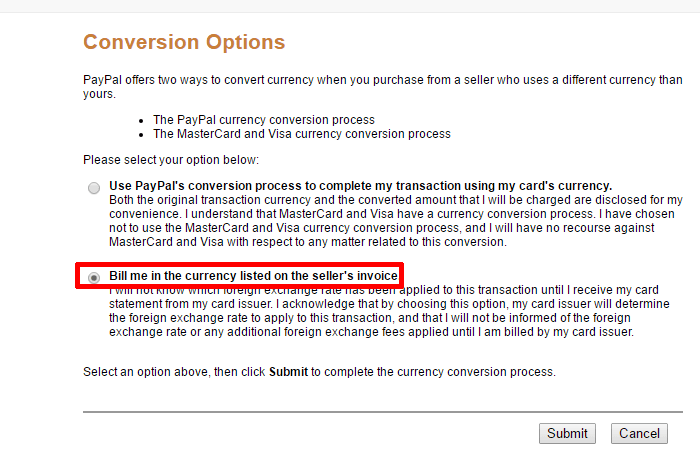
Note: At the time of writing PayPal told me there’s an issue with the system to use card issuer exchange rates instead of PayPal’s exchange rates and that they’re working to fix it. In the meantime PayPal is continuing to use their exchange rates even if you’ve selected the other option. I’ll let you know as soon as I hear from them regarding a fix.
Check Your Pre-Approved Payments
PayPal always uses your PayPal balance by default (though on some sites, like eBay, you can choose your payment method for each purchase, which is handy – see picture below). This means that if you have a PayPal balance in one currency but are making regular payments in another, then you’re losing precious money through the company’s not-too-great exchange rates (which are around 3% worse than the best exchange rates at the time of checking).
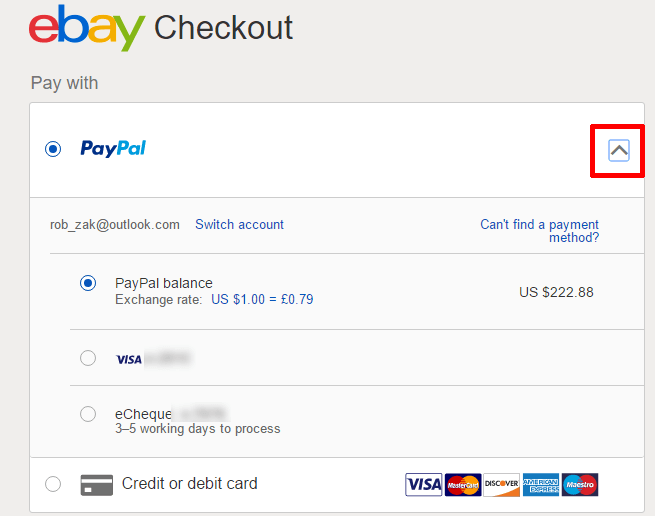
Don’t let this happen! If possible you should switch your payment method over to one that’s in the same currency as the thing you’re paying for. The ease with which you can make payments via PayPal is seductive, but it’s hemorrhaging your money.
Conclusion
PayPal pretty much has a monopoly over secure online payment methods – and they know it. This means that they rely on peoples’ passivity to make as much money as possible. The options are there for you to cut back on these costs – pay in local currencies where possible and always look at your payment options on websites where paying by PayPal to make sure you’re paying in the currency that works for you.