Styling text in Microsoft Word is one of those things that you can be more efficient in. If you edit Word documents regularly, you’ll want to know how to style them correctly. Here are a few tips to properly style text in Microsoft Word.
When you uninstall a plugin in WordPress, it often leaves behind the database tables it created and a bloated database. Here’s how to easily delete those leftover database tables in WordPress.
The Chrome URL autocomplete feature may not always show you the right URL. This article includes some things you can do to prevent that annoying autocomplete feature from appearing.
Cryptojacking started off as something simple, but now it has spread to Facebook. The latest victim to be affected is Google Ads. Find out how cryptojacking in Google Ads works and how it affects you.
If there’s one frustration people often have, it’s that they don’t know what news sources they can trust. YouTube took this into account when it planned a new feature that will label state-funded news sources.
If you work with the same type of documents frequently, you can save yourself the trouble by saving an existing Word document as a template. This will show how to create a template in Microsoft Word.
When you’re writing a paper, it can be frustrating to get your citations sorted. Google Docs allows you to do your research and citing all within the document itself!
Electron is an open-source framework that allows developers to easily build cross-platform apps, but some badly coded apps have given it a bad name. Here is a list of eight Electron apps that don’t suck.
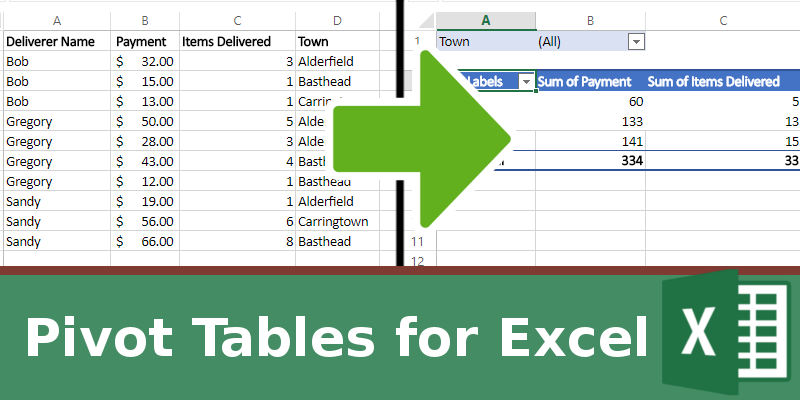
If you’re organizing a large amount of data, sometimes you need more than just a table and need your data to answer important questions you may have about it. This is where a pivot table in Excel comes into play.
While you can make use of a good security software to improve online security, the best protection against online scams and attacks is not software but good habits.
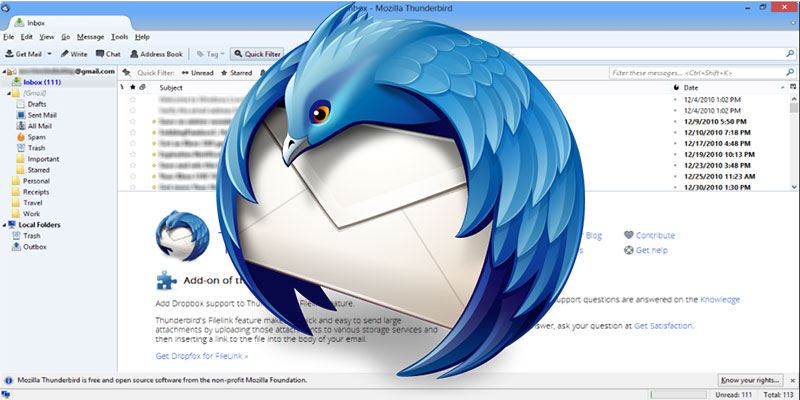
Thunderbird is fast and it’s teeming with excellent addons that have evolved alongside it. Here are 10 useful Thunderbird addons you shouldn’t live without
Low-bandwidth websites are making a comeback, at least in the realm of news and journalism. These text-only sites are experiencing a resurgence, but are they for everybody?
If you just switched to Firefox, you’ll want to import your bookmarks or favorites from your current browser. This tutorial will walk you through the process of importing user data from Chrome to Firefox.
Facebook is considering letting its users define what exactly is or isn’t fake news, through a series of surveys. It’s time to explore the idea in depth and consider the potential pitfalls in this strategy.
With the recent videos on “Tide pod challenge” spreading virally, YouTube has to lay down the ax on these kinds of videos. Did YouTube do the right thing?
More and more people are going online to look for their soulmates, and this is where “catfishing” scams come in. Learn how catfishing works and how to protect yourself from it.
Google Sheets may not be as feature-rich as Excel, but there’s a lot more to it than first meets the eye. Here are some tips and tricks for how to use Google Sheets which should ensure you get off to a smooth start.
You know the basic password rule: it has to be strong to be secure. If you want a quick and easy way to make a strong password, here are some of the best resources to generate passwords online.
Chrome is easily the most popular web browser on the planet. If you want to cash in on the trend, you can build your own Chrome extension. Here’s how to do so.