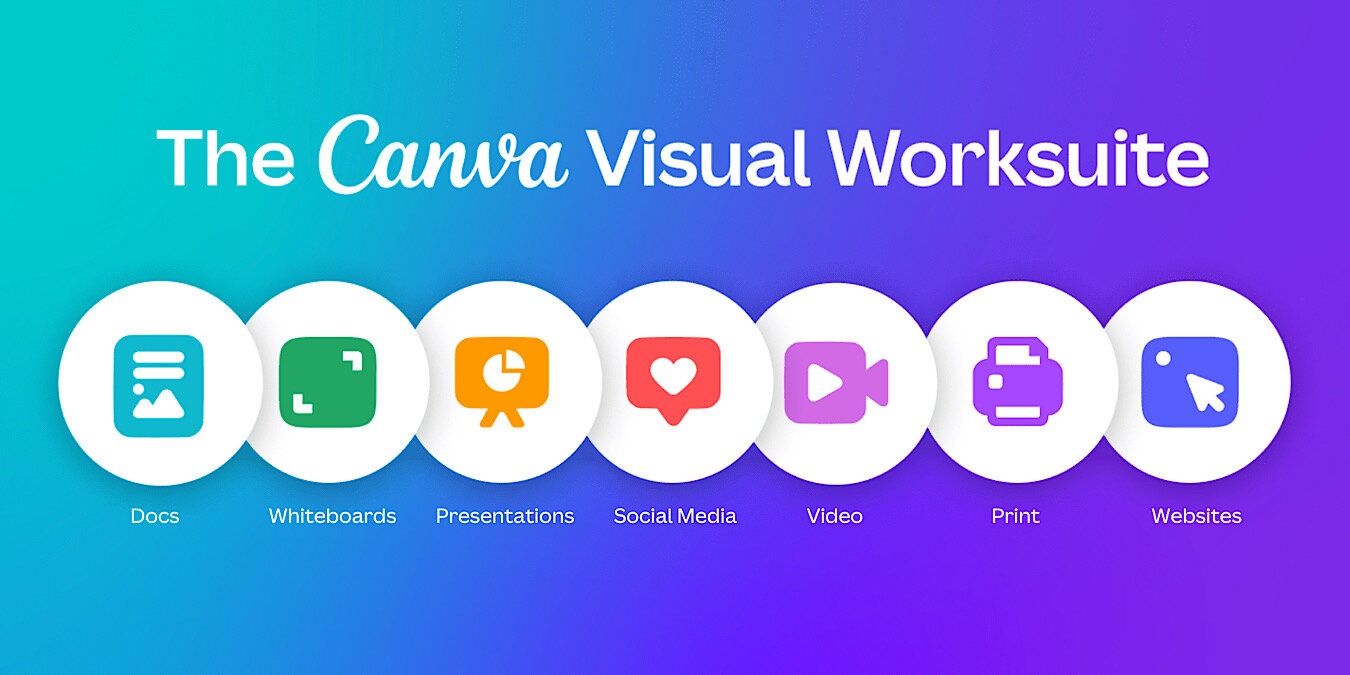
Technology is no longer in its infancy, and new ideas are rare. The lack of innovation has caused software developers to imagine a world where you only need one software to do it all. A popular image-editing software has decided to join the trend. After an introduction, it seems clear that Canva Visual Worksuite was designed to be the only software you need for all your productivity.
Also read: How to Edit Videos for Free Using Canva
Canva Visual Worksuite
In a blog post, Canva even admits that its goal since launching in 2013 was to build “a full suite of visual communication products to empower anyone to design and communicate their ideas.” It would seem they accomplished that goal, with many people using Canva for their designs.

The blog post and a Canva event just before it announced Visual Worksuite, explained that it is “the biggest changes to Canva in almost a decade.” Immediately, the word “Worksuite” conjures up Google Workspace (formerly G suite) and Microsoft Office Suite, and it’s probably not by accident.
Canva is taking its popular image-editing software and adding many other tools, such as Docs, Whiteboards, and Websites, to its existing design software. The goal is clear: you don’t need any productivity apps other than Canva to go along with your creative designs.
Canva Docs
There are many, many document and note-taking software and apps that you can insert your Canva creations into, and now you don’t have to use them with Canva Docs. It’s “designed to maximize productivity and collaboration,” allowing you to add visuals you create in any of the other tools in Canva Visual Worksuite or from its well-stocked library.
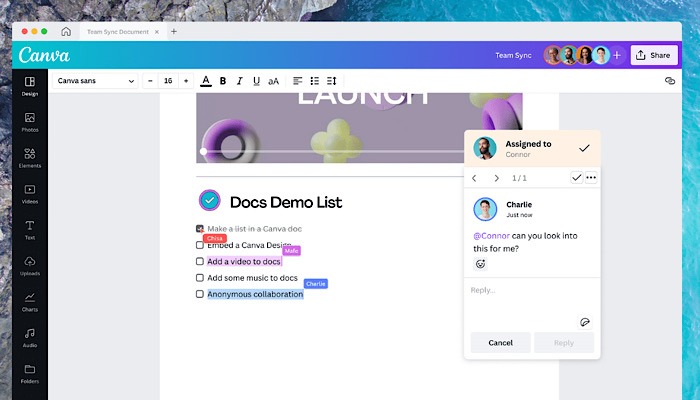
As with most recent apps and software, team collaboration and communication are built into Canva Docs. Additionally, you’ll be able to track the engagement and edits of your team document. Sadly, it isn’t being offered to mobile users – at least not yet.
Canva Websites
You don’t need to tear your hair out or hire a web designer to build a website anymore, with numerous available drag-and-drop website builders. Canva Websites is entering this space. It includes, again, a fully-stocked library of templates, no matter what kind of website you’ve been dreaming about creating.
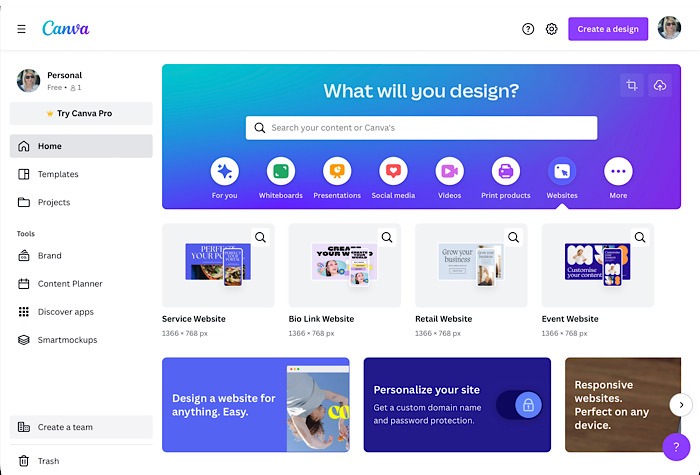
These templates are built to be fully responsive and look great on your desktop, phone, or tablet. The websites offer password protection as well to keep your privacy. You can even buy a new domain straight from Canva and publish to the Internet. Once again, you’ll also be able to track engagement with Design Insights.
Canva Whiteboards
If you’re at the planning stages for your website or document and aren’t close to starting them yet, you can utilize Canva Whiteboards. Again, you can collaborate with your team to visually put together your website or project.
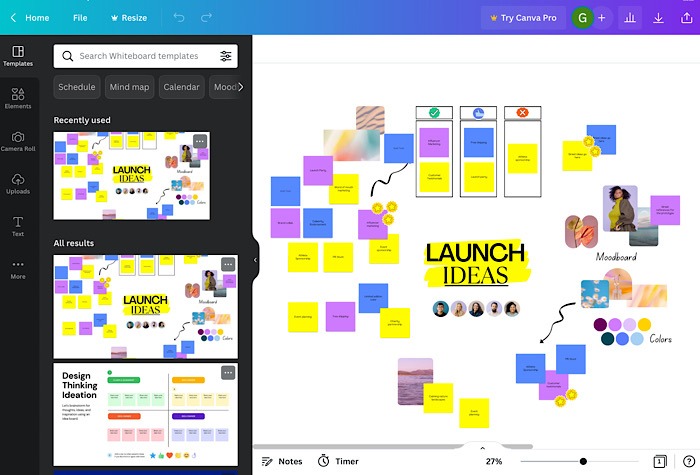
Once again, Canva supplies templates to help you in the planning stages. It explained that WhiteBoards was designed “for you and your team to quickly and easily jump in and add your thoughts.” It’s another tool that is available on both computer and mobile device, so you can access it and collaborate wherever you happen to be.
Canva Video
Existing tools like Canva Video are getting updated with new features. While Canva has also been a go-to for removing backgrounds, now you’ll be able to do that to your videos as well. New animation controls have been added, too, to add even more to your creation.
Presentations
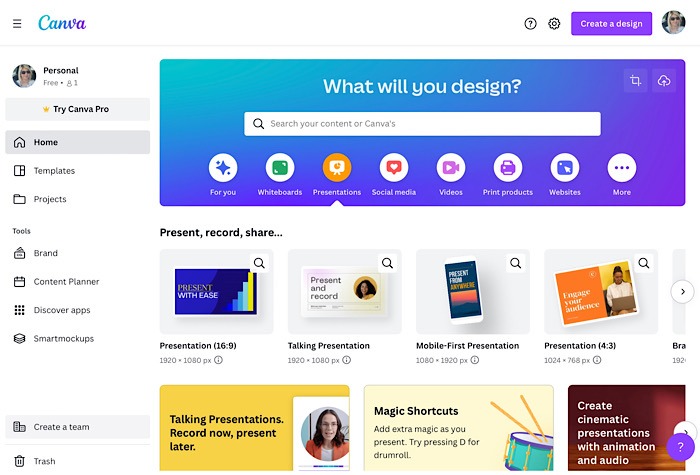
Canva is bringing new Match and Move transitions into Presentations. Elements such as images or text on different slides in your presentation will transition much more smoothly for a more animated, cinematic look. You’ll even be able to edit your presentation as a video. Also, make use of the virtual clicker, Remote Control, to navigate the presentation.
And More Great Canva Tools
This really is Canva’s biggest update. They are also introducing a new Canva Print catalog. Now, along with posters and flyers, you can create and print sweatshirts, mugs, photo books, calendars, etc., and have them delivered. There’s also Canva for Teams, Canva Creators program and marketplace, and an expansion of Canva for Education.
Canva Visual Worksuite will face heavy competition, however, from Google Workspace and Microsoft Office Suite. It could be an individual opinion of which works best, such as comparing the Canva Docs library to the templates offered by Google Workspace.
As one last great bit of news, for every print order, Canva will plant a tree.
Image credit: Canva All screenshots by Laura Tucker