Uncover key differences between ARM and Intel x86 processors and make an informed decision for your next upgrade.
By Miguel Leiva-Gomez – Jul 11, 2024
AMD and Intel have changed the face of the desktop CPU market in the last few years. Find out which is the better CPU brand in 2024.
By Tanveer Singh – May 22, 2024
Shopping for a new CPU but confused with the limitless options? This guide breaks down what to look for when buying a new desktop processor.
By Tanveer Singh – May 19, 2024
If you’re unsure about Intel Core i3 vs. i5 vs. i7 vs. i9 CPUs, this brief explainer will help simplify your buying decision.
By Tanveer Singh – Apr 12, 2024
If you’ve ever found yourself stumped by resolution issues in Linux, XRandR and ARandR might just be the tools you need to solve your issues.
By Miguel Leiva-Gomez – Nov 29, 2023
Intel has made it easier for Linux users to run the latest Intel graphics drivers. Here’s how to install the latest Intel graphics drivers for Linux distros.
By Tanveer Singh – Sep 13, 2023
Team Blue entered the ring with the Arc graphics cards in 2022. With impressive price-to-performance, is an Intel Arc GPU good for gaming?
By Tanveer Singh – Jun 22, 2023
Intel is gearing up for the release of its Meteor Lake processors, but there are strong indications the familiar “i” will be dropped.
By Charlie Fripp – May 3, 2023
Intel PC builders have too many options when it comes to gaming motherboards for the 12th and 13th Gen CPUs. This round includes the best.
By Tanveer Singh – Mar 14, 2023
Are your gaming sessions interrupted by DXGI_ERROR_DEVICE HUNG messages in Windows? This guide shows how to fix this annoying problem.
By Farhad Pashaei – Feb 7, 2023
Fix overscan and underscan issues to get a better display quality on TV.
By Robert Zak – Oct 23, 2021
Some of the M1 Mac apps may be missing a feature you need. Here is how you can run an M1 Mac app as an Intel app and get the features you need.
By Shujaa Imran – Apr 4, 2021
If you are still using a slow traditional HDD for your PC, you can now use Intel Optane to speed things up. Find out what Intel Optane is.
By John Perkins – Dec 1, 2020
If you try to install Intel drivers and encounter “The driver being installed is not validated” error, here’s how to fix it.
By Simon Batt – Aug 10, 2020
Companies such as Apple, Microsoft, and Google have implemented software patches to eliminate the risk of the ZombieLoad security flaw found in Intel chips.
By Laura Tucker – May 15, 2019
Screen tearing can be a serious pain on Linux, especially for games and movies. These simple tips will help get you back to your favorite media!
By Nick Congleton – Nov 13, 2018
Th newest flaw, called “Foreshadow,” affects Intel processors. It was located by researchers from five different academic institutions.
By Laura Tucker – Aug 15, 2018
Intel recently announced its Pentium Silver and Gold CPUs, but what exactly are they? Learn the differences between these two processors and where they fit in the current ecosystem.
By Nick Congleton – Feb 23, 2018
If you are using Intel’s CPU on your computer, chances are you are open to a recent exploit. Here’s how the Intel’s CPU was hacked and what you can do about it.
By Miguel Leiva-Gomez – Nov 17, 2017
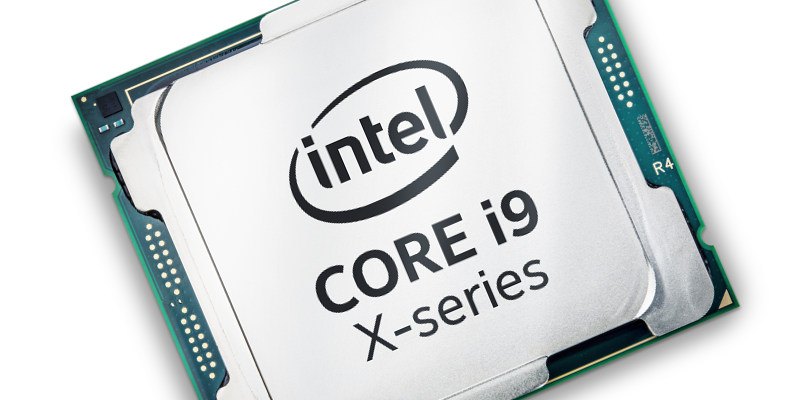
Intel has released the Intel Core i9 that boasts a whopping 18 cores. Why would a PC need that many cores, and why did Intel come up with this processor?
By Miguel Leiva-Gomez – Jun 2, 2017
Next >
Affiliate Disclosure: Make Tech Easier may earn commission on products purchased through our links, which supports the work we do for our readers.