At some point, you’re probably going to do some work on the web — whether you plan to or not. That work could be writing a blog post or article, adding a page to a web site, or regularly writing for a site like Make Tech Easier.
No matter what you do, knowing some HTML (Hypertext Markup Language, the language used to format web pages) can’t hurt. It’s easy to learn and with HTML, you can write and format your documents in any text editor on any operating system.
But you know what? HTML is often overkill for most people. Why? They might not use it very often, and will need to pore over a tutorial whenever they need a refresher. A simpler and more efficient way of formatting documents for the web is to use Textile.
[Read more...]
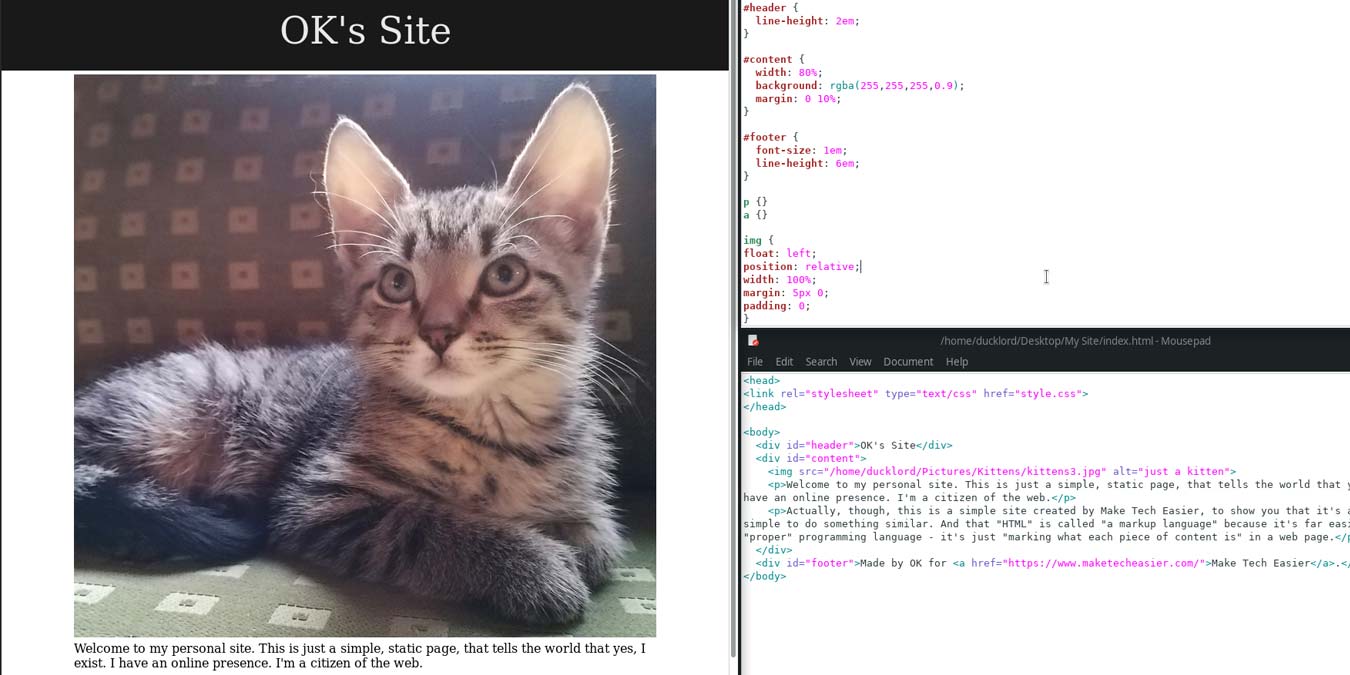
Whether you know it or not, you’re taking advantage of CSS just about any time you open a web browser. It’s the template system used by nearly every modern website to give pages their layout and appearance. Some of you may be thinking “I’ve made websites before and it was easy, I never needed any CSS.” and that’s true. You don’t need CSS to make a nice looking and functional site, but chances are good that your site could have been smaller, cleaner, more consistent, and better looking had you chosen CSS from the start. Today we’re going to show you the very basics of what CSS can do. This guide won’t bring you from a beginner to Award Winning Web Designer, but it will help you understand how CSS works and how it can same you a LOT of time and effort.
There are a lot of basic HTML editors out there for your Mac. Many of them can even be downloaded and used for an indefinite span of time at no cost to you at all. No one is going to deny that fact. The real question is, do you actually need to download one of them at all?
Some time ago, MakeTechEasier gave you an extensive 3-part guide to
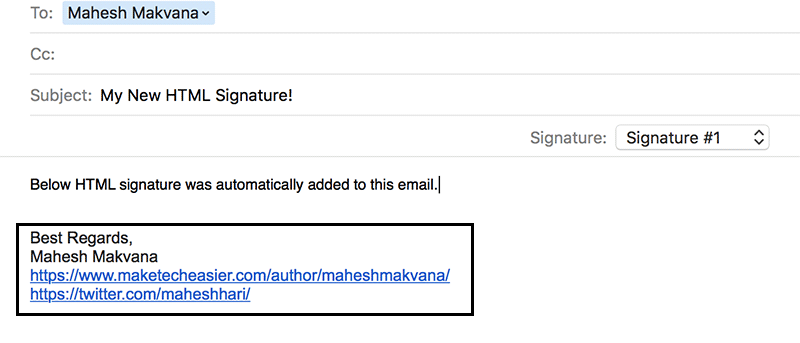
Let’s set aside some complicated tutorials as I have two really quick guides which, I think, would be very helpful for any iPhone user. The first tip will teach you how to save phone extension so that you can easily call anybody without having to dial the local extension every time. It is also applicable when you are calling customer support hotlines. The second tip would be about creating cool HTML email signature in your iPhone.
Imagine, you are reading a web page, or are playing a flash game, then suddenly the page refreshes itself and you have to do your reading (or play the game) from the start again. Annoying, isn’t it? Some sites update their content frequently, so the webmaster add the auto-refresh function to ensure their readers get the most updated content. Some just add it to increase their ad impression. From the end-user point of view, I find this to be very disruptive, a complete waste of time and consume unnecessary bandwidth.
Do you have multiple authors writing articles in your WordPress blog? If yes, then it would be a good idea to add an author box in your blog’s theme rather than adding the author byline manually in each and every single article. WordPress allows so many customizations that you can quickly code a simple author box for your blog’s theme.
Perhaps you want to dabble in web design. Perhaps you want a place to sell your crafts online. Perhaps the lady in the house next door really wants to post pictures of her cat. There are a lot of reasons to want a website, but not everyone is willing or able to design something nice from scratch. For those of us without the time or inclination to build our own, there are templates. Lots of them. Often, they’re even free. Today we’ll check out 8 of the best places to get free HTML/CSS (and sometimes Flash) templates.
There are a variety of free and premium WordPress themes that you can find throughout the web. You will sometime find that you can spend hours trying to modify the theme, so it is tailored to the way you want it. Sometimes it’s easier to create your own from scratch, and not deal with the headaches that can happen with customization of an existing WordPress theme. This guide will help you to understand the basic of a WordPress theme and how to create a simple theme.
There are many applications out there that provide project-based web development tools and very feature-rich interfaces, but sometimes all you really need is a good text editor. For those times, there are few editors that can stand up to the KDE powerhouse called