Searching for site reviews online never qualifies as real reviews that are written by real site users. You could share a site on your social networking account and have friends review it; but you might need to wait a long time before your friends thoroughly check out the website you shared. What you need is a quick and reliable system that reveals what a site’s users think about it, what their opinions are, which questions they are asking, and whether or not they find the site to be trustworthy.
What you need is Doogl.
Introduction
Doogl is a social network that works in a unique way – through a browser bookmarklet.
Doogl lets you add a bookmarklet to your browser’s bookmarks toolbar. Whenever you are on a website, clicking on the bookmarklet pops up the Doogl comments and questions relevant to that particular website. You will find opinions of real people along with their “trustworthy” rating for that particular site. Doogl will also let you leave your own comments, comment on others’ opinions, and share individual comments across various other social networks.
Usage
When you visit Doogl’s homepage, you will find a prominent green button. Simply drag this button to your browser’s bookmarks toolbar.
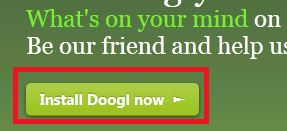
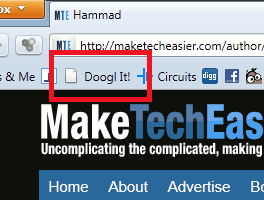
This will place the Doogl bookmarklet onto your bookmarks toolbar for easy access.
The first time you click on the Doogle bookmarklet button, you will need to sign in or create an account, as is the case with all social networks. You can either login using your Facebook account or sign up for a new Doogle account.
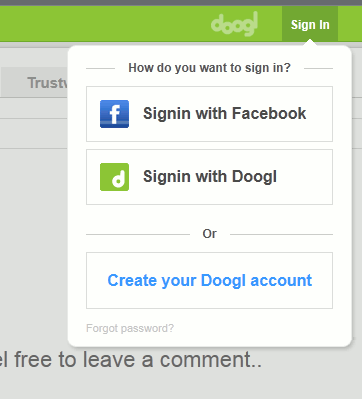
Choose either option and proceed to set a nickname, profile URL, and profile picture for your Doogle profile. Next, sign into the Doogl service. You will immediately find the comments left by users of the site you were viewing at the time you clicked on the bookmarklet icon.
Tab 1: The Wall
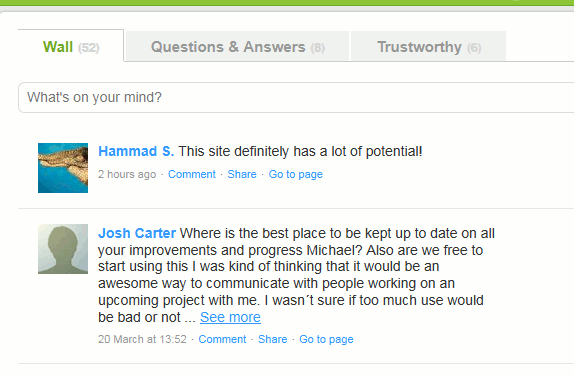
You will find 3 tabs: Wall, Questions, and Trustworthy.
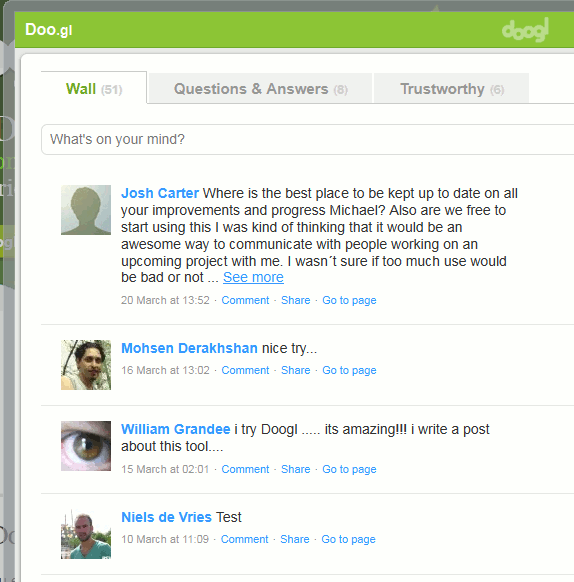
You can start leaving comments on other’s opinions or post new comments under the “Wall” tab.
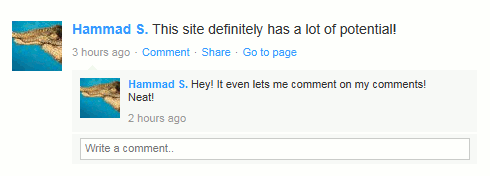
You can even leave comments on your own opinions. This helps edit your opinions or respond to people who comment on your opinions.
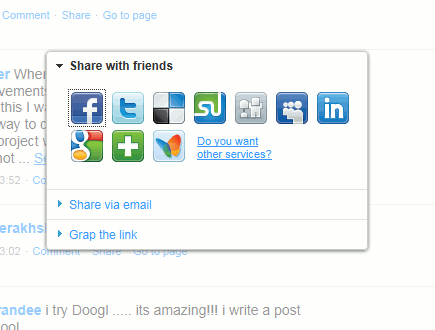
Using the “Share” link under each opinion you can share it with friends across various other social networks. You can also email the opinion to friends or grab a direct link for it.
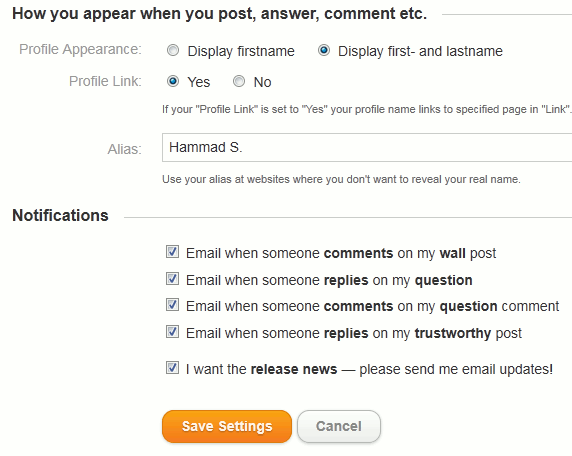
You can be notified of Doogl activity, such as responses to your opinions, by setting the relevant options through the “Settings” link in the top right of Doogl’s window. Under these settings you can setup options for email notifications.
Tab 2: Questions
Under the Questions tab, you will find people asking any type of questions regarding that particular website.
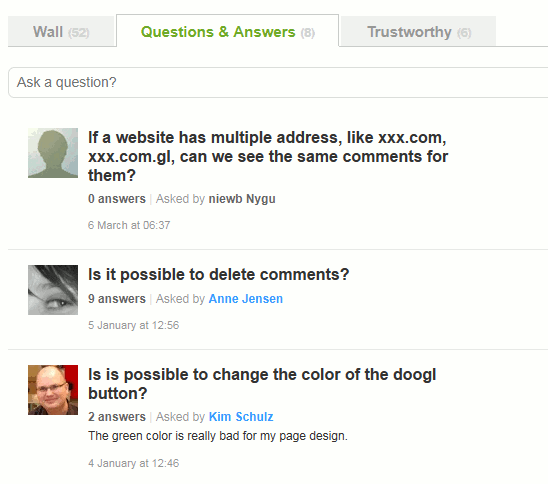
If a question has received any answers, the number of answers will be displayed under the question title. Clicking on a question reveals its answers and the discussion that took place under it.
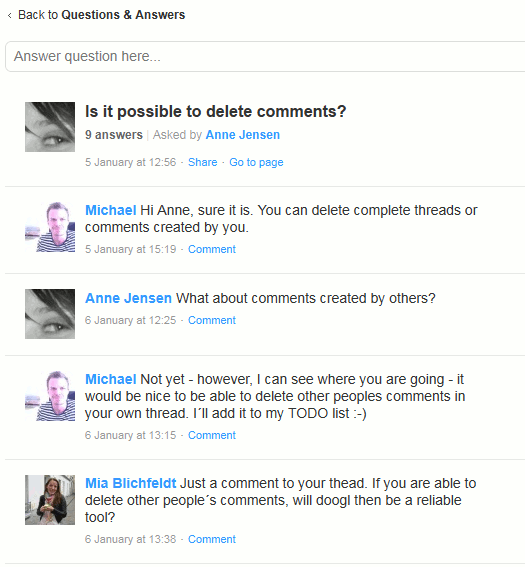
To return to the Questions section you need to click on the top link titled “Questions & Answers.”
Tab 3: Trustworthy
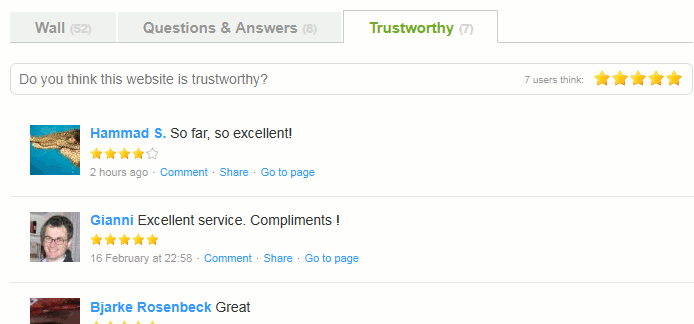
By visiting the Trustworthy tab, you can see what people have been saying about the site’s trustworthiness. You can also find users’ overall rating of the site, out of 5 stars. You can leave your own ratings as well.
Incorporating Doogl Into Your Website
While Doogl works fine as a bookmarklet for site visitors, site developers can incorporate it into their websites by default using the code provided on its homepage. You can even select from a variety of colored buttons available.
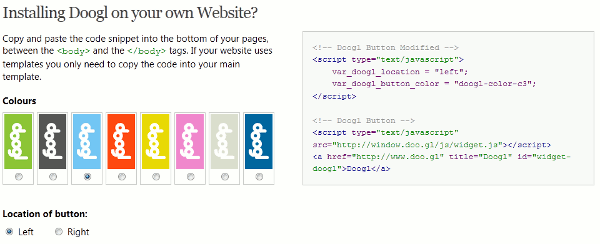
Choose the button from the left and copy the code from the right to paste into your site’s code.
Conclusion
Doogl is a very interesting concept. It lets you quickly find out what others are saying about a site without having to share the site with friends or across the social networks you are on. Of course, not all sites will have Doogl comments left for them; but for these sites, you can be the first commenter. Email notifications will always help you keep up-to-date with your comments and the responses it receives.
Overall, Doogl is one website site visitors and site owners must check out.
Visit Doogl by clicking here.








