With Email service providers growing at a rapid pace, it is very common for anyone to have several email accounts. While it is easy to start an account, managing all the accounts can become a chaotic task and at worst, it can take hell a lot of time and effort.
The question is: Is there any application that allows you to manage multiple email accounts? In desktop, Zimbra answers this question. For Web-based application that is independent of any application or platform. Zoho mail seems to be a great choice.
In this tutorial, I would like to demonstrate how you can manage multiple email accounts (in this case, Gmail, Yahoo and Live) with Zoho mail.
Steps to Manage Multiple Email accounts with Zoho Mail
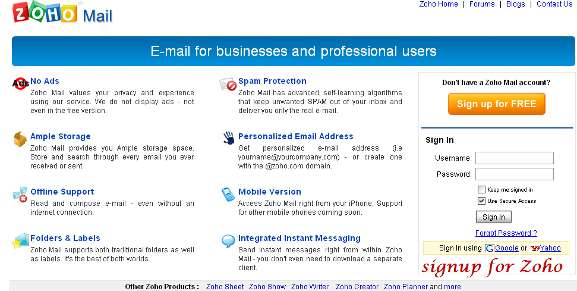
1. Sign up for Zoho mail account or sign in with your Gmail or Yahoo ID.
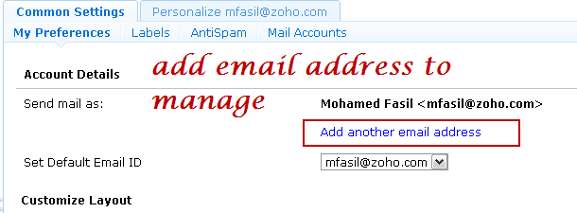
2. Once you login to your Zoho mail, Go to “Settings -> Common Settings -> My Preference” and add your other email accounts.
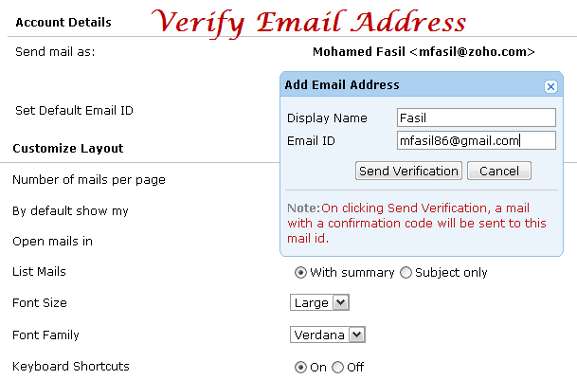
3. After adding your Yahoo or Gmail email addresses, Zoho will sent you a verification ID of which you have to enter to finalize the email settings.
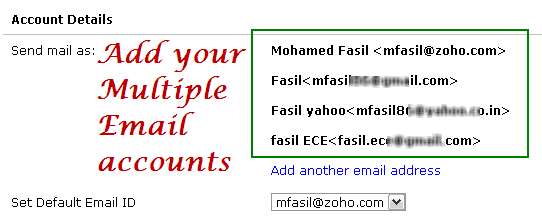
4. Repeat the above step to add as many mail accounts as you want. The following image shows the result after adding all the mail accounts
5. Now sign in to your respective emails individually which are all added in Zoho account to enable Mail forwarding options

Gmail allows you to configure all incoming mails to forward another email address, yet keep a copy of the original in the inbox
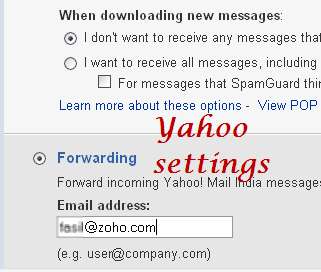
For Yahoo, the forwarding option is available only to the old users. New user will have to upgrade to the premium account to enjoy the forwarding service.
Similar to Yahoo mail, Live mail also have limitations in their forwarding options.
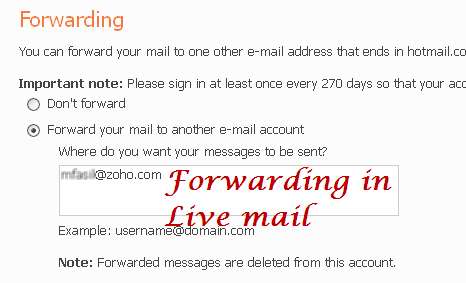
6. Once you have set up the mail forward options in all the Email accounts, you can now use the “Filters” and “Folders” options in Zoho mail to segregate the mails when they arrive at the inbox.
In the home page of Zoho mail, add folders like Yahoo, Gmail or any other name that you fancy.
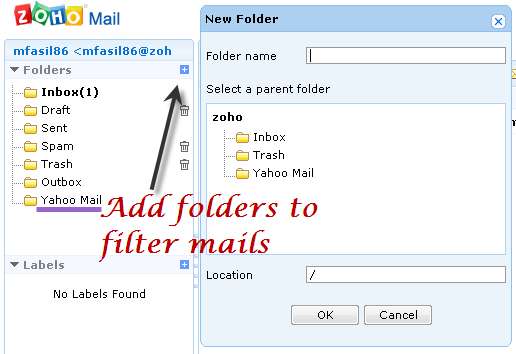
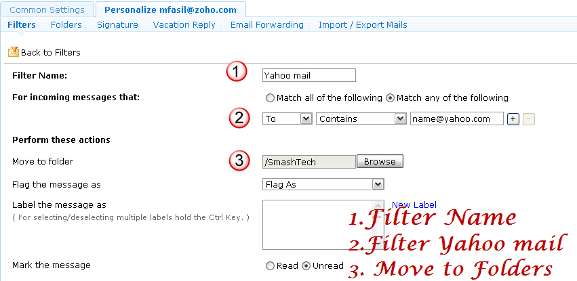
Once you have added the folders, go to “Settings -> Personalize mail options -> Filters”. Add filters separately for Yahoo, Gmail and Live mail. Enter the Filter name and fill the criteria as “to” contains “yourname@yahoo.com” and perform move to the specific folder.
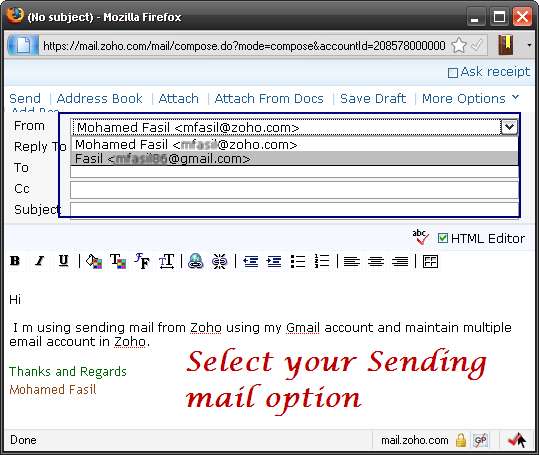
7. When composing/replying a mail, you can easily switch between the various accounts so other won’t know that you are sending from Zoho mail.
Conclusion
You might have plenty of email accounts, each set up for different purposes: personal, groups, newsletter, work and so on. What Zoho mail does and allows you to do is to become a hub for you to maintain all the email accounts. Other benefits include the offline mail option with Google Gears and the eye catching cool Zoho mail experience with a short mail alias “name@zoho.com”.
For those who are using Gmail to micromanage their multiple emails, you can try out Zoho mail and feel the differences. Tell us about your experience in the comments.








