Phishing scams keep evolving and the latest Malware as a Service (MaaS) scam targeting Windows users proves it. Microsoft took action, but the scam itself can’t actually be stopped. Here is how it works, and how you can protect yourself.
Sophisticated Malware as a Service Phishing Scam
A typical phishing scam involves sending an email or text, using pop-ups, or redirecting users to a fake, yet legitimate looking website. A new phishing scam spotted by Microsoft Defender experts uses trusted apps to trick users into installing malware.
Usually, Windows would block this type of malware because it doesn’t have a valid security certificate. An Extended Validation certificate, or EV certificate, helps protect against phishing scams, ensuring users a brand or company is trustworthy.
Scammers decided to create a highly sophisticated work around. They first created a shell company called TrustConnect Software PTY LTD. They then mixed in some AI to generate a fake business identity, website, reviews, customer usage statistics, and more. Then, they applied for an EV certificate. Since everything appeared legitimate, the Certificate Authority approved the purchase of the certificate.
So, scammers legally purchased a valid EV certificate. They didn’t steal it or try to create their own version. By doing it legally, Windows immediately trusted the certificate when the malware installed.
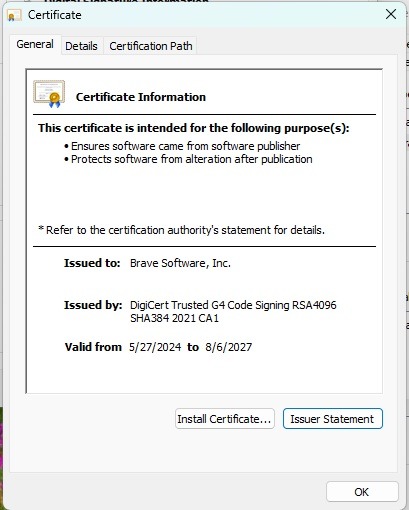
View an app’s certificate in Windows by right-clicking the app’s executable file and going to Properties → Digital Signatures → Details → View Certificate.
But, it gets worse. I know, how could that be? TrustConnect Software PTY LTD turned itself into an actual business for shady entrepreneurs. They started a malware as a service business model, selling access to the digitally signed malware and everything needed to execute attacks. Just a small $300 monthly cryptocurrency payment and anyone could run the phishing scam.
Users receive emails with PDF docs, meeting invites, and more that are actually malicious links. The trick is the links trigger an app update message, such as needing to update Adobe Acrobat to read the PDF or updating Zoom to join a meeting. Click Update and you get a nice dose of malware instead.
Legitimate looking files, such as adobereader.exe, trustconnectagent.exe, msteams.exe, zomworkspace.clientsetup.exe, and invite.exe, execute with no issues since they’re digitally signed with a valid EV certificate.
The malware even creates folders in Program Files and starts with Windows like a normal app. This makes it difficult for even the most tech-savvy users to spot.
Certificate Revoked, but Scam Still Running
I would’ve thought revoking the EV certificate would put a stop to TrustConnect’s malware as a service phishing scam. Turns out, I was wrong. It does stop any new malware from receiving an EV certificate with that particular entity.
Yet, the revocation isn’t backdated. So, anything already issued is still valid. Windows still sees TrustConnect’s malware as legitimate apps.
In this case, you’re on your own to protect yourself. Currently, enterprise users are the most valuable targets, but that doesn’t mean home users are immune.
Security experts have also discovered the threat actors behind TrustConnect are already working on a new malware called DocConnect that functions similarly.
Formatting is the Best Solution
Experts found when trying to remove the malware that TrustConnect created an even more sophisticated malware than originally thought. The malware installs multiple Remote Monitoring and Management (RMM) frameworks to maintain remote access to affected machines. Removing one framework is just the start.
If you’ve been affected, I suggest formatting your computer. This ensures the complete removal. Also, take all the necessary steps to protect yourself after being scammed.
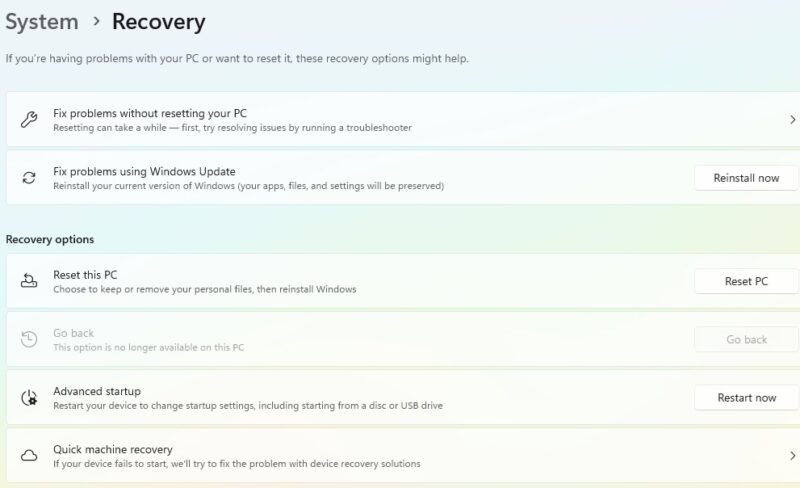
I know you don’t want to lose any files, so back them up first. Then, after you’ve reinstalled Windows, scan your backup with an anti-virus tool before moving them back to your PC. The good news is the malware poses as a Windows app, making it less likely to be a part of your documents, photos, etc.
For businesses, IT admins should block all users from updating apps themselves.
Avoid Updating Apps Via a Link
TrustConnect isn’t the only group that’s tried fake app updates to install malware. They just happened to have a valid certificate to do it, making it more difficult for Windows and anti-virus to catch.
Stop immediately if you click a link in a legitimate looking message and get prompted to update an app. Don’t proceed with the update.
Instead, open the app in question yourself and update it manually from the app. Look in the app’s settings or help menu for update options. If you downloaded the app from the Microsoft Store, visit the Microsoft Store to update.
If no update is available, the link is definitely a scam.
Since the process could change at any time and suggest you download new apps instead, consider installing new apps in a sandbox to see if they’re safe first.
Second Guess Unexpected Links
Phishing scams aren’t going away. The easiest way to protect yourself is to always second guess unexpected links. A few days ago, I had an email about lowering my car insurance rate with a survey. Everything about the email looked legit, including the sender email. Some phishing emails are easier to spot, though.
I logged directly into my insurer’s site versus clicking the link. Yep, it was a phishing scam.
If you’re not sure, don’t click. For work-related messages, exit the message and send a message to the person who supposedly sent the suspicious message. It’s better to verify than get malware. Also, never reply to the message as this just engages with the scammer, giving them a chance to convince the message’s is real.
New phishing scams are popping up every day. They’re even invading LinkedIn comments. Yes, legitimate malware as a service is a fun new twist, but even these scams are avoidable.