
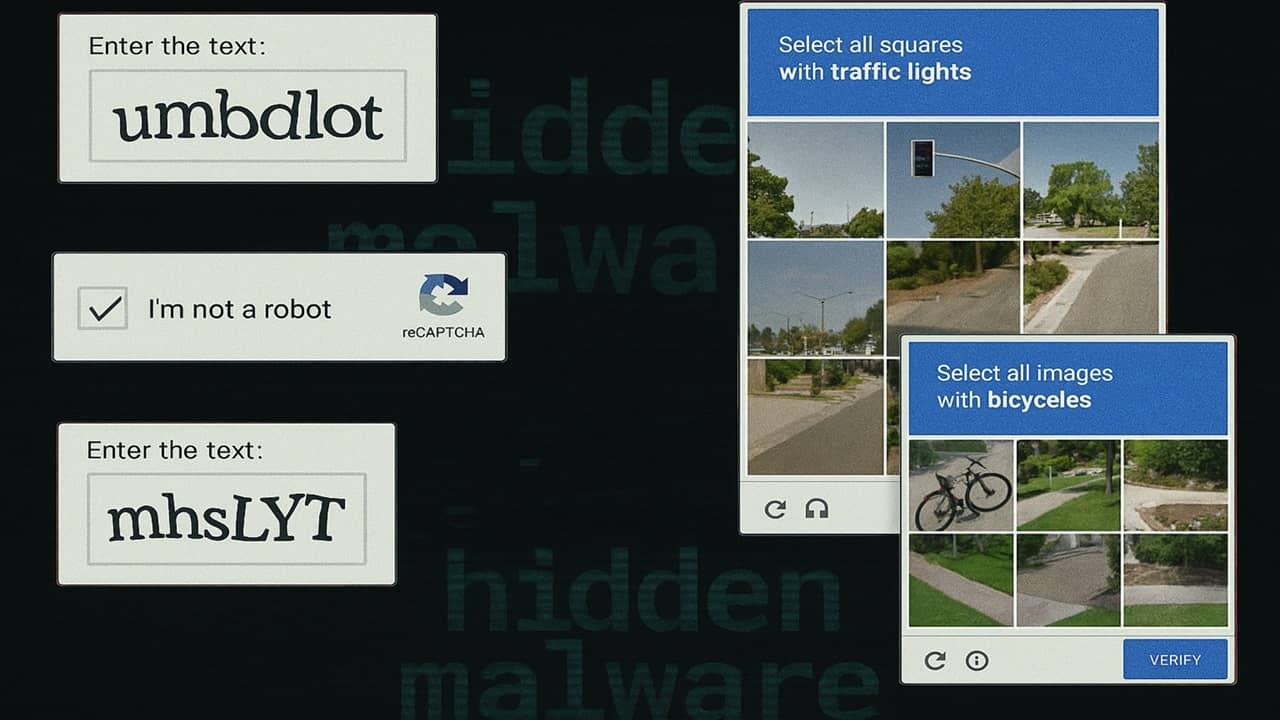

No one enjoys CAPTCHAs and having to decipher squiggly words or click on images just to login or browse online. I understand they’re for security purposes, but they’re still frustrating. Now, fake CAPTCHAs are tricking people into downloading malware, making me hate these things even more.
CAPTCHAs Aren’t Always Harmless
Usually, CAPTCHAs are just time-consuming. I wouldn’t consider them harmful, though. But, a new CAPTCHA scam targeting Windows users transforms frustrating puzzles into harmful malware with a few keystrokes.
While you’re busy proving you’re not a robot, hackers are using fake CAPTCHA pages to trick you into performing a task that installs malware. You still don’t get access to the site you want, but hackers gain full access to your computer.
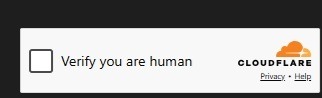
These fake verifications look just like typical Cloudflare security checks, which makes it difficult to tell the real from the fake. After all, we’re so used to just performing whatever task and moving on that we don’t think twice about whether the verification is real or fake.
The hackers install Stealthy StealC Information Stealer. It steals login details while you’re browsing, data from cryptocurrency wallets, details from Outlook emails, Steam account details, and much more.
I’d usually tell you just to stay away from suspicious sites and you’ll be fine. However, hackers are compromising CAPTCHA pages on legitimate sites. A simple malicious JavaScript code replaces the real CAPTCHA with the fake one. It’s a form of clickjacking, which makes legitimate sites suddenly malicious.
Beware CAPTCHAs With Keyboard Shortcuts
Typically, CAPTCHAs have you move a puzzle piece, type in random letters, pick specific images out of a set, or solve a simple math problem. These malware ridden fake CAPTCHAs do things differently.
They ask users to press a series of keyboard shortcuts. No legitimate CAPTCHA should ever have you enter any keyboard shortcuts. In this case, the combo is Win + R to open the Run prompt in the background. Then, you enter Ctrl + V to paste in the malicious command, even though you don’t see it. You’re then asked to press your Enter key, which executes the command and downloads the malware.
This isn’t the first time this type of attack has happened, and it won’t be the last. Just a year ago, EDDIESTEALER targeted Windows users on Chrome to install malware through fake CAPTCHA pages.
Real Vs. Fake CAPTCHAs – How to Tell the Difference
Most CAPTCHAs you encounter are real. I might not like them, but they’re a legitimate verification tool to protect sites from bots. I’m seeing them even more thanks to AI and the increase in AI web scraping.
A few tricks to tell if a CAPTCHA is malicious include:
- Asks you to run a script or command
- The I’m Not a Robot checkbox leads to a list of keyboard shortcuts versus a challenge like picking an image
- CAPTCHA appears randomly versus when logging in or first visiting a site
- The CAPTCHA opens a new page with a slightly altered URL
- Odd spacing or grammatical mistakes in the instructions
- Incredibly low quality images that prompt you to use keyboard shortcuts instead of picking the image
I also encourage you to pay attention to what’s happening in the background. If you’re interacting with a CAPTCHA and see a PowerShell or Command Prompt icon appear in your taskbar, stop everything you’re doing and exit the page with the CATPCHA immediately.
Consider Disabling Scripts in Windows
It may seem extreme, but disabling the Windows Script Host helps prevent malicious scripts from running. You can also use a less extreme method that prevents Windows from running any unsigned scripts.
If you have administrator access and feel comfortable editing your Registry, you can disable Windows Script Host. It’s easy to turn it back on whenever you need it.
Press Win + R, enter regedit, and press Enter. Navigate to:
HKEY_LOCAL_MACHINE\Software\Microsoft\Windows Script Host\SettingsRight-click an empty area in the right pane and select New → DWORD (32-bit) Value.
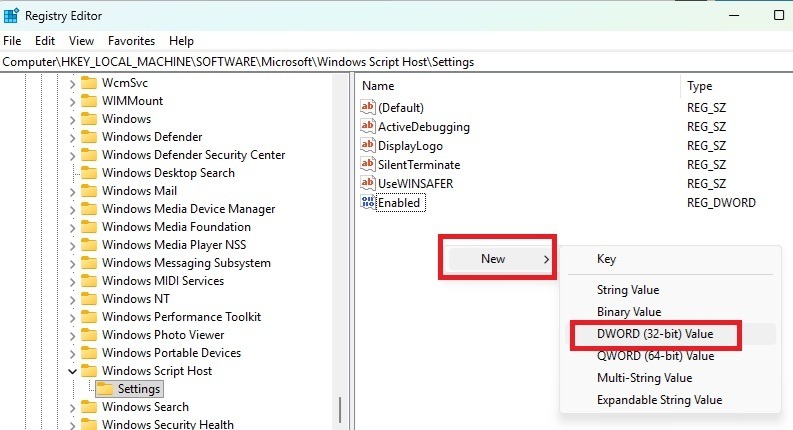
Name the new value Enabled. Double-click the new value and set the value to 0. Restart your PC and you’re done. If you want to allow scripts, set the value to 1.
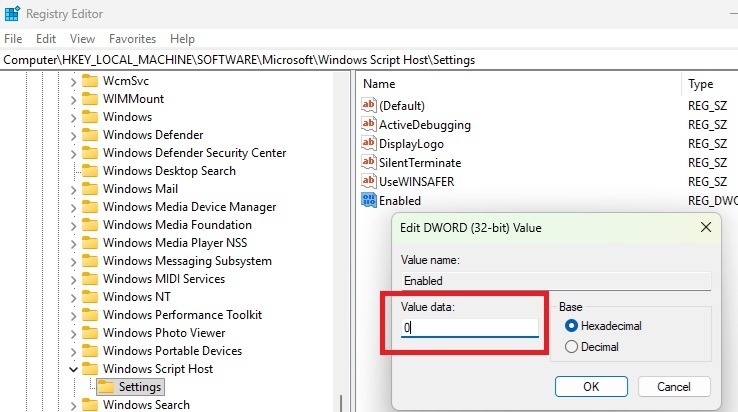
This also blocks legitimate scripts. But, it’s simple enough to turn back on.
Block JavaScript on Sites
Another method to prevent fake CAPTCHAs is to block JavaScript elements on sites. This may break some features on sites you love, but you can enable JavaScript on a per-site basis.
You can find JavaScript settings within your favorite browser’s settings. Or, consider using a script blocking extension like NoScript. Or, try a privacy and security extension like uBlock Origin to customize what you want to block.
Fake CAPTCHAs aren’t going away. But, by blocking scripts from running and paying close attention to what a CAPTCHA’s instructions, it’s easier to stay safe from the hidden malware.