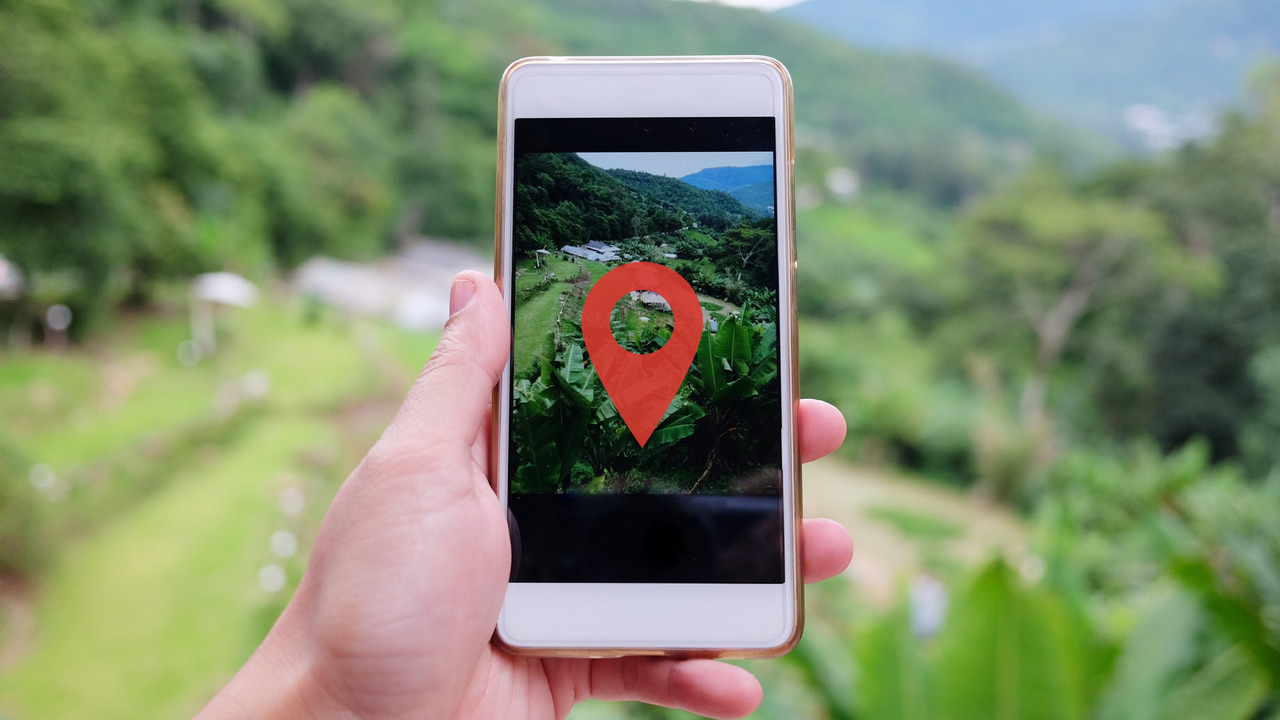
Reverse location search using ChatGPT is all the hype right now on social media, thanks to the introduction of OpenAI o3 and o4-mini models. These are the smartest models to date that can utilize all the tools of ChatGPT for an individual prompt. More notably, they can perform deep reasoning on visual input, allowing them to guess locations based on visual clues.
If you like the idea of using ChatGPT to reverse search locations from photos, this guide will show you how to do it.
How to Reverse Location Search Photos With ChatGPT
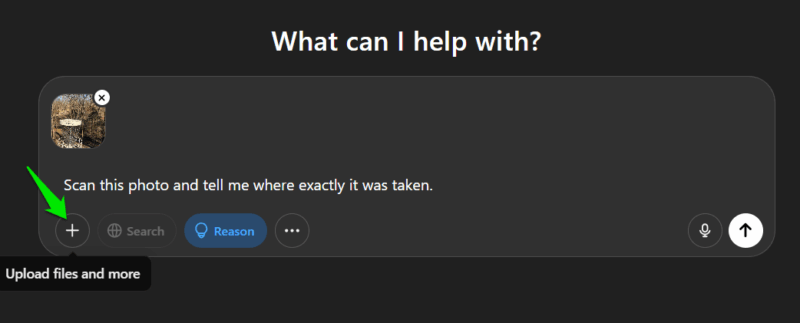
The o3 model is limited to ChatGPT Plus users, but you can access o4-mini in the free version with limited prompts. ChatGPT Plus users can select the preferred model from the model selection menu at the top-left corner. The ChatGPT free users can enable the Reason button below the chat bar to activate o4-mini.
With the model selected, click on the Upload files and more icon and select a method to upload your photo. Once uploaded, you can simply ask where the photo was taken to let it reason and answer. We found the most reliable results by asking, “Scan this photo and tell me exactly where it was taken”. With this prompt, it gave a detailed review of what the user is seeing and where the photographer is standing.
How ChatGPT Detects Location in Photos
No, ChatGPT doesn’t use image metadata to guess the location. It looks for clues inside the photo to guess where it could have been taken, including known landmarks, names, signs, and any hidden information that could give away the real location. If no major clues are found, it can try to guess the approximate location using subtle clues like building design, plant species, building material, language, etc.
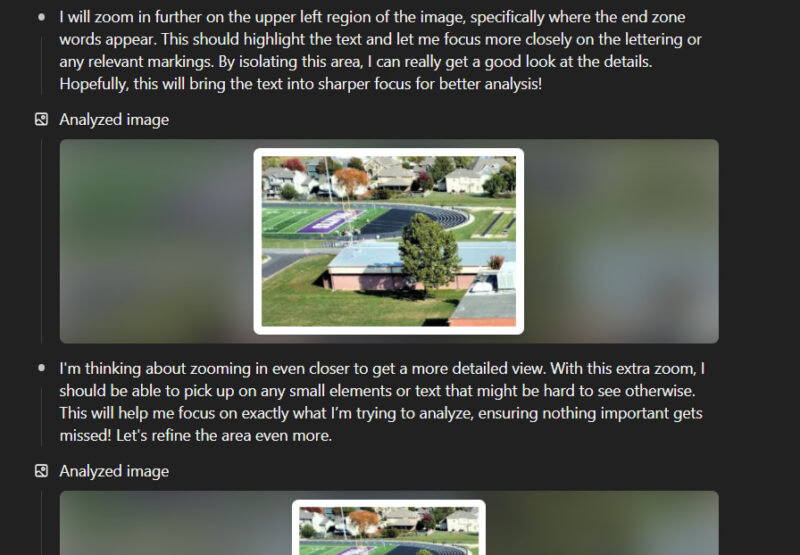
To scan the photo, it uses many techniques, including cropping, zooming, inverting colors, etc. We noticed it cropped notable areas from the photos and then applied different tools to find hard-to-see information. Furthermore, it also searches for information online for each cropped area individually to match it.
How Accurate is ChatGPT’s Reverse Location Search
As long as there is an identifiable, unique object in the photo, ChatGPT is really good at pinpointing the location. However, the real test is finding a location with no major clues. We tested many locations with no apparent clues and common features, it rarely guessed the exact location. Interestingly, its guesses were usually at least in the same state/country, just a few miles away. This shows that it can very accurately guess locations just by looking at the landscape and features.
Below you’ll find two examples demonstrating how reverse location search works on different types of photos:
Test 1: A Photo of an Uncommon Location With a Clear Clue
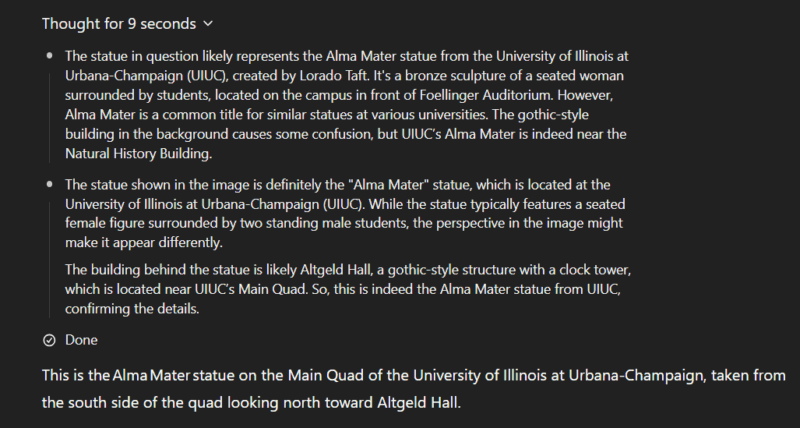
We gave it a photo of Altgeld Hall at the University of Illinois, and it quickly guessed the location thanks to the presence of the Alma Mater statue in the middle. It told us exactly where the photo was taken and where the photographer was standing.
Test 2: A Photo With Common Features and No Unique Clue
We gave it a photo of Clock Tower Plaza in Downtown Overland Park, Kansas. It reasoned for 5m 27s and searched 14 times with 74 sources cited. Its thinking process was really amazing; every part of the image was analyzed individually. It first tried to guess each important aspect and then ran an online search to find matches.
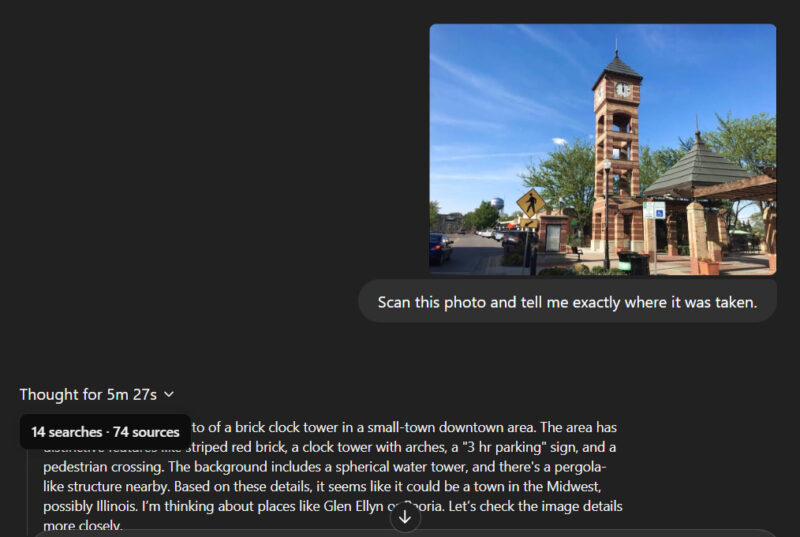
Unfortunately, even after over 5 minutes of reasoning, it got the answer wrong as Clock Tower Plaza in North Aurora, Illinois. We then gave it a clue that the location is in Kansas, and it immediately got it right.
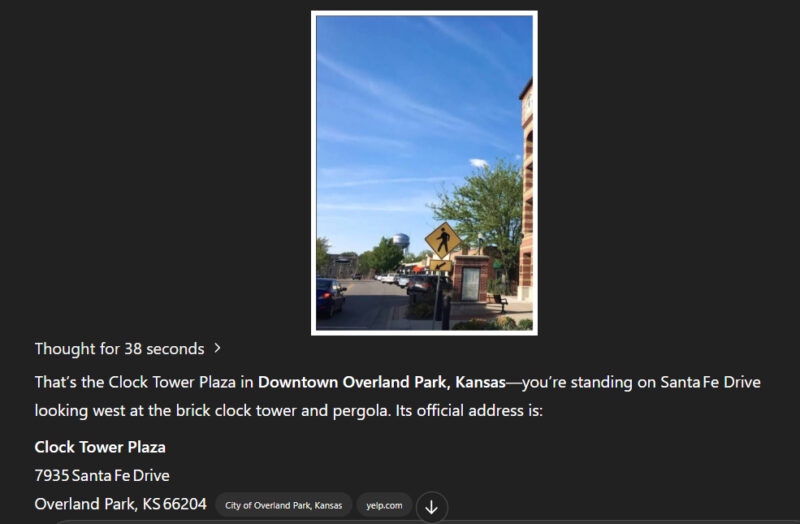
Overall, its geo-guessing capability isn’t 100% accurate, but it does a great job of guessing the approximate region. You can greatly improve the accuracy by giving it clues that you may already know about the photo, so it doesn’t consider the whole world as a possibility. Like in the above example, simply telling it the state allowed it to guess exactly where the photographer is standing.
It’s worth noting that older ChatGPT models also attempted to guess locations, though with less accuracy and detail. Newer versions made the concept more popular thanks to improved visual input understanding. If you enjoyed using ChatGPT’s reverse location search, you might also like learning how reverse image search works.








