
Finding something new to watch is often such a hassle that I just stick with shows I know and love. Netflix’s recommendations aren’t always that great, but since finding TasteDive, I have no shortage of new shows and movies to watch.
Problems With Streaming Recommendations
Netflix, Hulu, Disney+, and all the other streaming services have algorithms to help recommend shows and movies based on what you’ve previously watched and what others in your demographic are watching.
The problem is, sometimes those recommendations are perfect. Most of the time, they’re way off.
Even worse, if I watch one film out of my normal watch, suddenly all my recommendations are related to that. I watched one comedy, and now that’s all Hulu wants to recommend now.
Another issue is streaming platforms heavily push their original and new content. Netflix has some great original shows and movies, but that doesn’t mean that’s all I want to see.
Plus, there’s just so much content on these services, it’s hard to know where to start. Just look at all the Netflix secret show codes and you’ll see what I mean.
TasteDive Transforms Recommendations
While I still browse Netflix recommendations, I find most of my recommendations from TasteDive. It’s a free service that lets you find related shows and movies based on things you already watch.
You don’t even have to create an account to use it, though there are benefits to having one.
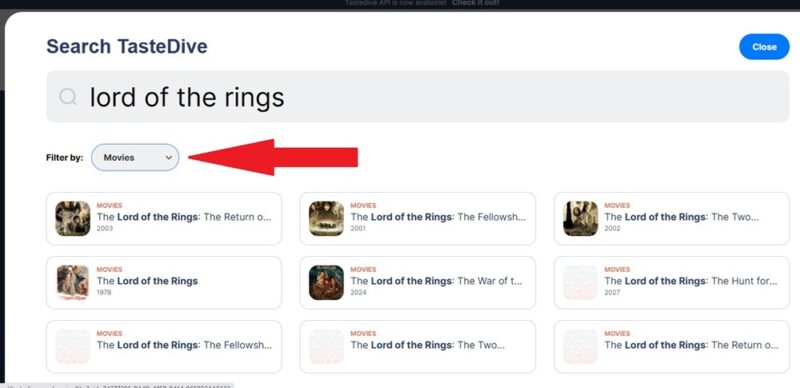
Just search for a show or movie, select Shows or Movies from the Filter drop-down box, and select the correct result.
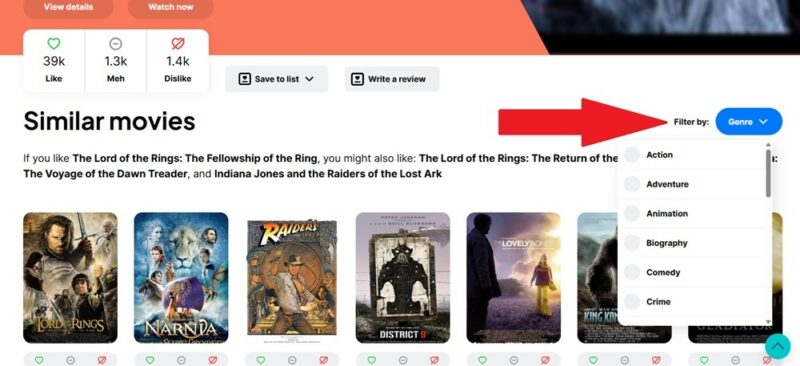
Then, get an endless stream of related movies or shows. Use the Filter by Genre drop-down just below the show/movie description to limit results to specific genres.
View Recommendations from Other Users
You don’t have to rely just on algorithms at TasteDive. That’s one of the reasons I love it. Recommendations are based on genre, common tags, and how other users rate content (like, dislike, meh).
But, there are also curated lists by other users. These have a wide variety of themes. You can also check out Tastebuds. Tastebuds are like-minded members you follow.
Both options let you discover interesting new shows and movies you wouldn’t find any other way.
When you perform a search, scroll down below the main results to the Lists and Tastebuds sections. Click any option to view details and recommendations. Generic searches work well for finding lists, such as romance movies or action and fantasy shows.
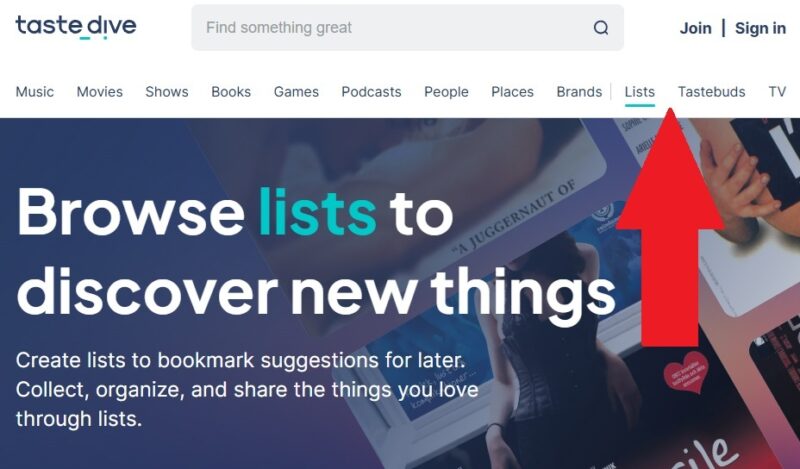
Or, select Lists or Tastebuds from the homepage. Browse what’s popular.
Customize Your Recommendations
TasteDive is useful enough without having an account, but I personally think it works so much better with an account. This is where the platform gets to know you better. You get to say yay or nay on recommendations to personalize things.
This works much like many streaming platforms. The more feedback you give, the more relevant your recommendations. You can use this process to improve your YouTube recommendations.
Every recommendation lets you choose between Like, Meh, and Dislike. The more shows/movies you respond to, the more personalized recommendations you’ll see.
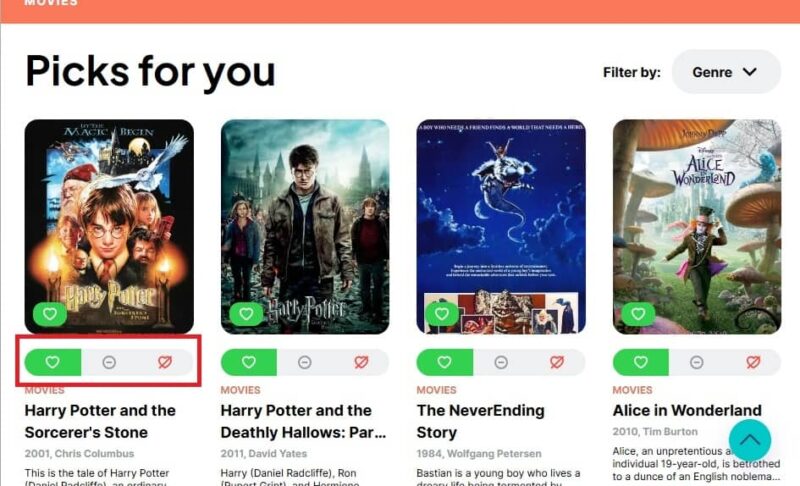
Instead of just seeing popular recommendations on the Shows or Movies pages, you get custom recommendations based on your activity.
This makes it feel more like Netflix’s recommendations, yet far more relevant. After a few days of rating recommendations, roughly 95% of my current recommendations are things I’ve already seen and loved or haven’t seen yet, but can’t wait to see.
You can even create your own lists to help others find their next great watch.
As you like and dislike recommendations, TasteDive also shows you lists and Tastebuds that best match your interests. Just scroll down from one of the main recommendation pages or jump directly to the Lists or Tastebuds pages.
More Than Shows and Movies
What really sets TasteDive apart from Netflix and other streaming service recommendations is I’m not limited to shows and movies. It’s an all-in-one recommendation service.
Currently, the site offers recommendations for music, movies, shows, books, games, podcasts, people, brands, and places. Every category lets you search, personalize recommendations, and create lists.
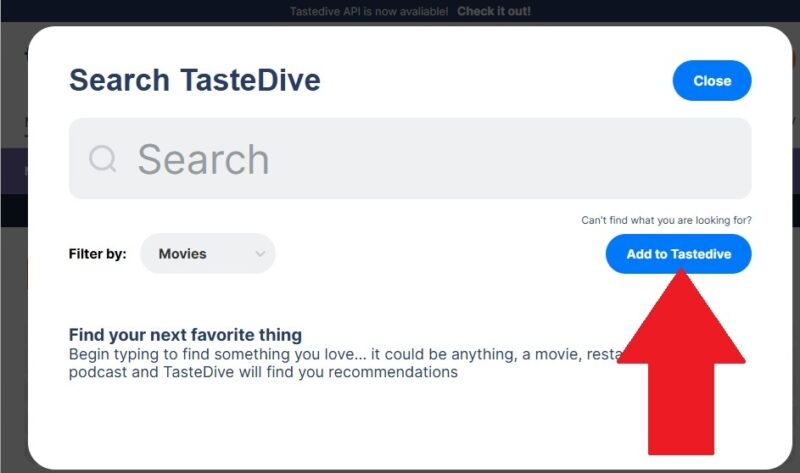
I have noticed sometimes the music category isn’t updated quite as often as some of the others. But, if you’re searching for something and can’t find it, click the Add to TasteDive button in the Search window. Fill out all the details to add it to the site.
Using TasteDive to Decide What to Stream
Create a list of things you haven’t seen, watched, listened to, etc. Then, use TasteDive to help you decide which streaming service(s) are best for you. The only downside is TasteDive doesn’t tell you where to watch. Instead, use a service to quickly search all the streaming services at once to see which ones have the majority of your TasteDive recommendations.
This is one way to help you save money on streaming. No more relying just on a streaming platform’s recommendations or being limited to a single service’s recommendations. Find shows, movies, music, and more you wouldn’t find otherwise. You might even find many recommendations are on free services. All it takes is a few minutes to start finding endless new things to check out.