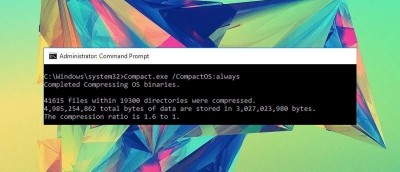
Windows 10 includes tools to help you use less drive space. Compact OS lets you run the OS from compressed files (similar to WIMBoot). Here’s how to enable it.
If you’re using Windows Defender as your antivirus and want it to protect your system from any potentially unwanted applications like bundled adware and spyware, here’s how it can help.
In Windows 10 Microsoft introduced a new built-in feature called Microsoft Family which can be used to create child accounts. This article will show you how to create and configure a child account.
Installing and moving apps to another drive on Windows 10 is helpful if you have low disk space or are using a low capacity hard drive. Here’s how to install modern apps on an external drive.
Windows has all kinds of amazing features, but there is no option that lets you control how much bandwidth certain apps use. If you want to change that, here’s how to limit bandwidth in Windows 10.
Being able to share Windows folders with Android over a local network is really handy and even allows you to stream media like video and music. Here’s how to do that.
Many users have complained that Windows 10 leaves sleep mode randomly and refuses to sleep through the night. This tutorial aims to help you fix this problem on your PC.
Microsoft recently allowed active window title bars to have a custom color. However, non-active Windows don’t. This tutorial will help you enable colored title bars for non-active windows as well.
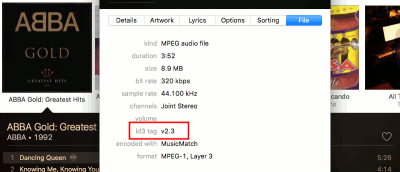
Do you like to keep your music library organized by using tags? Let’s take a look at the music ID3 tagging systems that define how we approach digital music.
Cortana is a powerful digital assistant in Windows 10 that can do a lot more than search the Web. If you’re feeling a bit lost, here are a few other things that you can do with Cortana in Windows 10.
Downloading Windows updates individually is not only time-consuming and unproductive but is also frustrating. If you’d prefer to update Windows 10 offline, here’s how you can do that.
If you want to allow a family member or friend to use your computer, without having to log into your account, here’s how to create a guest account for them.
Is Windows 10 loading slower than you’d like? Luckily, there is a way to improve its startup time by using the included startup app manager. Here’s how.
Looking for extra Windows security? In this article we show you how to add PIN security to your Windows 10 account and explain why it’s a better option.