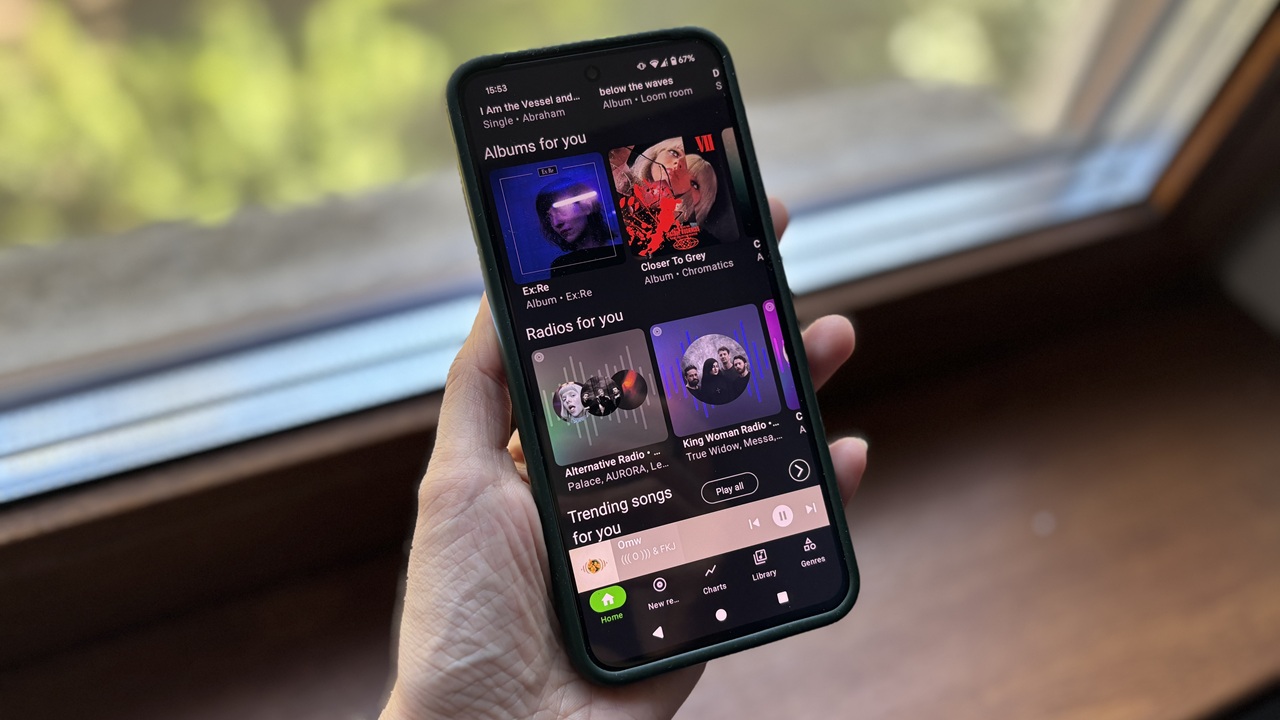
I didn’t go looking for a Spotify alternative, but I found one anyway. It’s called SimpMusic, and after spending some time using it, I’ve been genuinely impressed. It’s even made me consider pausing my Spotify Premium subscription. Here’s what makes it such a strong alternative.
Good to know: learn how to start a jam on Spotify and invite your friends.
How SimpMusic Works
SimpMusic by Mordi Studio is an open-source solution for streaming music that’s available on Android devices. You can access its GitHub page here for the source code. Unfortunately, an iOS app is not available at this point.
The app pulls its music from YouTube and YouTube Music to construct its library. It even offers the option for users to log in with their Google account to import their musical preferences. Not that you need to connect your Google account to use SimpMusic; you can do so without logging in.
On account of potential copyright issues, SimpMusic is best used purely to stream music and podcasts, just as you would from your free YouTube account. That’s how I’ve approached it, and it’s how I’d recommend others to do as well. Basically, SimpMusic acts as an alternative interface for YouTube with a Spotify-like feel.
While the app doesn’t allow downloading tracks for offline use as it is certainly against YouTube’s policies, it does remove ads when playing tracks, which is something that might cause issues for the app’s developers in the future and might result in SimpMusic being removed from the Google Play Store.
That said, SimpMusic is not completely devoid of ads. In my experience, these have popped up when switching between other apps and SimpMusic or digging through certain features, but not when playing music.
Some SimpMusic Features that Feel Just Like Spotify
At first glance, SimpMusic’s UI feels intuitive and reminiscent of Spotify’s design. You get a menu at the very top allowing quick access to Podcasts just like on Spotify. But instead of showing the additional All and Music options like Spotify does, SimpMusic presents a range of mood-inspired music categories instead.
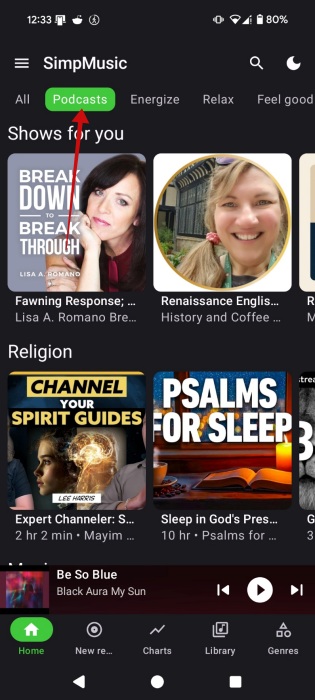
Spotify places your recent music and podcasts at the top, while SimpMusic jumps straight into recommended music, organized by category. You can swipe downwards to discover additional old and new music. For example, I’ve listened to a lot of The Cure on YouTube, and so SimpMusic is recommending me various related genre playlists featuring artists in the same vein. Suggestions can include Radios for you, Trending songs, or Live performances.
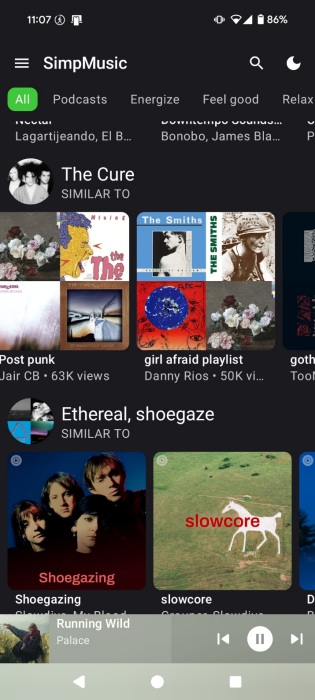
You get a similar experience via Spotify’s All feed, which includes various recommendations based on your preferences so far. To view only music recommendations, you can switch to the Music tab.
SimpMusic also has a Now Playing bar at the bottom, just like on Spotify, featuring quick music controls.
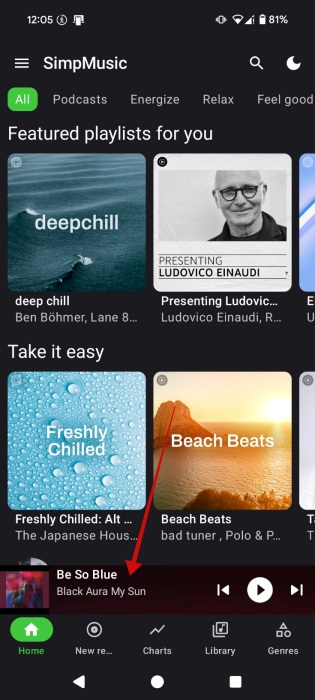
Tapping on it reveals the player, which includes various other options, such as Repeat, Saving to playlist, Quality (max Opus 160kbs) or accessing Related music. You can also easily skip to the next track from there.

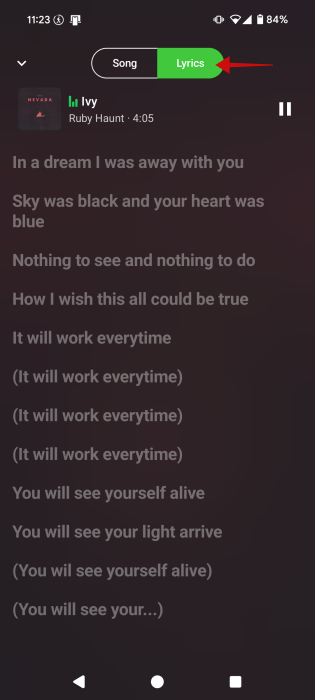
Like on Spotify, you can access Lyrics from the player by switching to the relevant tab at the top.
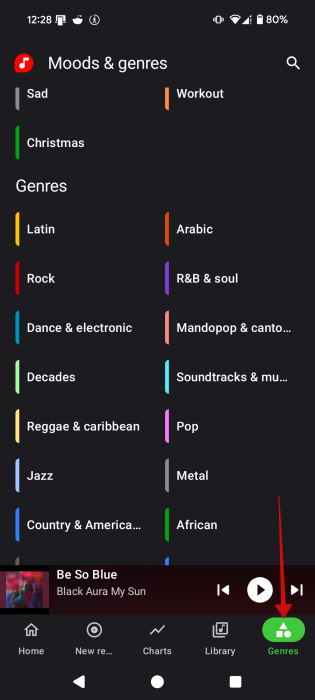
Another feature that might feel reminiscent of Spotify is the Genres tab in SimpMusic. Here you can find songs and artists based on genres as well as moods. You can find the corresponding feature in Spotify by accessing the Search tab from the menu at the bottom.
While you can create playlists in SimpMusic like on Spotify without issue, the open-source app had some issues syncing my playlists from YouTube. While the older playlists do appear in my Library tab in SimpMusic, they fail to include any videos.
FYI: learn how to easily find the best podcasts for you on Spotify.
Additional Features in SimpMusic Worth Exploring
SimpMusic doesn’t mirror every single feature in Spotify, it comes with its own offerings.
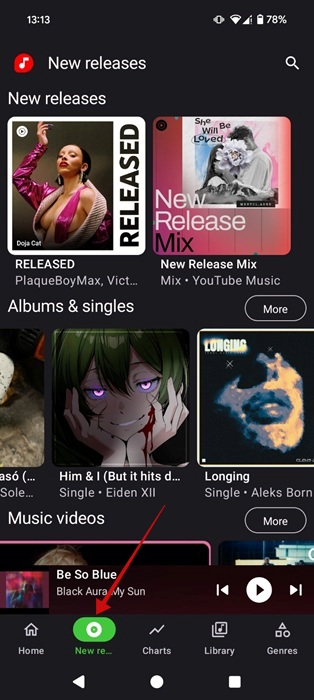
For instance, SimpMusic makes it easier to discover new music through its New Releases tab. Here, it highlights new music that you might want to listen to. But I should note that the feature doesn’t take into account your preferences and listening habits. Instead, it simply lists new releases, including mixes, albums, and singles.
Since SimpMusic is based on YouTube, it also offers the option to watch videos. Songs for which videos are also available list the option at the top so you can switch between listening to a song and watching the video.

Because of the YouTube connection, SimpMusic syncs comments so you can see what others are saying about the video.

Of course, SimpMusic lacks some features that make Spotify great such as AI DJ, Blend playlists or the ability to hide/snooze tracks in a playlist.
SimpMusic is just one of many third-party YouTube clients, designed with an interface that will feel very familiar to Spotify lovers. If you’re curious about other options, check our list of apps that can take your streaming experience to the next level.