Many people store sensitive information as photos, like crypto seed phrases, password manager master passwords, authenticator recovery codes, etc. Unfortunately, malware is getting smarter, and is now targeting sensitive information stored as photos, like the latest SparkKitty malware on phones. This guide lists all the ways to protect from such threats.
What is SparkKitty Malware
SparkKitty is a variant of the original photo-stealing malware, SparkCat. While SparkCat focused on using OCR to steal specific types of photos (crypto seed phrases), SparkKitty simply uploads all photos to the command and control (C2) server. It’s much more dangerous since it isn’t bound to a specific type of photo.
The stolen photos can be used for much than just stealing recovery codes or passwords, like blackmail, identity theft, and social engineering attacks. It’s also difficult to detect as it usually comes with phone apps with legit functions and takes advantage of default media permissions. While common on third-party stores, many infected apps have been found on official app stores as well, like Soex and 币coin (already taken down).
Secure Sensitive Photos
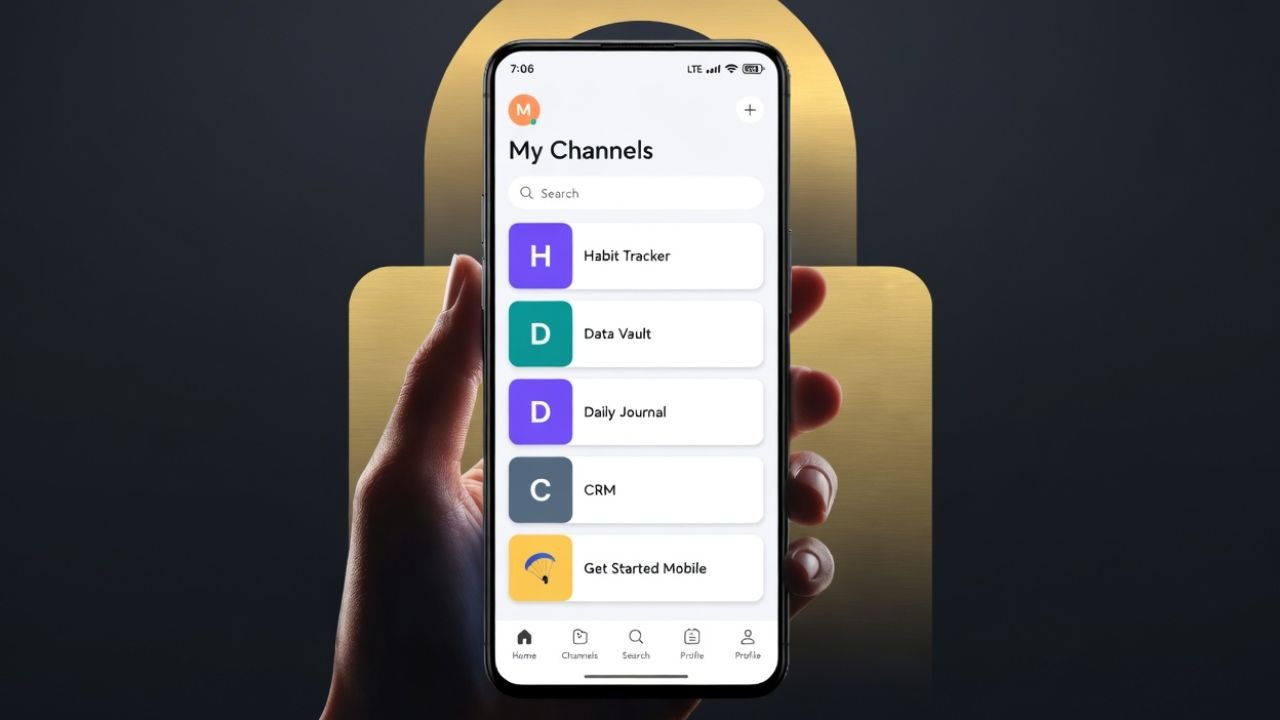
These photo-stealing malware usually target photos inside your gallery, so your first line of defence is to keep your sensitive photos in a secure place. The best method is to hide sensitive photos in an encrypted vault so no one but you can access them. Here are two free solutions:
Use Google Photos Locked Folder
If you sync your photos to Google Photos, you can use the Locked Folder option to save photos in an encrypted vault online. This will delete the photo from the phone and hide it in Google Photos.
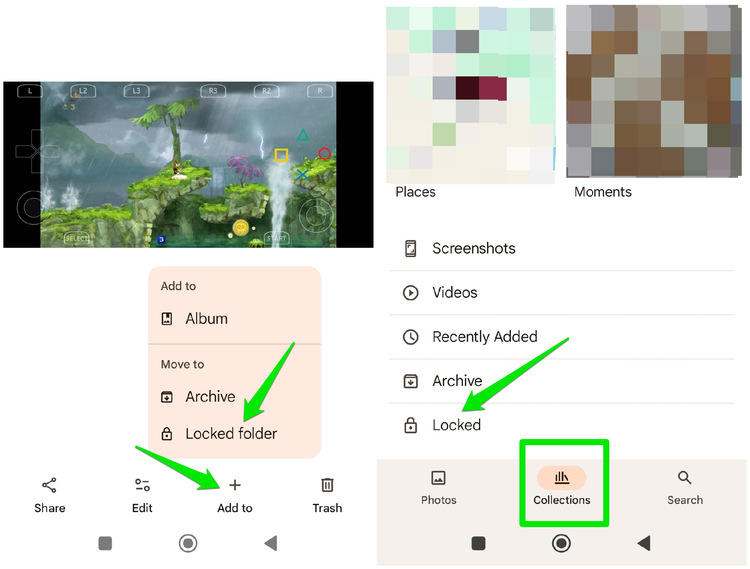
Open the photo in Google Photos, tap on the Add to button at the bottom, and select the Locked folder option. You will need a complete a quick initial setup on the first try. To access the Locked folder content, move to Collections and open the Locked folder. You’ll have to use the device unlock method to access it.
Use a Third-Party Photo Vault App
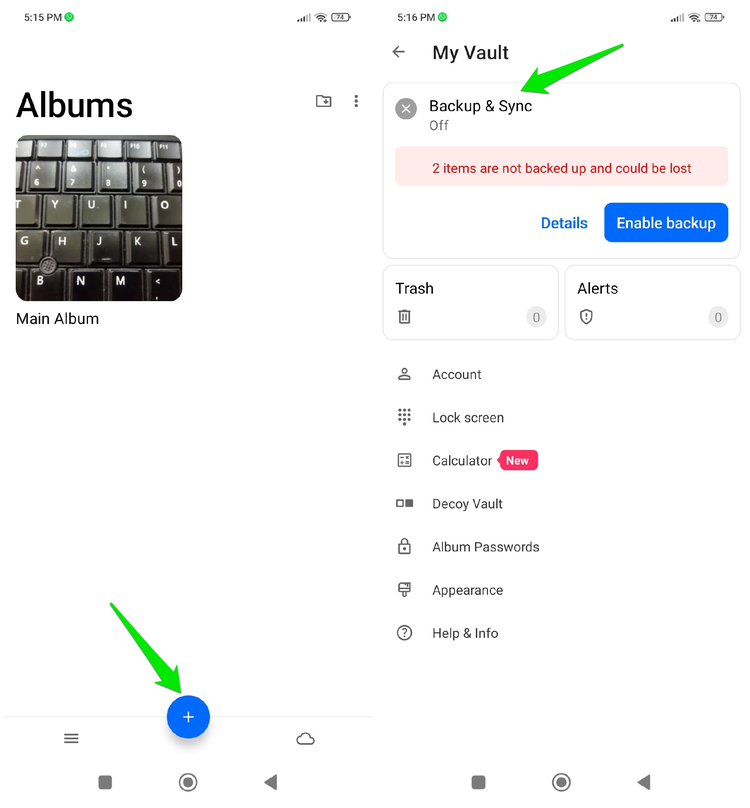
You can also use a third-party photo vault app if you don’t want to use Google Photos or want to keep photos offline. Keepsafe Photo Vault is a great app for this purpose, which is available for both Android and iOS. It will encrypt your photos (and other media) using a dedicated PIN or biometrics. You can also fake the app icon to further deter attempts to access.
However, it syncs photos to the cloud by default, make sure you disable it from the Backup & Sync option if you want an offline vault.
Manage App Permissions
SparkKitty needs access to photos to be able to steal them, so the app that carries it must have this permission as well. You can audit permissions to ensure no unrelated or suspicious app has access to photos.
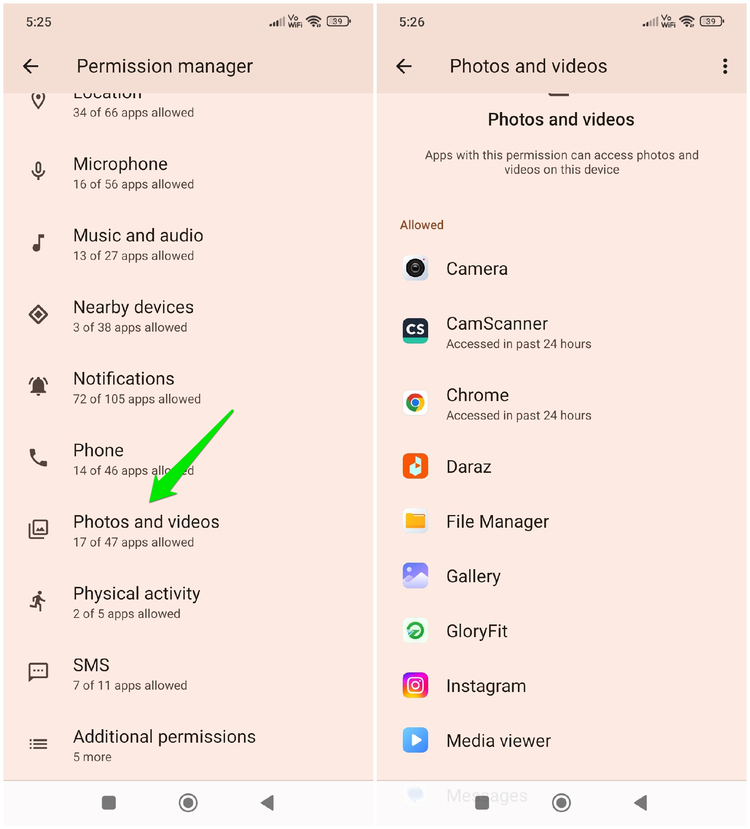
On Android, go to Settings -> Privacy protection -> All permissions -> Photos and videos.
On iOS, go to Settings -> Privacy & Security -> Photos.
Here, make sure only the trusted apps are allowed to access your photos. If there is an app that is suspicious or doesn’t need media permissions to function, remove its permissions.
Avoid Apps Known to Spread SparkKitty
When Kaspersky first discovered the SparkKitty malware, they also shared types of apps that often contained SparkKitty. You can avoid using similar apps, whether you get them from a third-party app store or directly download from the official app store.
Crypto utilities and trackers are the main culprits carrying this malware due to the main target being crypto seed phrases, including crypto exchange and socialization apps. TikTok clones from unofficial sources are also known to carry it. Like most other malware, it commonly comes with nefarious apps like gambling, casino, and even adult-themed games.
Get an Antivirus App With Behavioral Analysis Support
Many antivirus apps for phones can detect SparkKitty and similar malware thanks to the behavioral analysis feature that most support. Since it needs to send photos back to the C2 server (often in the background), an antivirus will immediately detect the activity as malicious and catch it.
We recommend Bitdefender and Avast Mobile Security, as both of them have powerful behavioral detection features. Just install the free versions of the apps, and let them run in the background. They will catch any such malicious activity and let you know what actions to take.
For master passwords and recovery codes, consider physically writing them down instead of taking a photo or storing them as a note. If you are on Android, make sure you also enable these Android security features for even more security.