


Gmail has been rocked by a new security threat that’s so sneaky it’s left the experts baffled. On the face of it it’s a classic phishing scam, redirecting you from your email to a malicious page that steals your Google login information, but this one has an extra trick up its sleeve. Here’s everything you need to know to protect yourself from this scam and others like it.
How does it work?
Like most phishing scams, this one works by faking legitimacy. You receive an email in your inbox that contains a PDF linking you to a page posing as a Gmail login page. You enter your information into it, and hackers have instant access to your Gmail account.
What’s so special about this one?
Phishing scams are commonplace. Look through your junk mail, and you might find one of them sitting around, telling you that there’s something urgent that needs your attention on your eBay, PayPal, email, or other account. Even though they have the logos and everything you’d expect from the actual site, the giveaway is in the email address from which it was sent, which usually doesn’t resemble that of the site. In addition, your browser will likely detect that it wants to send you to a fake site.
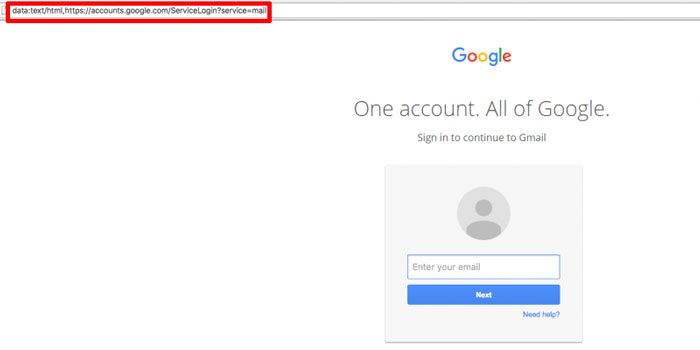
But this scam circumvents your browser’s phishing detection using a trick called “Data URL” which takes you to a seemingly legitimate site, complete with “https://accounts.google.com/ServiceLogin?service=mail” visible in the middle of its URL. It’s convincing not only for your browser but also for you as a user.
How to avoid it
One thing that should reassure you about phishing scams is that they can’t do anything if you don’t give them any of your personal information. Everything is in your hands! And, as a general rule, you should never open attachments you weren’t expecting to receive, sent to you by sites claiming to be ones you trust.
What if I think I’ve fallen for the scam?
If you think you’ve given your details over to this (or any other) scam, the negative impact won’t be clear straight away. The idea behind hackers using your Gmail account is that they can then access all kinds of sensitive information about your identity, bank details, Google Drive files, and so on, then sell your information, make online purchases, or other illicit activities.
The very first thing you should do is change your password, which will force every user on every device that the account is accessible on to re-enter it (which the hackers won’t be able to do because they no longer know it).
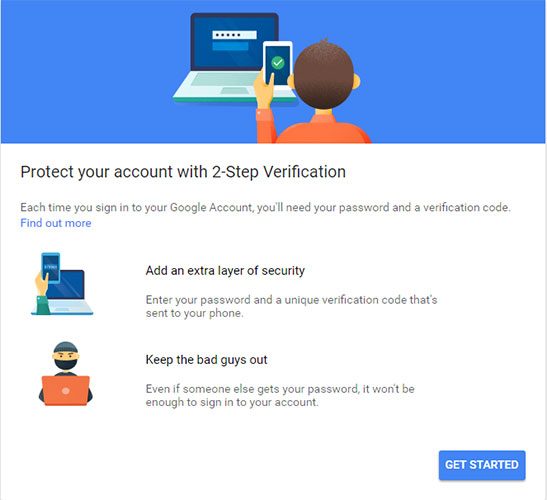
Next, enable two-factor authentication for your Google account by going to this page. This will require any sign-in to your Google to go through the extra layer of sending a code to your phone, which you type in after entering your Google password.
As your email address may have been used to forward the scam to people in your Google contacts, you should send out a mass email warning people that you may have been the victim of a hack and to not open any strange emails they’ve received from you.
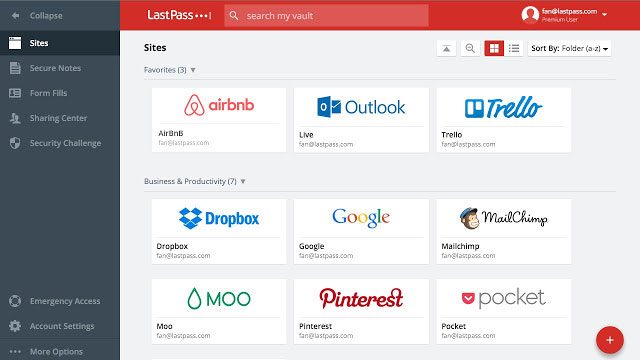
Finally, it’s ESSENTIAL that you have a different password for each of your accounts. If you find the prospect of that a bit intimidating, you can use a password manager to generate different ones for you and store them safely in its vault.
Conclusion
This latest phishing scam is a clever variant on an old trick, but many of the same rules apply. To some of you, this may sound like obvious safety advice, but as long as people keep falling for these, then it’s worth re-emphasizing the things you can do to stay safe.