Phone numbers are finite, and carriers routinely recycle inactive numbers. That creates a real security problem: when a number is reassigned, the new holder can receive verification and recovery texts tied to the previous owner’s accounts, enabling impersonation or account takeover. Let’s learn the dangers of number recycling and measures you can take to protect yourself.
How Number Recycling is Dangerous
Many services today require your phone number for verification and account recovery; many services, like WhatsApp, solely depend on your phone number to work. When you deactivate (or switch) a number, but forgot to disassociate all your accounts with this number, the carrier will recycle this number and assign to a new user. The new user will then be able to access your accounts with this phone number.
The main protection against this problem is a “cooling off” period by carriers during which the number isn’t assigned to anyone, typically lasting for 45-90+ days. During this period, the previous owner still has time to disconnect any associated services.
More importantly, some services that depend on phone number verification use this inactivity period as a sign to delete the account. WhatsApp, for example, deletes an account after 120 days of inactivity. While this inactivity period is useful for catching a recycled number, many services don’t (or can’t) use it as an indicator.
Once recycled, the new owner can possibly impersonate the old owner, hack accounts using SMS recovery, and receive sensitive information. To make matters worse, hackers actively look for recycled numbers by comparing available numbers with data breaches or analyzing the sequential number blocks. They then systematically exploit the number for malicious attacks.
Proactive measures are needed to protect yourself from the dangers of number recycling. Here’s what you need to do if you intend to deactivate a number.
Disassociate All Accounts With Your Number
You need to remove the number from all your accounts for both account recovery and 2FA. Log in to all accounts and view account details to see if your number is associated with it in any way. Finding all the accounts is the hard part, but we have some tips below to make the process easier:
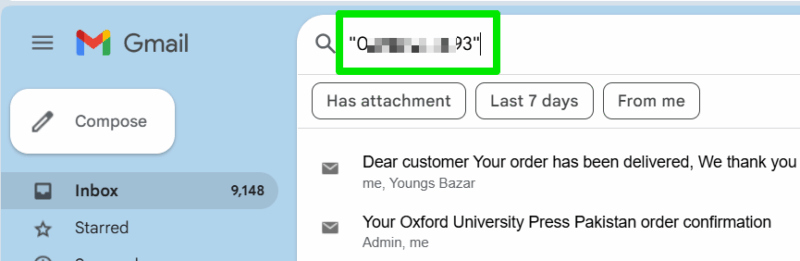
- Search email: since the accounts will most likely have your email address too, log in to your email account and search for services you signed up for. To be more precise, search your number in quotes in the search bar to see associated services emails, like “09991234567”.
- Check your password manager: If you use a password manager, look for all the entries saved there.
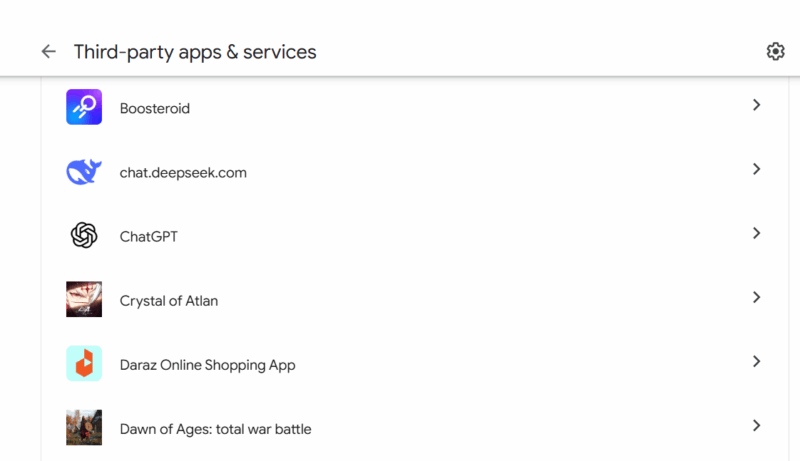
- Check social logins: if you have a Google account, you can open the connected apps page to see services/apps you signed up for. Similarly, for Facebook signups, check its Apps and Websites page.
Correctly Deactivate/Move Messaging Accounts
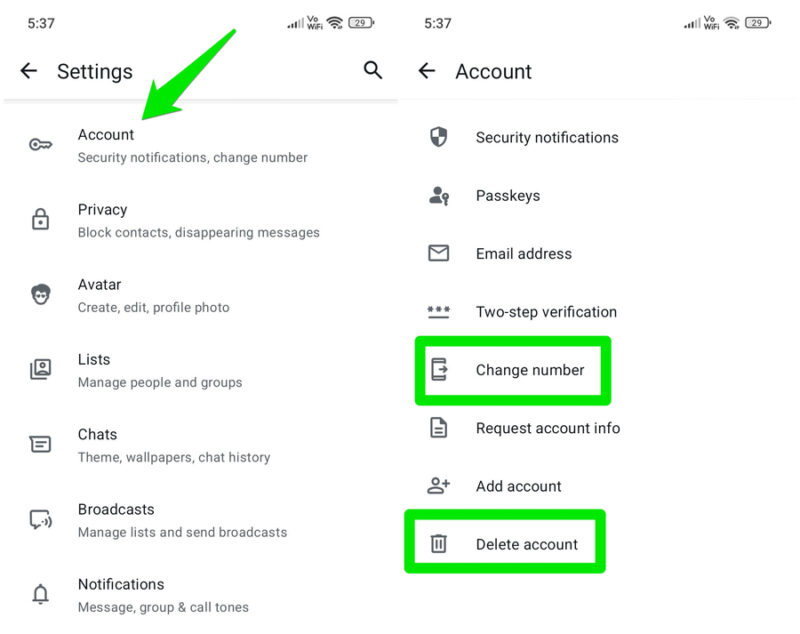
Messaging apps like WhatsApp, Signal, Telegram, etc. that depend on a dedicated number to function usually offer a way to properly delete or change the number. Make sure you go through the official method to switch to the new number or delete the account. This will remove the chances of your data being transferred to the new user and minimize impersonation chances.
For example, in WhatsApp, you can go to Settings → Account to get the option to both Change number and Delete account.
Unsubscribe from Promotional Messages
The promotional messages give a lot of information about the old owner’s activities and personal information, like name or approximate location. You should go through all your text messages and unsubscribe from promotional emails by replying with STOP or UNSUBSCRIBE. There might be an Unsubscribe button or instructions on how to unsubscribe at the end of the message.
You can also look for the promotional messages checkbox in a service’s account settings to stop them. While you are at it, you should look into removing it from data broker websites, as the new owner can search them to learn more about you.
Notify Important Contacts
Even after the cooling-off period and transfer, your number will be saved in other people’s phones as yours. They can contact the new owner, thinking it’s you. You should send a personal message to all important contacts to let them know you are changing numbers, especially work-related contacts.
Prevent the Number from Deactivated
If you don’t want to go through the above process, then you have to do your due diligence to prevent the number from being deactivated. If you are on a prepaid plan, make sure you top it up, and using it regularly (like making calls, sending SMS, or using mobile data) to prevent inactivity deactivation.
For postpaid plans, as long as you continue to pay the bill, your phone number will always be active.
Avoid Phone Number-Based Account Recovery and 2FA
Account takeover is the biggest threat due to number recycling. The best way to avoid it is to not link your number to any of your accounts. Of course, you can’t really do this with things like messaging apps that need your number to work, or with your bank, which makes sharing your number mandatory. However, most other accounts should work fine without your number.
For account recovery, your email is more than enough, and you can use a secondary email as the main email’s account recovery method. For supported accounts, you can also switch to passkeys, which will free you from passwords and associated vulnerable recovery options. Passkeys are also better than regular 2FA methods as they greatly resist phishing.
For 2FA, SMS verification is already considered a less secure method, even Google is phasing it out. You should switch to more reliable ones like TOTP or push notification authentication that don’t need a phone number.
Wrapping Up
Your expired phone number has never been a problem, until you start to associate all your accounts with it. If you have decided to switch to a new phone number, it is always best to disassociate all your accounts with your old phone number first before deactivating it.