

Other than using passwords, creating an additional authentication credential is vital in keeping your online accounts safe today. It prevents bad actors from using your login details after a security breach. Here, we look at two popular authentication methods, Passkey and Two-Factor Authentication (2FA). Learn how they work, and see which is the right one for you.
What is a Passkey and How Does It Work
Passkey is an authentication method that takes advantage of existing credentials on your device to verify and handle your online logins. The FIDO Alliance designed passkey in 2022 with the intent of providing a better alternative to passwords and 2FA.
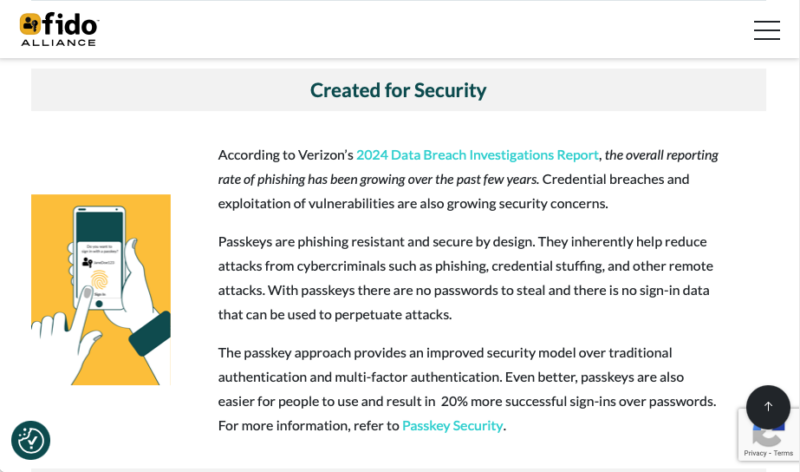
At its core, passkey is a form of public-key cryptography. It takes your device’s existing authentication setup (PIN code or fingerprint scan) and derive a cryptographic keypair from it. These keypairs, in turn, are what passkey-compatible services take instead of a username and password.
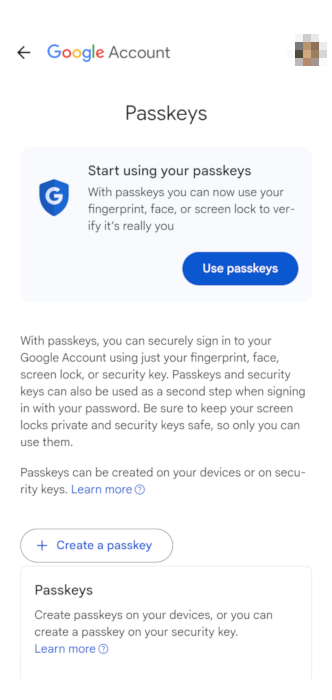
The biggest advantage of this is that a passkey prevents you from providing sensitive data on an online form. One of the most common ways bad actors obtain sensitive user data is through “phishing.” This is where a bad actor mimics a legitimate website, hoping that you’ll provide your login details on their compromised form.
With passkeys, a phishing website cannot obtain any meaningful data from its targets. This is because, by design, a passkey will only work if the remote service can send the exact “authentication challenge” that the local device expects. This is similar to having a physical lock and key where your key will only fit and work on the exact lock.
Good to know: check out our guide to setting up a passkeys on your devices using Google Passkeys.
What is 2FA and How Does It Work
2FA is the most popular method of authenticating and validating user sessions. Developed by AT&T in the 1990s, it works by requiring a user to provide at least two different verification sources before being granted access to an account. In practice, this is usually the user’s password accompanied by either a “One-Time PIN” or a verification code.
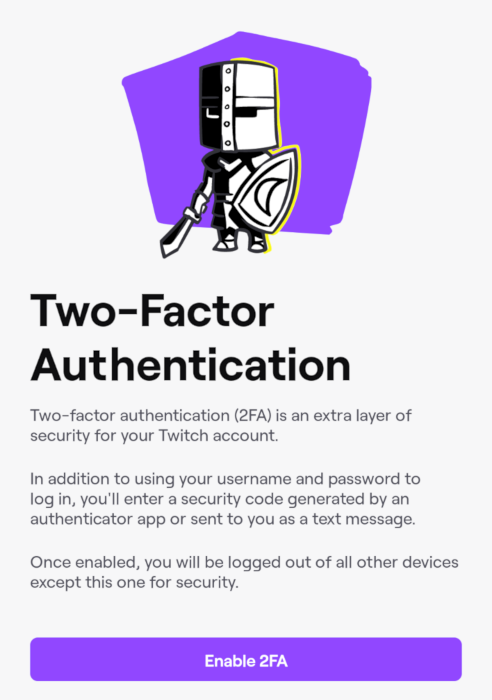
Fundamentally, 2FA is a framework for how developers and users can handle logins through multiple credential requirements. Because of that, the “factor” on 2FA can often change depending on the service and device that you’re using. As discussed above, some services might use a One-Time PIN to handle 2FA. However, it’s not limited to that. Some 2FA systems rely on users logging in from a specific location or a within a specific timeframe.
One of the core strengths of 2FA is that it serves as a fallback mechanism for your logins. In order to access your account, a bad actor would need to provide both the password and the 2FA associated with it. This reduces the impact of a password leak and gives you ample time to react and update your compromised account’s password.
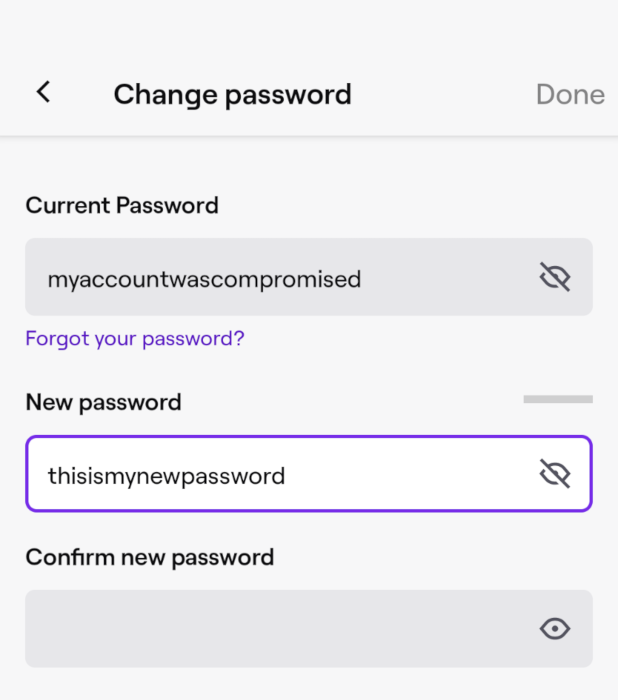
On top of that, 2FA is a fully mature and established authentication method. As such, it’s not difficult to find services and devices that support 2FA right out of the box. This makes it attractive to users who want a reliable turnkey solution for securing their online accounts.
Related: learn how you can enable 2FA on any website today.
The Difference Between Passkeys and 2FA
While they might look similar on the surface, passkeys and 2FA have some major differences on how they work and the purpose that they serve. In this section, I will look at how passkeys and 2FA stack against each other on a number of categories.
| Passkeys | 2FA | |
|---|---|---|
| Susceptibility to Phishing | Passkeys provide little to no useful information to a phishing website. | 2FA doesn’t prevent you from sharing sensitive information on a phishing website. |
| Ease of Use | Passkeys use the built-in authentication method on a user’s device. This makes it easier to use for a wider range of people. | 2FA often requires an external device or app to provide the second factor. This can make it unappealing to a casual audience. |
| Potential for User Error | Passkeys are designed to be as fool-proof as possible. It doesn’t expose any sensitive information to the user when logging in. | 2FA doesn’t guarantee any protection aside from providing the second factor for logins. This makes it error-prone, especially for novices. |
| Maturity and Adoption | Passkeys are a new authentication method. This means that not all platforms and devices currently support it. | 2FA is a mature and proven authentication method. It is widely adopted on most modern platforms and devices. |
| Overall Flexibility and Portability | Passkeys depend on the device where the cryptographic keypair is stored. Losing that could prevent you from logging in to your account. | 2FA secret codes can be printed on paper or stamped on a physical object for safekeeping. |
On a side note: looking to improve your overall online security? Check out some our picks for the best security and privacy-focused extensions for Chrome today.
Passkey vs 2FA: Which One Should I Use?
Ultimately, choosing between a passkey and 2FA for your authentication method depends on the device that you’re using, the platform that you’re logging into, and your overall threat model.
- If you’re looking for a phishing-resistant authentication method that works seamlessly with your device, a passkey is the best solution out there. Its intuitive and fool-proof design makes it great for logging into any platform that supports it. While most users haven’t adopted passkeys yet, it offers a massive improvement over 2FA that I see it quickly becoming the standard in the near future.
- If you’re looking for a reliable authentication method that works on all devices and platforms, 2FA is still a great option. While it’s not as robust and user-friendly as passkeys, 2FA can still protect you from the most common attacks. 2FA also enjoys more than a decade of support from tools and platforms. This means that you’re more likely to encounter a device or website that supports 2FA than passkeys.
Exploring the difference between passkeys and 2FA as well as how they work under the hood is just the first step in taking control of your online security. Take a deep dive into this wide and wonderful world by learning what makes a firewall different from a VPN.
Image credit: Grok via x.ai. All alterations and screenshots by Ramces Red.