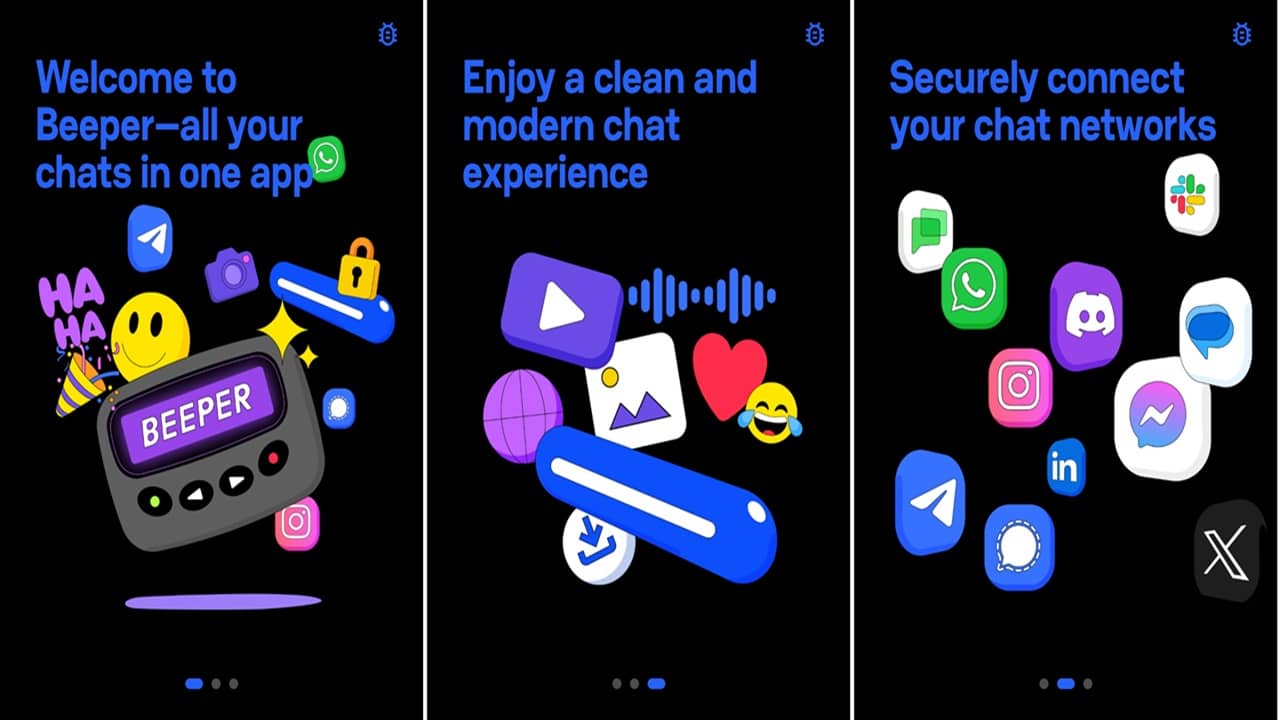
When you have friends on different messaging apps, you have no choice but to install multiple messaging apps, and jump between apps to connect with them. With Beeper, you just have to link all your chat apps and get everything in one place.
How Beeper Links Chat Apps
Beeper lets you log in with multiple chat apps and then view and send messages directly from Beeper. This is done in one of two ways. The first is by storing messages via the cloud. The second is by keeping everything on your device.
Beeper’s built on Matrix, which is an open-source chat protocol. Matrix allows Beeper to create bridges to connect to various chat apps.
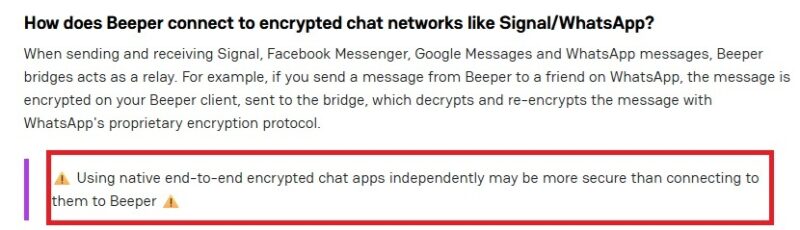
The exact process varies based on the type of chat app, either encrypted or non-encrypted. For encrypted chat apps like Signal, the message is first encrypted using the Beeper client device, sent via a bridge, and then decrypted and re-encrypted using Signals encryption protocol.
For non-encrypted apps, the messages are sent through Beeper Cloud, though they’re still encrypted.
Which Chat Apps Does Beeper Support
Currently, you can link up to 11 chat apps with Beeper.
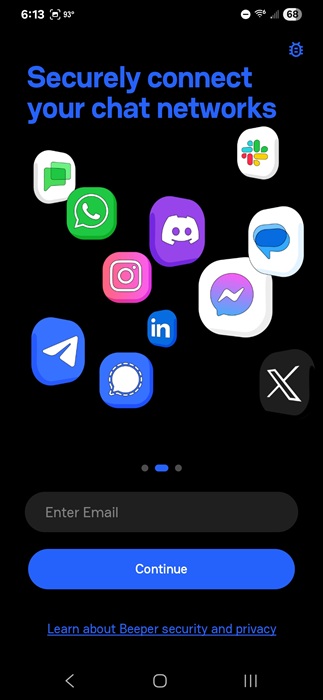
These include:
- Messenger
- Google Messages
- X
- Discord
- Telegram
- Slack
- Signal
- Google Chat
Even better, you can use Beeper on multiple platforms (iOS, Android, Windows, macOS, and Linux) and access all your messages as long as you’re using Beeper Cloud.
The downside is many chat apps still aren’t supported, including iMessages. Other apps may be added in the future, but for now, you’re limited to the above list.
Setup Beeper
Setup is surprisingly easy and there aren’t any weird hoops to jump through. Just download Beeper on your desired platform(s).
Enter an email address to get started. You don’t have to use the same email as your chat app(s). If you’re like me, you may have multiple email addresses across different chat apps. Then, enter the code sent to your email.
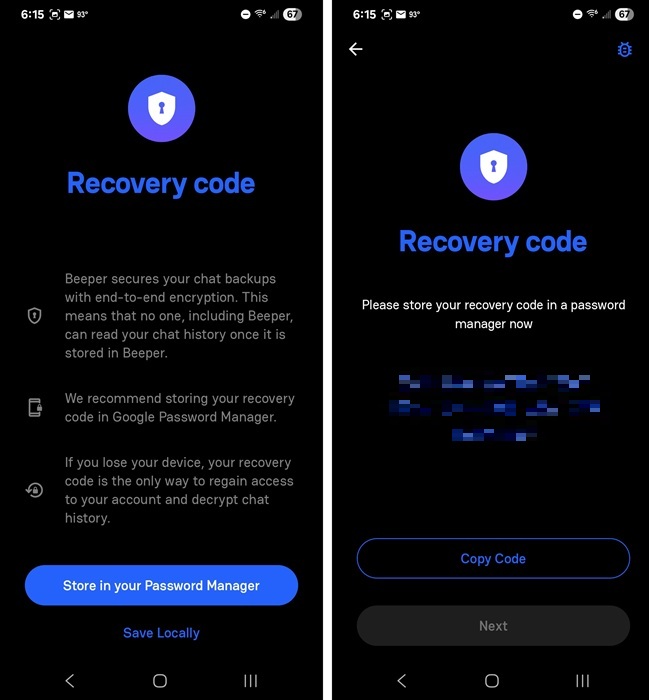
Next, store your Recovery Code somewhere safe, such as a password manager. This is the only way to access and recover your account if you switch devices. Since your chats are encrypted using zero-access encryption, Beeper staff can’t recover your messages for you. They’ll still be in each individual chat app, though.
Tap Store in your Password Manager to automatically store it in your locally installed password manager. Or, tap Save Locally to see the code and store it wherever you want. Click Next when you’re done.
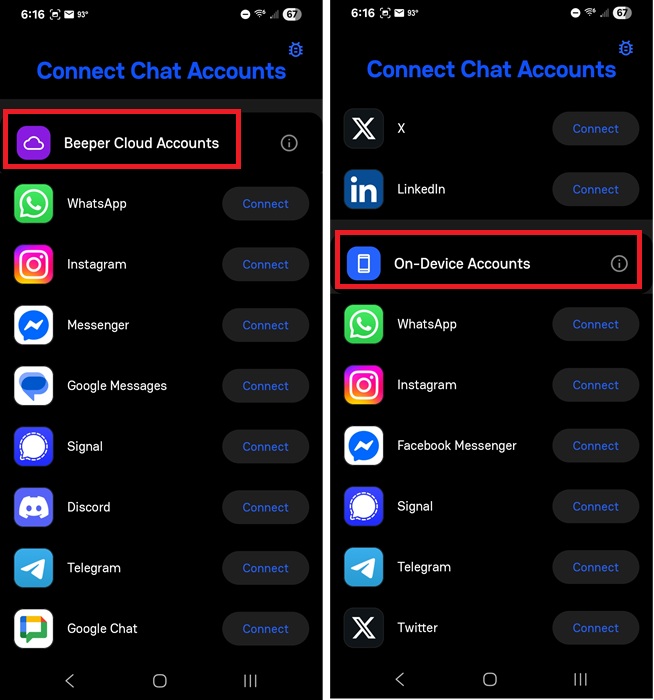
Finally, it’s time to link chat apps with Beeper. You have two separate lists – Beeper Cloud Accounts and On-Device Accounts. Scroll down to view the On-Device Accounts list.
All 11 chat apps are available with Beeper Cloud Accounts. This means chats are encrypted and stored in Beeper’s cloud server. If you get a new device or want to sync between platforms, this is the best option.
If you don’t want your chat history stored on Beeper’s servers, opt for On-Device Accounts. Everything is encrypted on your device and only stored with the native chat apps, not Beeper. However, you can only do this with WhatsApp, Instagram, Facebook Messenger, Signal, Telegram, and X.
Whichever option you choose, tap Connect beside the chat app you want to link.
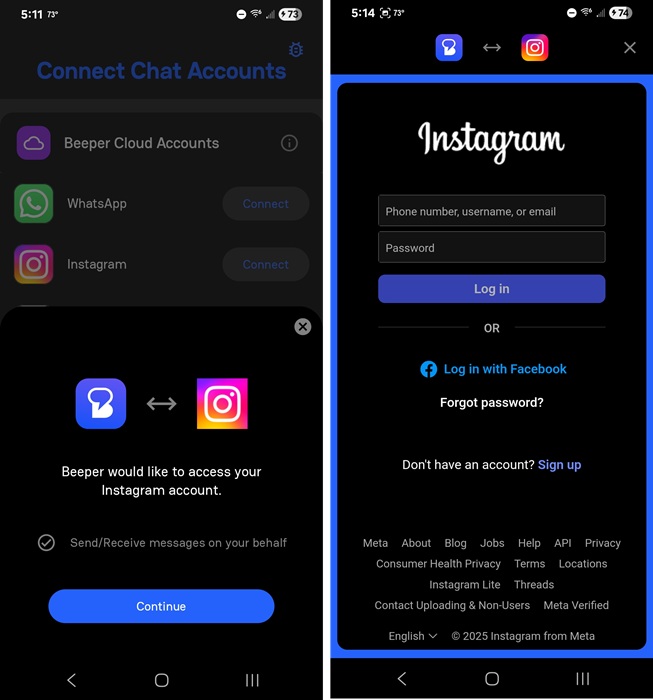
Tap Continue to start linking your chat apps. Login to your chat app like you normally would. It should only take a few seconds for the account to link and sync.
By default, all your chat apps appear in one list. After all, that’s the idea. One group of chats without having to jump between apps. To view individual apps, tap the hamburger menu and select the app you want to view.
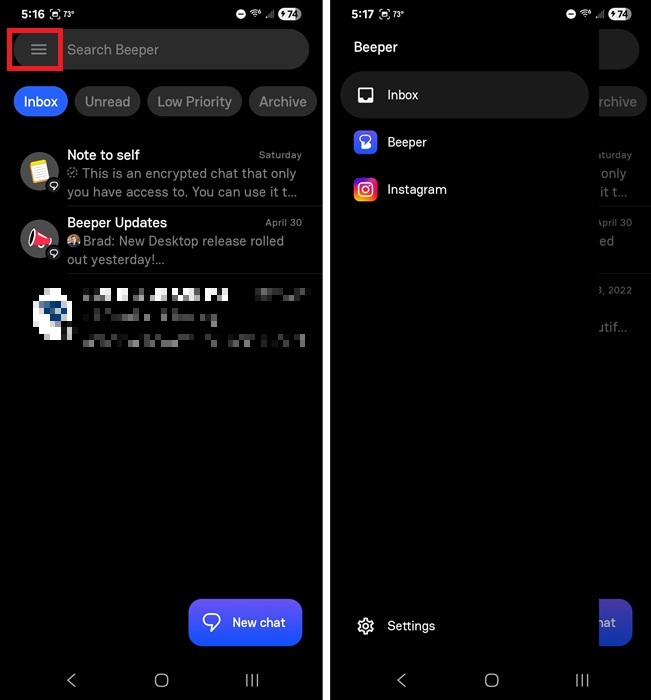
Use the search box above the chat list to search for specific users or keywords. Tap any message to respond. Beeper supports most chat features on your favorite apps, such as emojis, adding contacts, group chats, threads, and more. Depending on the app, you might have to use the native app for things like voice chats or editing sent messages on WhatsApp.
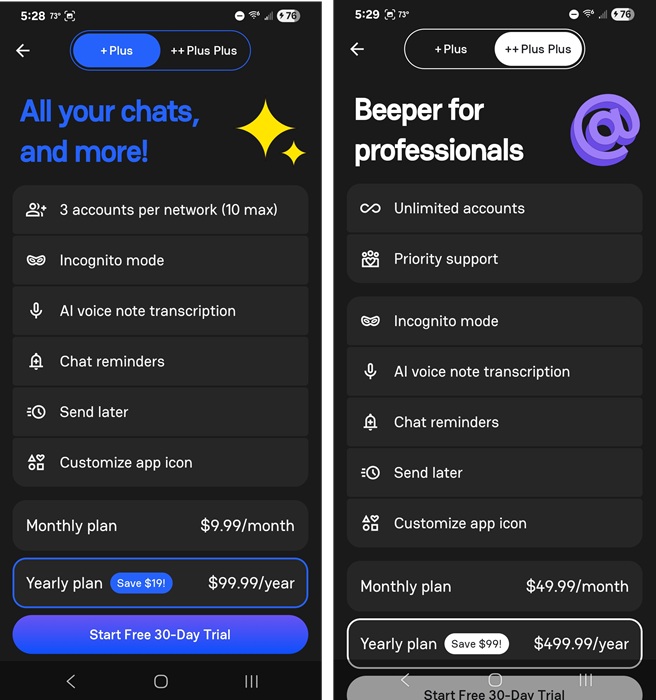
The free version of Beeper only lets you link five accounts. After that, you have to upgrade. Beeper Plus lets you have 10 accounts, along with a handful of extra features for $10/month. Or, get unlimited accounts with Beeper Plus Plus for $50/month.
How Does Beeper Keep Chats Secure
You might be worried about privacy. Beeper recently changed how it works to encrypt all chats stored in the cloud. The app also added on-device accounts to prevent cloud storage for those who want extra privacy and security.
No matter which option you choose, all your chats are fully encrypted and no one can access them or decrypt them without your recovery code. Chats are even encrypted in transit. The only time they’re decrypted is when switching from Beeper’s encryption to a native chat app’s proprietary encryption.
Still, Beeper does warn users that using end-to-end encryption in native apps is still more secure than linking them to Beeper.
Best Beeper Alternatives
Beeper isn’t the only unified chat app option. Texts used to be a Beeper alternative, but when Automattic bought both of them, the two were merged into just Beeper.
The closest alternative is IM+. It works on macOS, iOS, and Android, and offers support for over 24 chat apps. It even has built-in ChatGPT support. This could be a good way to craft professional Slack messages and schedule them for later.
Franz supports a growing list of chat apps, but it’s only available for desktop (Windows, macOS, and Linux). It’s more limited, only giving you three accounts for free.
No matter what service you use to link chat apps, you might still have to deal with spam messages. Take steps to protect yourself so you don’t get overwhelmed with them.