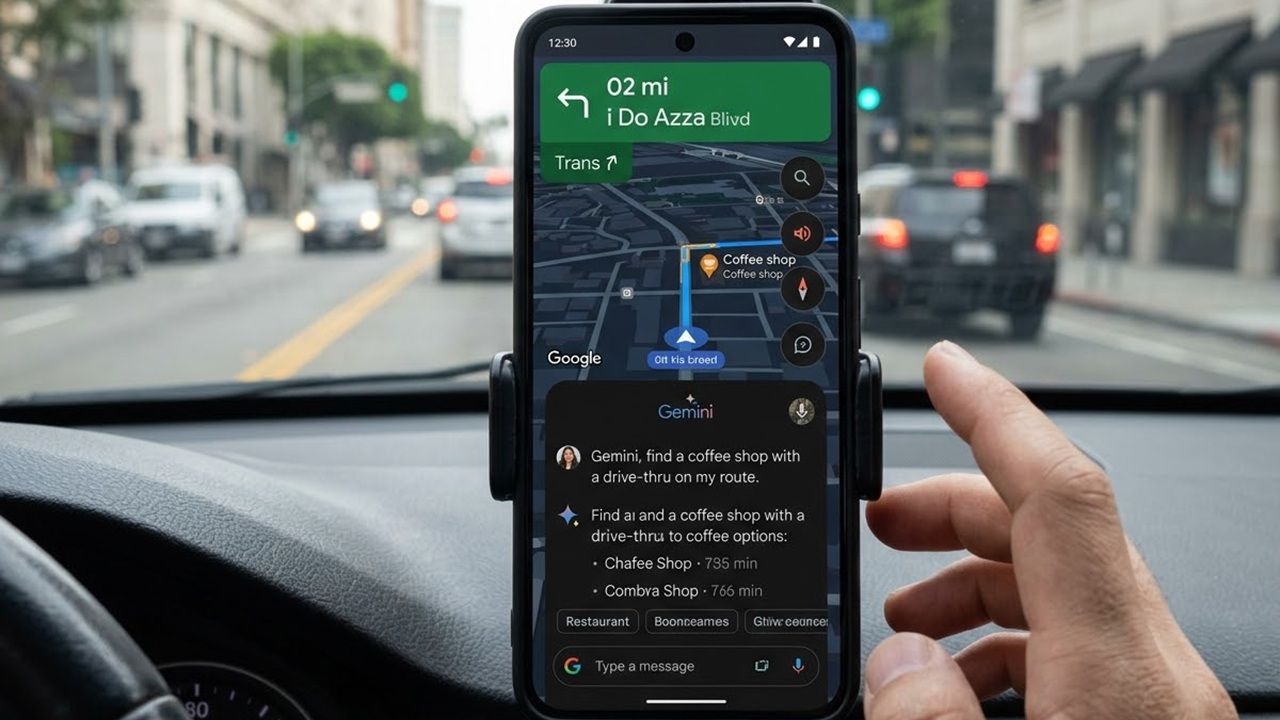
Holiday shopping doesn’t have to mean running around in crowded stores, monitoring numerous sites for deals, or losing sleep waiting for great deals. Thanks to Google’s AI shopping features, now you just have to talk and let Google’s agentic AI handle the rest.
Introducing Google AI Shopping Upgrades
Just in time for the holiday season, Google’s added some extra features to Gemini and AI Mode shopping. Gemini could already help you browse and even help you pick out outfits. Now, it can also bring up intelligent results with all the key info you need, such as pricing, inventory, location, reviews, etc.
And, if you’re trying to compare items, you’ll see a chart giving you the key specs for some of the top products for your search.
All you have to do is talk. No typing or clicking endless filters like you’d usually have to. Plus, Gemini and AI Mode in Google search use the Shopping Graph, which is populated with data from more than 50 billion product listings. And, Google states two billion of those are updated hourly. This is to guarantee you get the latest details.
Another upgrade is handling the shopping for you. Google can make purchases and even call stores on your behalf. All you have to do is confirm before Google takes any action.
Describe Exactly What You Want
Open AI Mode in Google Search or use the Gemini app and use your voice to describe exactly what you want. Get as specific as possible, such as I’m looking for a fun Christmas sweater with cats and unicorns that would be perfect for an ugly Christmas sweater party. You can add in your size, colors, etc.
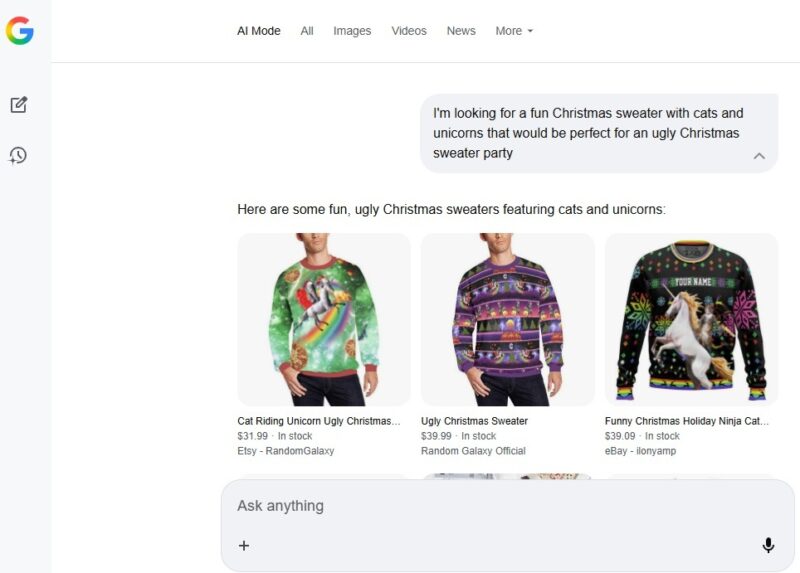
I’m using AI Mode in Chrome on my desktop just to show more options at once. But, you can also use the Google app with AI Mode or the Gemini app. All of these options let you take advantage of the Google AI shopping upgrades to make holiday shopping a bit easier.
Consider asking friends and family to create wishlists so you know exactly what to look for.
Ask Google AI Shopping to Compare Products
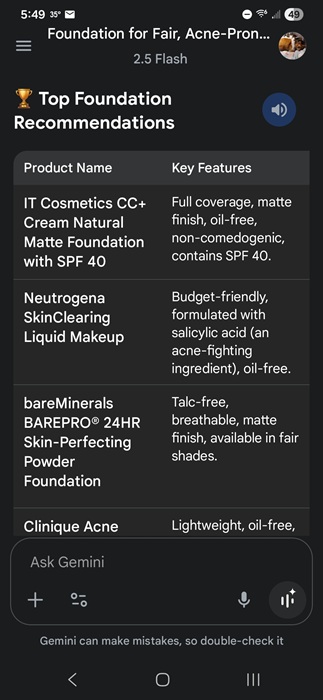
If you’re not sure exactly what you’re searching for, get a chart helping you to compare options. For instance, I used the Gemini app to ask for help finding the right foundation for my skin type. I described my skin type and got a nice chart with several options and the key features.
Then, I can follow up with more details to refine the results and get shoppable listings.
Use Google Agentic AI for Easier Shopping
While the other upgrades are nice, they’re not exactly groundbreaking. But, imagine letting Gemini call up a local store to ask about prices and sizes for you. That’s exactly what Google AI shopping is able to do, thanks to agentic AI.
Agentic AI is designed to perform tasks or solve problems with little to no supervision. In this case, it shops for you.
It’s not available for all products and stores yet, but it works on many searches for toys, electronics, and beauty and health products. I tried it for several toys in my local area, but the calling option wasn’t available just yet for my searches.
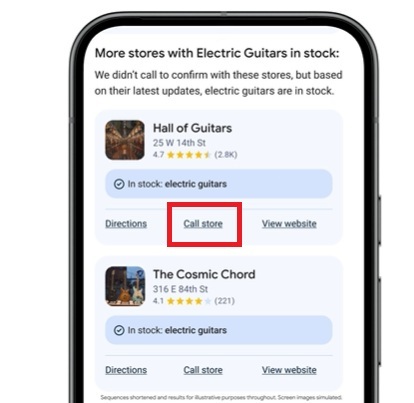
To test this for yourself, ask Gemini or Google AI Mode search to look for a specific product near you. Make sure you include a location.
Tap Call Store under any store you want Gemini to call. You’ll then have to answer a few follow-up questions to makes sure Gemini knows what to ask.
Wait for an email or text with the results. These may include pricing, inventory, and even special discounts. You might also get comparisons from other local stores via the Shopping Graph feature.
Let Google Track Pricing and Buy For You
There are numerous price tracking tools, many just for Amazon. But, trying to keep track of everything is time-consuming. Google AI shopping now tracks prices for you.
Use your voice or type in the Google app, Gemini app, or AI Mode in Google Search to search for a product. Click the product card for the product that matches what want to track. Tap Track price.
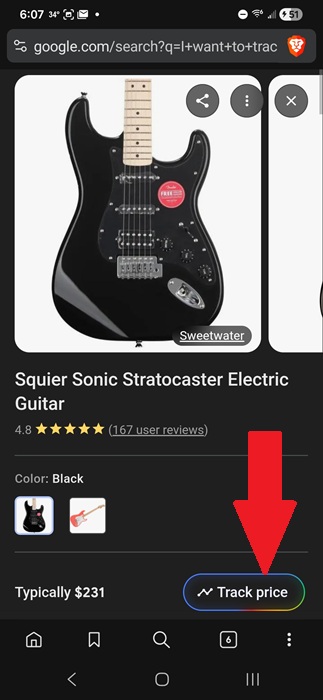
Then, set your criteria. Google notifies you the moment the product meets your criteria and shows you where it’s available. You can click through to buy it yourself, or tap Buy for me to initiate the transaction.
Currently, agentic checkout isn’t available for all merchants. It’s rolling out to more stores, but you’ll have the best luck with major retailers that accept Google Pay.
Google won’t buy anything without your permission. This just saves you the hassle of going through the checkout process yourself. You’ll get an email confirmation after the purchase completes.
If you don’t want to use Google AI shopping to make things easier, ChatGPT can also be your shopping companion. Or, stick with a more old-school approach and use these browser extensions to save money on your holiday shopping.