


Trying to figure out what everyone wants for birthdays, anniversaries, showers, and the holiday season just makes me want to scream. So, I started trying out wishlist apps to make holiday shopping stress free.
Amazon
Available on: iOS, Android, Web
The most well-known wishlist app is Amazon. I have friends and family send me their wishlists filled with items from Amazon. It’s easy for me to check pricing, get notifications of deals, and of course, shop all from the same app. Just look for the Lists section in your Amazon account. I also create lists myself as I find fun gift ideas for friends and family.
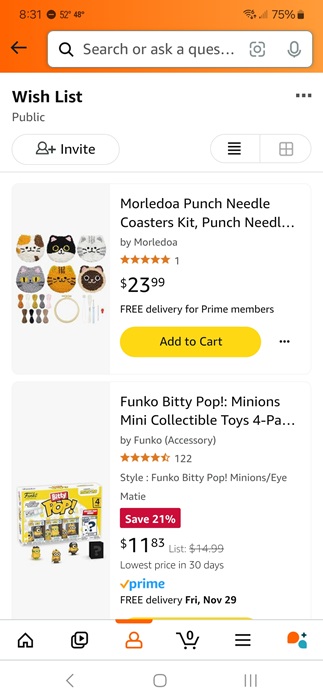
I know some people hate the idea of shopping on Amazon, which is fine. But, the good news is you don’t have to buy the items there. Use the lists to see what people want and shop elsewhere, or use these hacks to save on Amazon. Either way, it’s quick for people to add items to their list, share it with you, and make your shopping life simpler.
Giftbuster
Available on: iOS, Android, Web
Giftbuster feels more like a social network than a wishlist app. You share your profile link with friends and vice versa. Add each other as friends and easily view all lists in one place. The best part – you can shop directly through the app. Press Shop and the app takes you directly to the correct store.
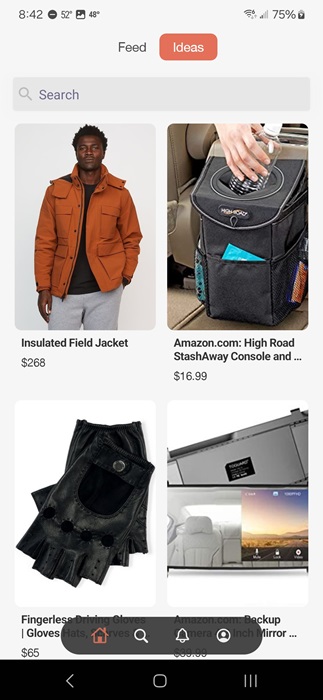
My favorite part is browsing. Think of it as Instagram for gifting. Scroll through categories, search for specific items, and check out what your friends and family are wishing for at the same time. Create as many lists as you want for free, including private lists.
Things to Get Me
Available on: iOS, Android, Web
I love how easy it is to find the perfect gift by using Things to Get Me. It’s one of the best wishlist apps, offering the most detailed item listings. It also inspires me with great ideas based on a person’s hobbies and interests. After all, it’s nice to surprise people beyond just grabbing what’s on their list. It even lets me import lists from other apps if I want.
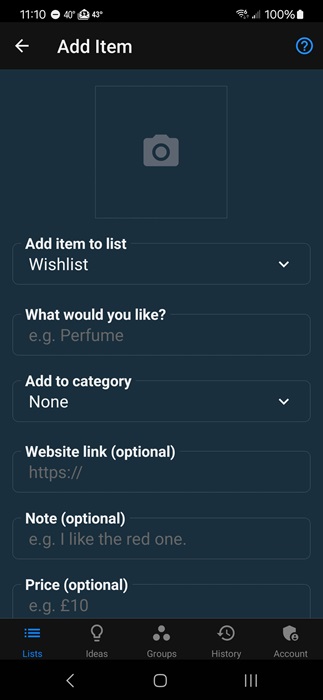
Also, there’s no signup required. Every list has a unique link to share with others. Of course, if you don’t sign up for free, you can’t go back and edit the list later. Guests are able to reserve items so others don’t buy the same thing. You can even customize the look of your lists and set up a section to receive monetary gifts instead.
Giftster
Available on: iOS, Android, Web
Don’t you hate it when you find the perfect gift only to discover it’s a duplicate? Giftster helps eliminate duplicate gifts by letting you create a family/friend group. I’d say this is one of the best options for large families. As soon as something is purchased, viewers see the item as claimed, but the list maker doesn’t, so it stays as surprise.
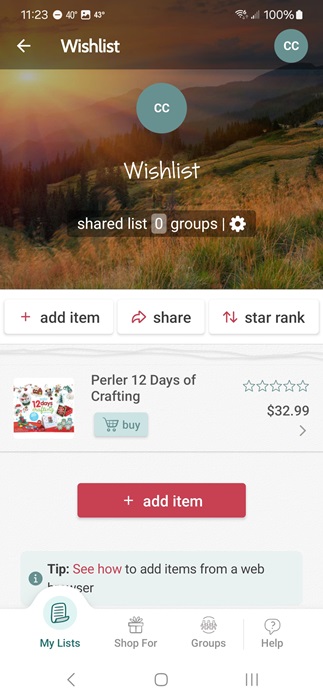
I really like the group focus on this wishlist app. Instead of sharing links, I just open the Giftster app and see everyone’s lists in one place. I also don’t have to stress about having to take a gift back because someone else already got it for them. Plus, once you copy a product link to your list, all the details autofill.
Chestr
Available on: iOS, Web, Chrome extension
Chestr doesn’t have an Android app yet, but there is a handy Chrome extension to use while browsing if you don’t have iOS. My favorite part of this app is the deal tracking. If I want to save money, and who doesn’t, I check out shared wishlists, watch the pricing, and buy when the sales start.
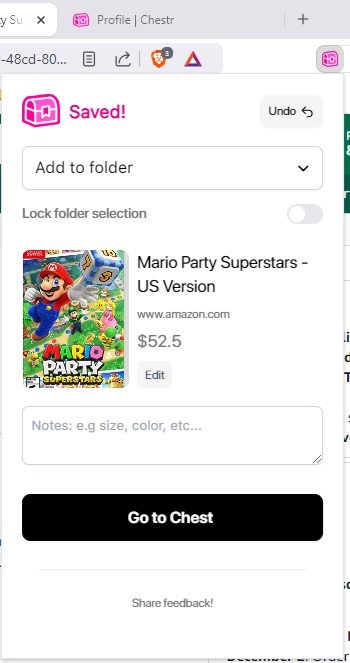
I personally use the Chrome extension and adding items couldn’t be easier. I open a product page, click the extension, choose the folder I want to add it to, and I’m done. Plus, I can share my list with others and vice versa. Chestr probably works faster than every other app on this list when it comes to adding new items.
WISHUPON
Available on: iOS, Android, Web
WISHUPON offers multiple ways to add items to a wishlist. Use your mobile browser and use the share feature to share the link directly to WISHUPON or browse a variety of stores within the app itself. I have to admit that quite a few stores seemed to be missing in the app, but I could still add items via the browser method.
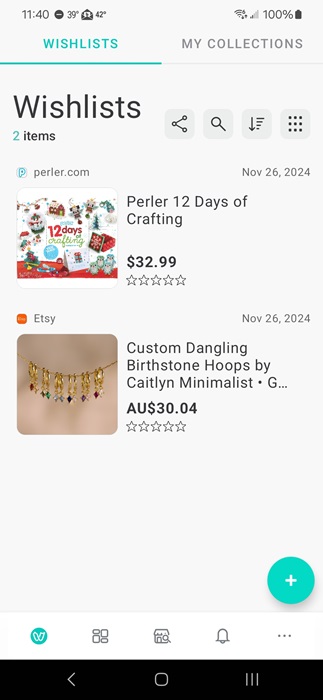
Like most wishlist apps, it’s easy to share lists with others. And, like Chestr, I get deal notifications when items on lists go on sale. Personally, it’s a great way to keep tabs on items you want to buy for yourself.
Wishfinity
Available on: iOS, Android, Web
Wishfinity works much like a social network. Add family and friends to share wishlists, browse wishes from other users (though you can make your wishes private), and follow users to get inspiration.
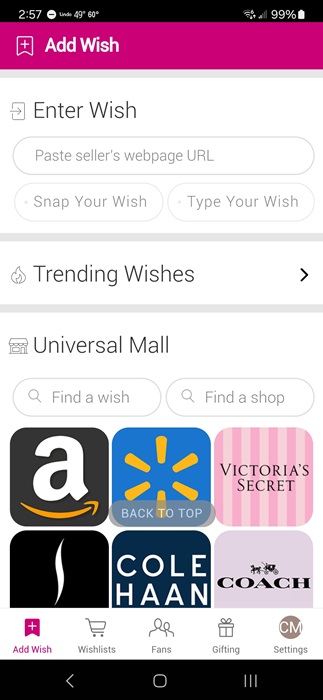
The interface is rather cluttered with so many recommended items to add to wishlists, but it is fun to just scroll. Easily add items from the recommendations, by URL, image, or by selecting one of the numerous shops in the app. One neat feature is the wallet. If someone doesn’t want to bother with shopping, they can just send you money.
Elfster
Available on: iOS, Android, Web
Never sure what to buy for Secret Santa gift exchanges? Just use Elfster, aka the Secret Santa App. What I love most about this wishlist app is you can invite friends and family to a gift exchange and everyone creates their own wishlist. Then, Elfster assigns names and you can choose a gift from that person’s list. No stress.
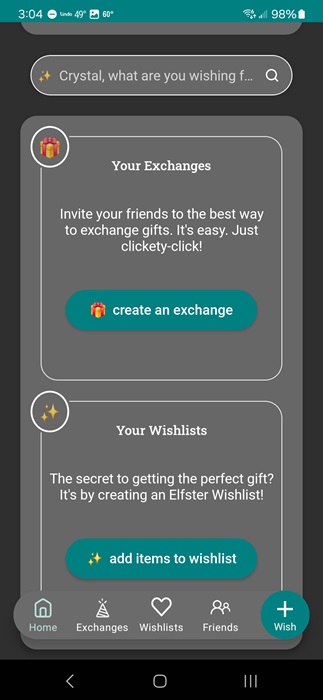
Of course, you can also use this as a normal wishlist app. There are even curated gift lists to help you get started. But, I’d recommend leaving this one just for gift exchange parties and use another app for everyday wishlists.
Find the perfect gift is much easier with wishlist apps. You can even save money by learning how to find the best deals. And, if you’re feeling creative, opt for custom gifts instead.
Image credit: Pexels, All screenshots by Crystal Crowder