
Listening to your favorite music throughout the day can help you relieve stress, improve your mood, and give you an energy boost. That’s the power of music, and if you are a Chrome user, it’s now easier than ever to access and even create new tunes right from your browser. Chrome extensions can be excellent companions for any music lovers out there. Check out the best options for you if music is a big part of your life.
Good to know: easily learn how to use tab groups in Google Chrome.
1. Web Scrobbler – For Enhancing Listening Experience
If you love keeping track of the music you listen to via Last.fm or similar services, you’re going to love the Web Scrobbler extension. Since scrobbling from YouTube and other web services, such as Bandcamp or SoundCloud, isn’t officially supported by Last.fm at the moment, this extension provides a way to include the music you listen to in your browser into Last.fm statistics.
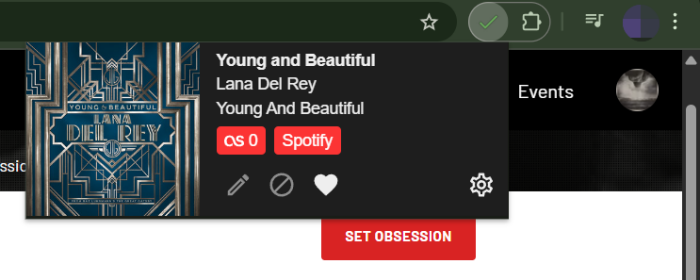
To start scrobbling, install Web Scrobbler and log in with your account(s). The extension also supports Libre.fm and ListenBrainz.
Web Scrobbler can help you track your music listening on last.fm from many other music services that have a browser presence, such as Spotify, Pandora, Deezer, iHeartRadio, BBC Sounds, Plex, and more. Once you’ve connected your account(s), the extensions will begin scrobbling your music immediately. Verify that’s the case by clicking the extension in the Chrome toolbar.
2. AHA Music – For Music Discovery
Aha Music is a music identification extension for your Chrome. It can pick up music playing anywhere in your browser from services such as YouTube, Spotify, Deezer, and more.
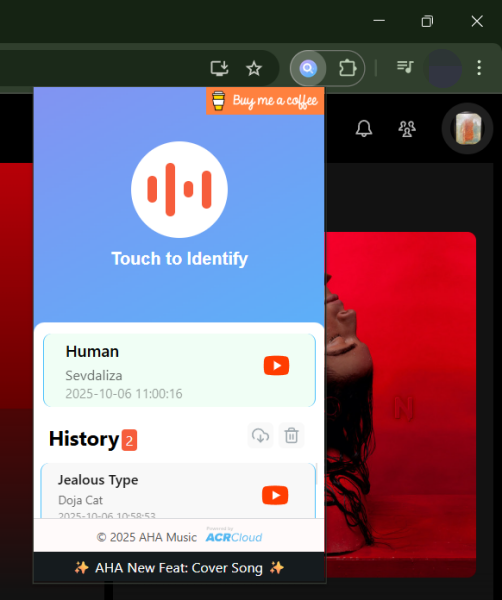
While it might seem redundant to have a dedicated extension for that, when you can simply check your browser tab and see which song it’s playing, AHA Music can come in handy when you’re listening to a mix, radio, or podcast and want to quickly identify a song that has caught your attention.
The extension automatically activates when you visit a tab where a song is playing. Aha Music can’t identify from another tab and will display a red warning in that sense. Another worthy option you might want to try is Shazam.
Tip: here’s how to identify AI-generated music before it hijacks your playlists.
3. Sound Equalizer – For Improving Music Sound
The Sound Equalizer extension can offer several benefits related to audio customization and enhancements. The addon allows you to fine-tune the audio settings, including adjusting frequencies to achieve a better audio balance and quality. This can result in clearer, more pleasing sound for music, video, and other content.
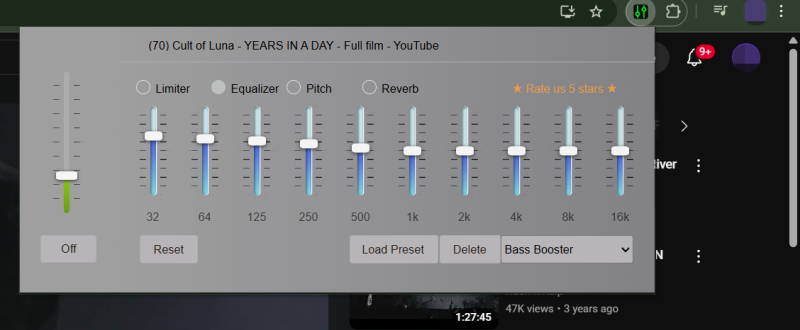
The extension offers a range of presets (such as Electronic, Rock, Piano, Pop, Bass Booster, etc.) that automatically adjust parameters for a superior audio experience while listening.
Sound Equalizer also includes a volume boost component and allows you to save your own sound configurations for later use. In addition, it also gives you the option to alter Pitch or Reverb. An alternative extension you might also want to try is Volume Booster.
4. Chrome Piano – For Practice & Learning
If the idea of playing piano has tempted you, but you’ve never committed to purchasing a physical keyboard, here’s another option. You can install the Chrome Piano extension in your browser and immediately start playing. No costly purchase involved.
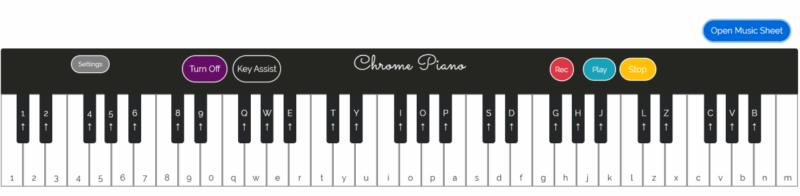
Activating the extension opens the piano in a new tab window, which you can start playing either by clicking the mouse on individuals keys or using your keyboard. Even better you can record what you’re playing for later listening.
The best part about this extension, is that it lets you access sheet music, which is coded using keys. If you ever wished you could play Bethoveen’s Moonlight Sonata, get Chrome Piano now.
5. YOU.DJ – For Getting Creative with Sound
YOU.DJ is a fun extension that allows you to try your hand at mixing music from a browser while streaming any service with a web presence, such as YouTube, Spotify, SoundCloud, and more. Press play on the track you want to mix, and activate the extension (by toggling the On button), then start applying effects via a dedicated XY pad.
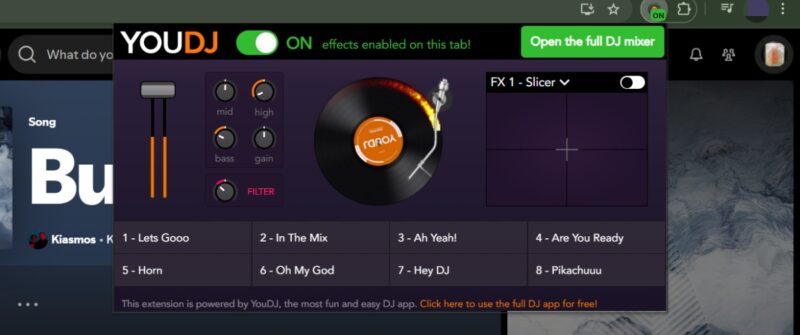
Users also get access to volume and bass boosters and can apply the popular, famous hipass/lowpass resonant filter. There’s also a sampler launchpad to use.
Click on Open the full DJ mixer to access more options including a mix library with creations from other users and the ability to record your mix, although that’s a paid feature.
6. Music Mode for YouTube – For a Nonintrusive YouTube Experience
If you’re constantly playing music on YouTube, you might want to consider installing an extension such as Music Mode for YouTube, which makes the experience as low-key as possible.
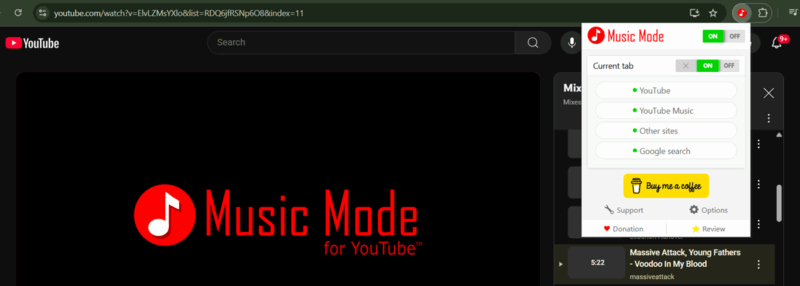
Music Mode removes videos and thumbnails from view, cleaning up YouTube’s interface and making it easier to focus and avoid getting sidetracked.
The extension works for Google search and other sites as well, so if you find you can’t focus, Music Mode can be a good way to remove all the distractions from view.
7. Transpose – For Practice & Learning
For users who are active in the music field, whether professionally or simply as a hobby, having an extension like Transpose can be very helpful. The addon lets you easily adjust the pitch of a song you’re playing in your browser. This can help users to master riffs or lead lines in specific keys. In addition, Transpose can also help vocalists learn a song by allowing them to sing along in a key that’s better suited to their own vocal capabilities.
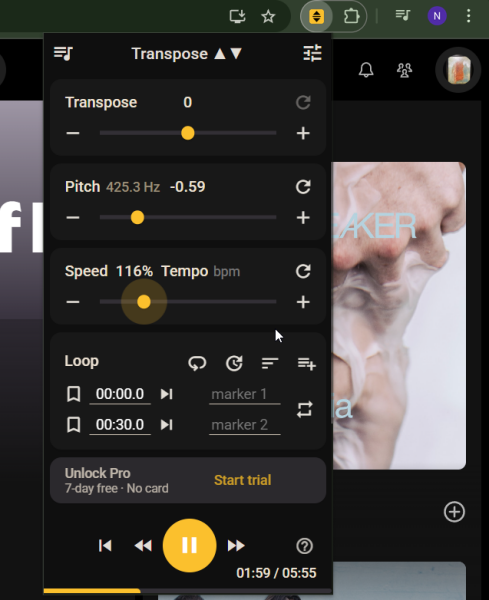
It’s also possible to slow down a song’s playback speed. This can aid users in practicing at their own pace.
If you need to identify or isolate certain parts of a song, this extension provides a looping option. Just set the markers, and Transpose will loop that part for you. It works with any audio track playing in Chrome.
8. Tune Ease – For Improving Spotify Listening
Spotify is one of the most popular music streaming apps out there. Yet if you’re using Chrome with Spotify, it can be inconvenient, as you’ll need to revert to the webplayer tab each time you want to increase or decrease the volume or repeat a track.
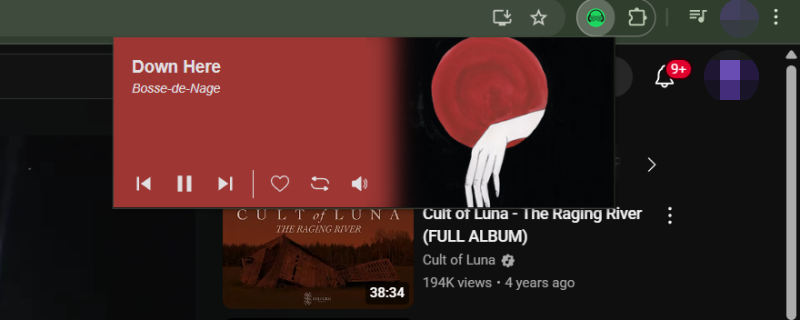
Fortunately, you can try Tune Ease, an extension that lets you control your Spotify music stream from any tab in Chrome. You can also “love” the track or repeat tracks through the addon.
While these are basic controls, they may make a difference if you’re doing something important in another tab and require maximum concentration.
9. Audio Visualizer – For Enhancing Music Experience
Audio Visualizer is an interesting extension to have in your Chrome browser when you’re having people over or if you want to hide your music-playing tab for whatever reason.
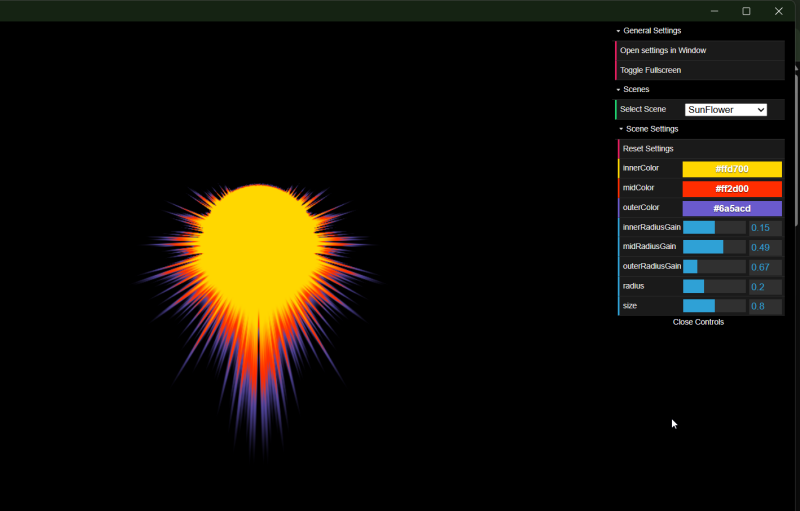
The extension opens in a new window and offers a selection of visual effects or scene, all unfolding in sync the rhythm of the music. A quick full screen button lets you hide your browser window from view for a more immersive experience.
You can also customize some of the parameters for select scenes such as colors or element radious. Others let you choose from various presets. You can experiment until you find something pleasing.
10. Smart Mute – For Focused Listening
Smart Mute is an extension that allows you to easily control all your audio-playing tabs in Chrome. It has a handy Silent mode, which mutes all sound in your browser with a simple click.
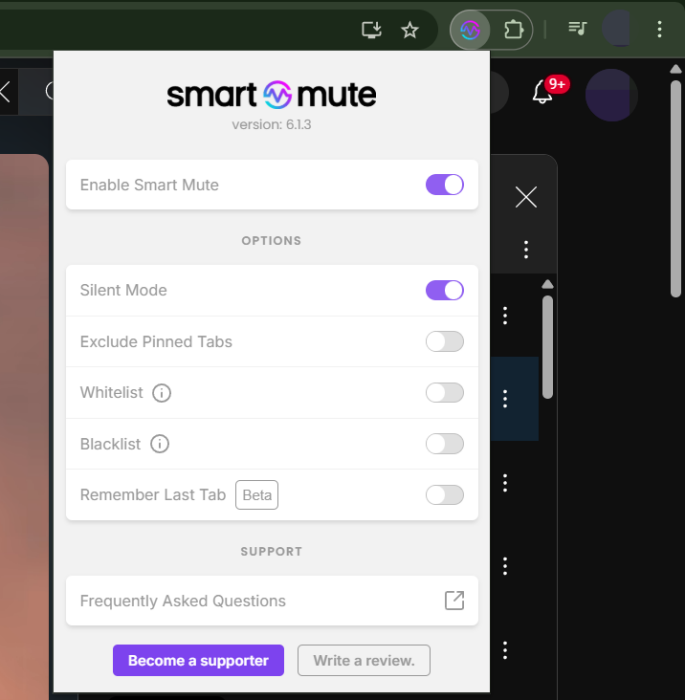
Keep in mind that the extension merely mutes the sound and does not pause the media. Smart Mute also has a blacklist option, where you can add all the annoying sites that use autoplay for their videos for a more relaxed browsing experience.
In our testing, the extension proved successful at muting sound on Spotify, Bandcamp, Vimeo, Instagram, as well as YouTube.
11. Online Radio – For Streaming Radio
If you enjoy listening to radio while you work or do any other tasks, you should give Online Radio a try. This is a simple extension that easily gives you access to a wide library of radios from across the world.
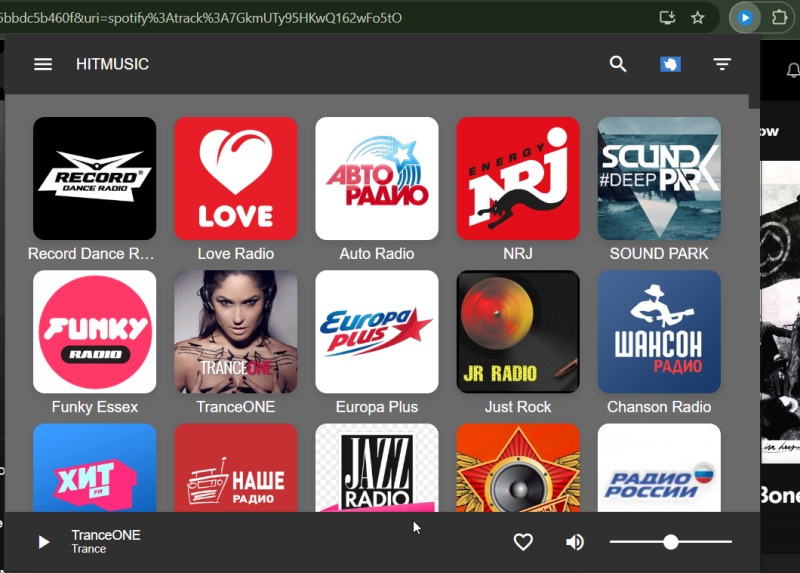
If you’re looking for a specific type of radio, you can check the Discovery feed and browse radio stations based on music genre.
While there are multiple radio extensions available for Chrome, this one worked best for us, although it does not offer options such as searching by country or language.
12. ThemeSong – For Enhancing Music Experience
For avid YouTube Music fans, this extension lets you customize the app’s interface in some really beautiful ways. For instance, you can opt for a theme, including one that makes YouTube Music resemble Apple Music.
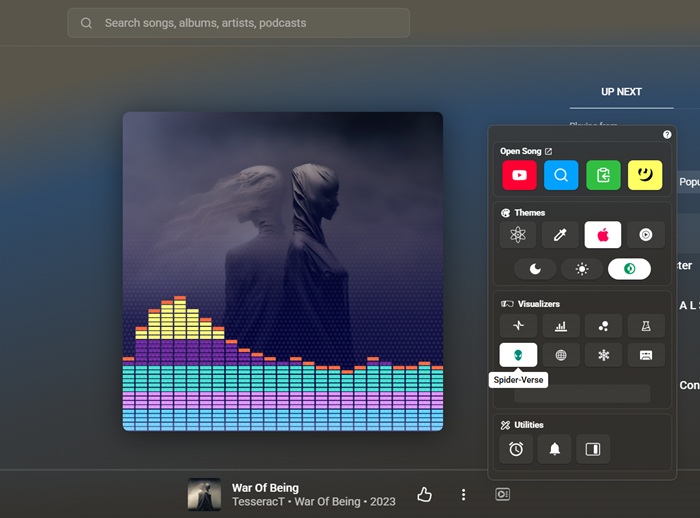
Once you install ThemeSong, you’ll be able to access a quick menu straight from YouTube Music itself (the icon is next to the Artist/Song name at the bottom.) From there you can add various visualizers that will show up on the album art.
In addition, the extension comes with a sleep timer and the ability to set up song desktop notifications.
Find and Install Music Chrome Extensions
To find more Chrome music extensions, the easiest way is to navigate to the Google Chrome Store and use the search bar to search by keyword. For instance, “equalizer.”
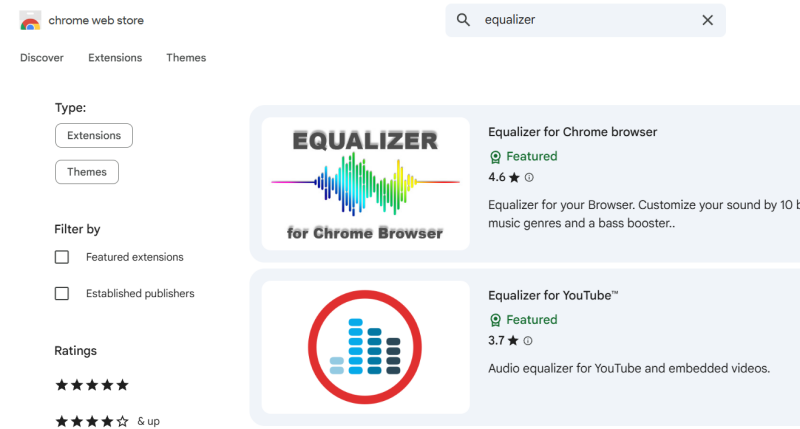
Once you find a worthy extension, click to access it and read additional details about it. If you decide you want to give it a shot, simply press the Add to Chrome button. Wait a few seconds while the extension installs.

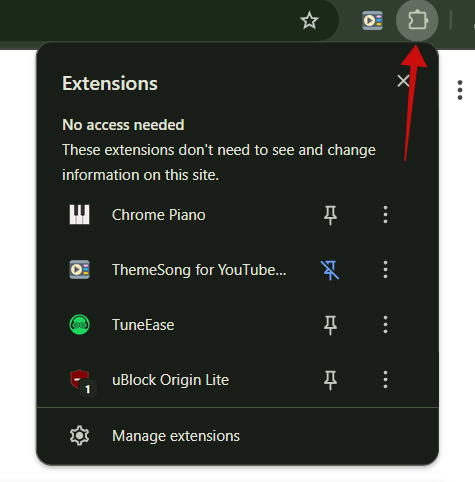
Next, tap the Extension button in the toolbar to view your list of install Chrome addons.
You might find that adding multiple extensions can slow down your browser, in which case, check post on how to remove extensions you’re not actively using and other tips to speed up Chrome.








