
Pi-hole has long been a popular choice when it comes to network-wide ad blocking, so it’s easy to forget that alternatives exist. I recently gave one such alternative, AdGuard Home, a try and decided to make the switch permanently. Here, I’ll explore all the reasons why AdGuard Home won me over in the AdGuard vs Pi-hole matchup.
Built-In DNS over HTTPS (DoH) Support
DNS over HTTPS (DoH) is a useful protocol that helps protect your online activities from prying eyes and potential man-in-the-middle attacks by encrypting your DNS queries, which are the questions your computer asks to find out where websites are located. Without encryption, these questions can be seen and even changed by others, like hackers or your internet service provider.
With AdGuard, enabling DoH or DoT is as simple as toggling a switch in the user interface and configuring your SSL certificate, which you can buy from a Certificate Authority (CA) or get for free from “Let’s Encrypt CA.
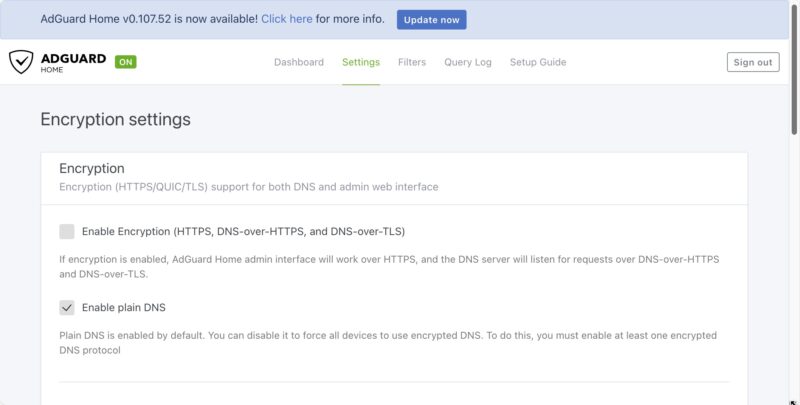
On the other hand, Pi-hole, while powerful in its own right, doesn’t natively support this protocol. To achieve the same level of privacy with Pi-hole, you’d need to install and configure additional DNS resolvers or forwarders, which can be a daunting task for less tech-savvy users.
This is a common theme with the AdGuard vs Pi-hole battle. Pi-hole is generally more technical, while AdGuard focuses on ease of use.
OPNsense Compatibility
OPNsense is an open-source, FreeBSD-based firewall and routing platform that’s gained popularity among network enthusiasts and professionals alike. While Pi-hole doesn’t offer native support for this platform, AdGuard can be set up quite easily within the OPNsense environment. This compatibility was a significant factor in my decision to switch, as it allowed me to consolidate my network management and ad-blocking solution into a single, cohesive system.
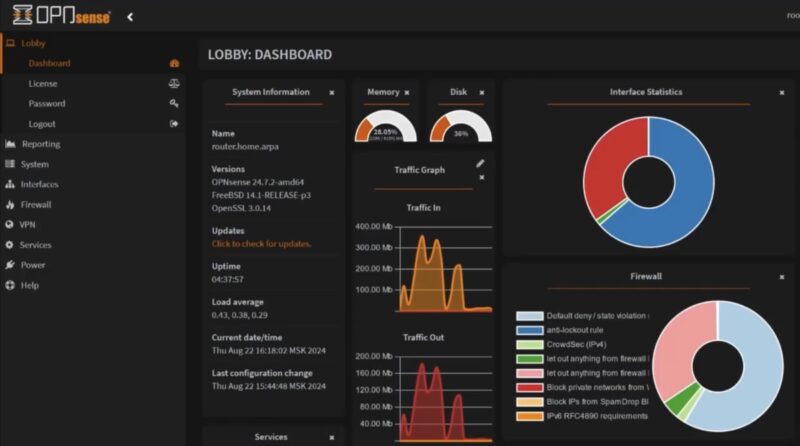
Setting up AdGuard on OPNsense is a straightforward process that involves a few key steps. You’ll need to configure your DNS settings in OPNsense’s System Settings and adjust the DHCP settings. Once these preparations are complete, you can activate AdGuard Home from the Services menu and finalize the setup through its web interface.
User-Friendly Interface
I personally find the user interface of AdGuard to be more intuitive and easier to navigate compared to Pi-hole.
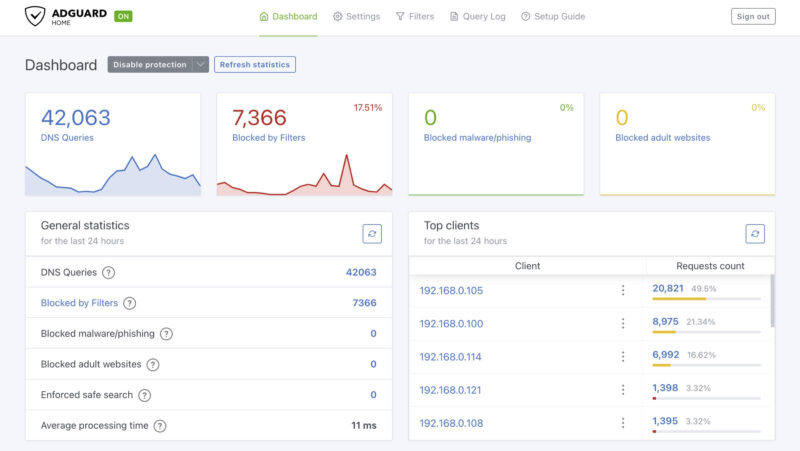
The AdGuard interface is neatly divided into main tabs: Dashboard, Settings, Filters, Query Log, and FAQ. This logical organization makes it simple to find and adjust the settings you need. The Dashboard, which is visible in the image above, provides a comprehensive overview of your network’s activity at a glance. It displays key statistics like the number of DNS queries, blocked requests, and even breaks down the top clients and domains.
That’s not to say that the Pi-hole interface is unintuitive – it isn’t. It’s just that it does have a bit of a learning curve and some options require digging to find. On the other hand, when it comes to Pi-hole vs AdGuard, Pi-hole does offer more advanced options, if you’re willing to take the extra time to locate them and set them up.
Easier Parental Control Per Device
Both AdGuard Home and Pi-hole let you adjust filters and access per device. But, AdGuard has built-in controls, along with pre-set adult content filters. Simply go to Parental Controls within the settings. It’s that easy.
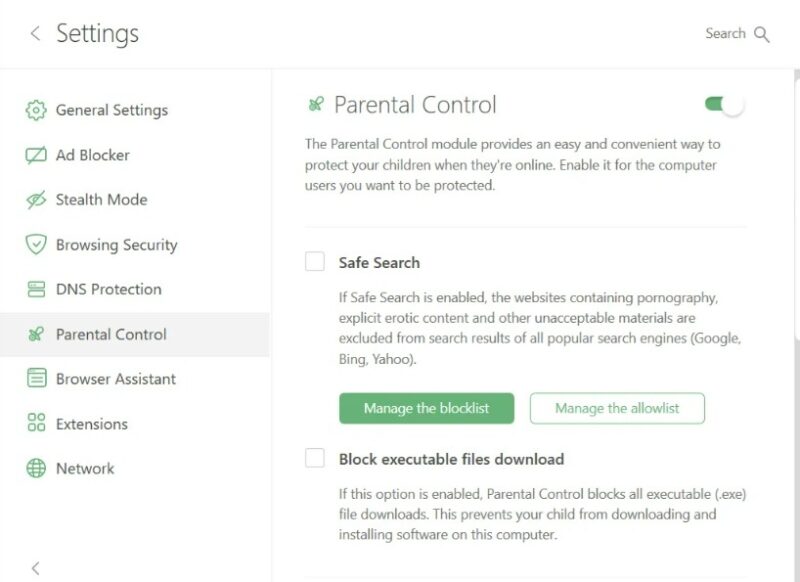
With Pi-hole, things get far more complicated. You’ll need to manually configure exactly what you want to block. Plus, you’ll have to use third-party integrations to get the right setup. With AdGuard, it only takes a few minutes. This is especially helpful for parents that don’t have the time or knowledge for a more technical setup.
Better Home Assistant Integration
I use Home Assistant to control and monitor various aspects of my smart home. When it comes to integrating network-wide ad blocking with Home Assistant, I found that AdGuard Home offers a more comprehensive and user-friendly experience compared to Pi-hole.
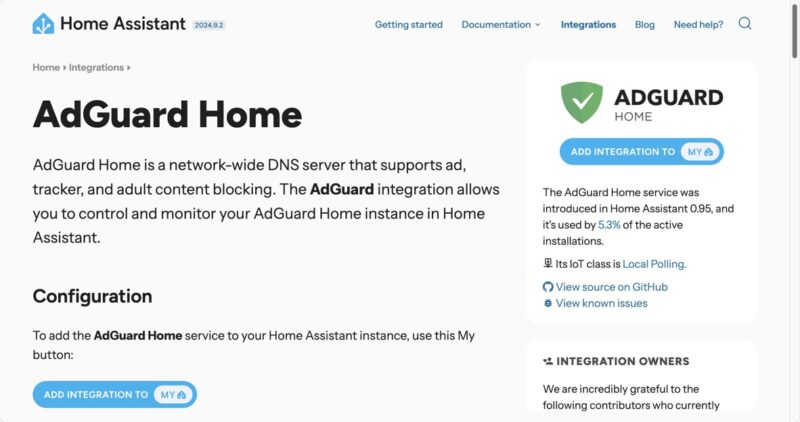
AdGuard’s Home Assistant integration provides a wider range of sensors and switches, giving you more granular control over your ad-blocking setup. While Pi-hole’s integration is functional, offering basic statistics and the ability to disable the service temporarily, AdGuard takes it a step further.
With AdGuard, you get sensors for DNS queries, blocked queries, safe browsing stats, and even average response times. The integration also creates switches for individual features like Filtering, Safe Browsing, and Parental Control. This level of detail allows for more sophisticated automations and monitoring within your Home Assistant setup.
Moreover, AdGuard’s integration includes actions that let you manage filter subscriptions directly from Home Assistant. This means you can create automations to add, remove, enable, or disable filter lists based on time of day or other triggers – a feature not available with Pi-hole’s integration.
Excellent Third-Party Mobile Remotes
Network-wide ad blocking can only truly succeed in a household when it doesn’t become a source of frustration for family members. This is where AdGuard really shines with its fantastic third-party remote apps available on both the App Store and Google Play Store.
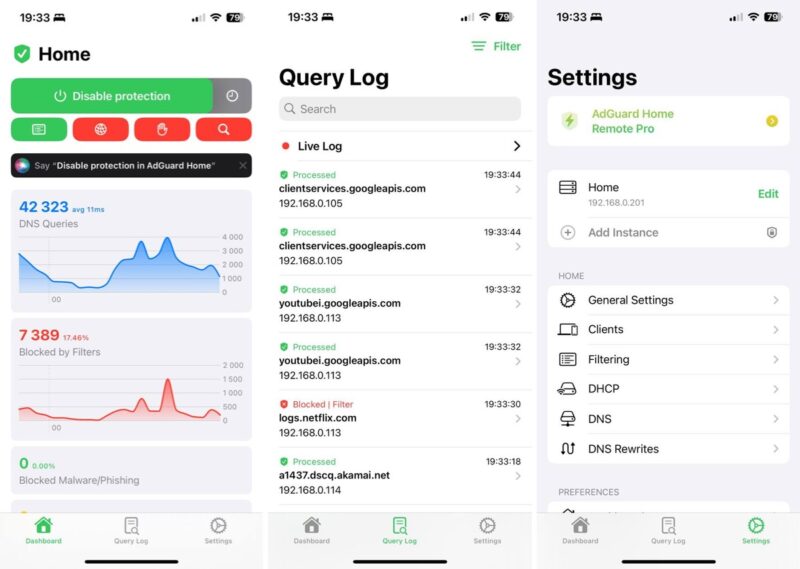
With just a few taps, you can toggle filtering on or off, enable safe browsing, or check out detailed statistics about your network’s activity. Sure, similarly capable mobile remote apps are also available for Pi-hole, but the AdGuard options I’ve tested are more polished and feature-rich.
AdGuard Apps and Extension Offers Easier Filtering
Unlike Pi-hole, AdGuard offers apps for Windows, macOS, iOS, Android, and Linux, along with browser extensions. These are different from AdGuard Home, but they let you have more granular control over a specific device or browser.
The latest version of the AdGuard extension has incorporated more intuitive filtering straight out of the box. Just jump into the extension’s settings and toggle on the filters you want. Click any option to view more details and switch between filter lists.
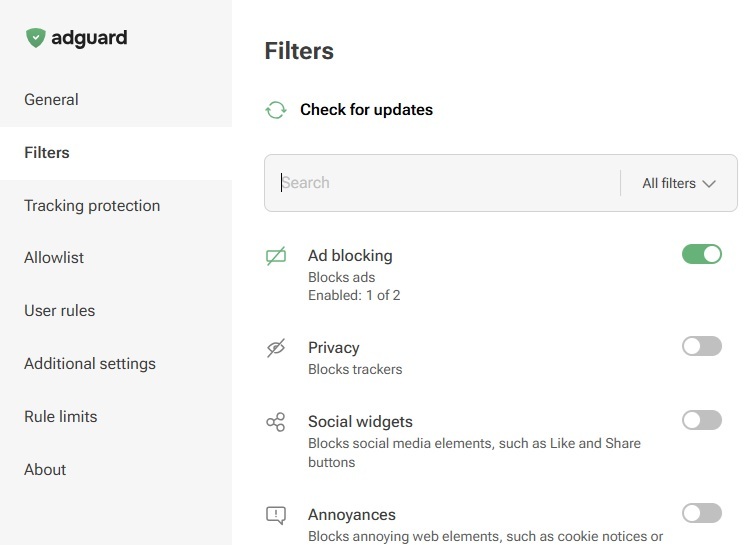
You can even import custom filters if you want better customization. At the same time, the extension runs more efficiently, so sites load faster.
Installation Is Comparable for Both
When it comes down to AdGuard vs. Pi-hole, both are self-hosted. This means a more technical setup. However, AdGuard is often a little easier because of the guided process. Still, you’ll need at least some technical knowledge to get either one up and running.
For many users, Pi-hole is considered the easier to install option. This is mainly because Pi-hole supports Docker. If you’re familiar with using Docker, you may prefer Pi-hole.
The good news is both offer detailed guides on how to set up your own instance on various supported operating systems.
Pi-hole Offers Automatic Updating
Despite how AdGuard Home outshines Pi-hole in many cases, it does have one major issue. There are no automatic updates. You’ll have to manually download and update the core product and blocklists. In an age where most everything auto-updates, it’d be nice to have this feature.
With Pi-hole, everything updates for you, including blocklists. Considering how sneaky ads and trackers are, having updates is critical for blocking the most ads on your network.
Get More Community Support With Pi-hole
While both options are open-source, Pi-hole’s community is far more active. Thanks to having more manual customization components, the community tends to be more helpful and active.
So, if you need support, you’re far more likely to find someone to help you on Pi-hole’s Discourse, Reddit, Twitter, and GitHub communities. Even if you’re a complete beginner, you’ll find ample guides to help.
AdGuard vs. Pi-hole Comes Down to What You Need Most
So, these are my personal reasons for making the switch from Pi-hole to AdGuard for network-wide ad blocking. The built-in DoH and DoT support, OPNsense compatibility, user-friendly interface, better Home Assistant integration, and excellent third-party mobile remotes have all contributed to a more seamless and effective ad-blocking experience in my home.
Overall, AdGuard is the more user-friendly option for a quicker setup. It offers easy to find advanced features as well, such as parental controls and custom blocklists. It’s also better for older systems or those with minimal resources.
Pi-hole is still worth considering, though. Its customization is hard to beat. Those who crave more control over their setup will definitely prefer Pi-hole. And, the massive community offers up more actively maintained blocklists and free support.
It’s worth noting that while I’ve focused on comparing AdGuard and Pi-hole, these aren’t the only options available for network-wide ad blocking. There are other solutions out there that might better suit your specific needs, and NextDNS is a good example that you should also explore if you’re looking for the best Pi-hole alternative.








