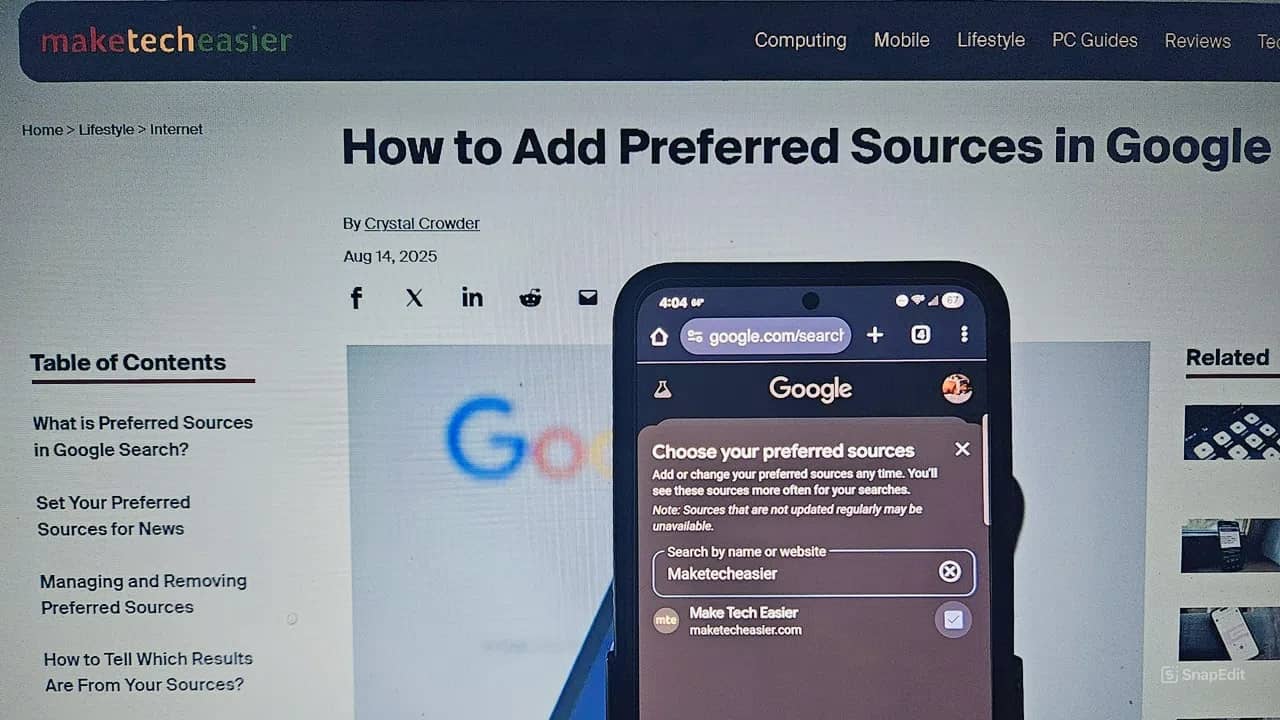
The Internet’s changing rapidly and it’s getting more difficult to find your favorite sites in search results. Between new algorithm updates and AI overviews, you miss out on great content from your favorite publishers. Make sure you never miss anything from Make Tech Easier by adding us as a preferred source on Google.
What Are Preferred Sources on Google?
Recently, Google announced a new way for readers and publishers to reconnect with each other. Preferred sources lets you add the sites you prefer to a list of news sources. These are then prioritized when Google shows you news.
You’ll still get results from other sources, but your favorite sources, such as MTE, get the preferred treatment. Now, instead of having to dig through AI summaries and results that are relevant, you get the news, tutorials, and more you love.
Add Make Tech Easier to Your Preferred Source in Google
First, log in to your Google account. This makes sure your preferred sources on Google sync between your devices. Plus, it saves your preferences for further searches. Preferred sources works on both desktop and mobile devices so you never miss the latest news from your favorite sites.
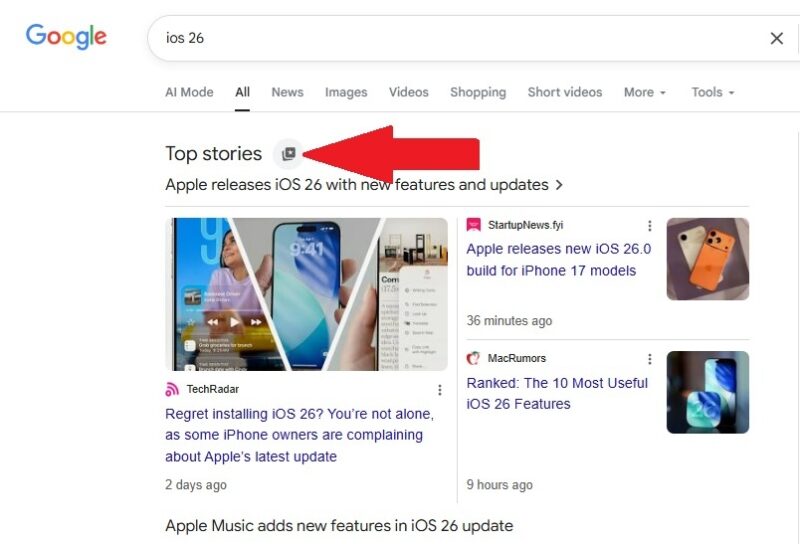
Perform a search for any news topic, such as iOS 26 or Android malware. Look for the Top News section in the search results. This may be at the top or near the middle of the search results page. Click the little square icon with the star just beside Top News.
In the Preferred Sources pop-up, search for MakeTechEasier to add us to your list. Check the box beside the source to add it to your preferred sources for Google search.
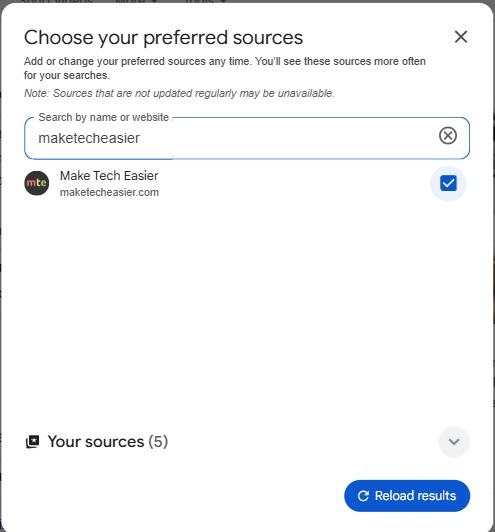
You’ll see all your added sources when you open the preferred sources pop-up to make it easier to manage them.
Another easy method is to just click here to add Make Tech Easier as a preferred source. Just make sure you’re logged into Google first. Check the box beside our name to add us.
Follow Make Tech Easier on Google News Too
Google offers yet another way to follow your favorite tech news sources. Add MTE to Google News. Log in to your Google account and visit Google News.
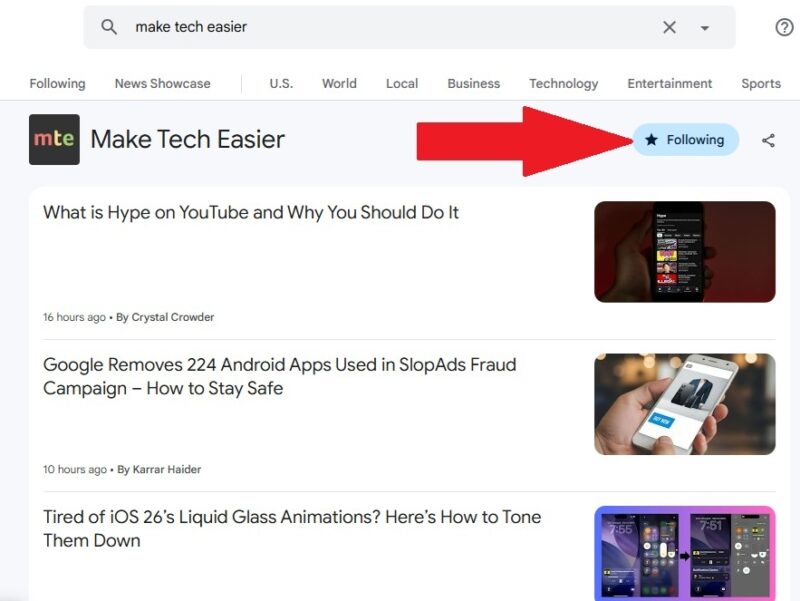
Enter Make Tech Easier in the search box. Click Source – maketecheasier.com from the list of suggested searches. Click the Follow button to add us to your list of news sources.
Follow MTE With Our RSS Feed
If you’re tired of AI results, follow MTE directly via our RSS feed. Search for us in your favorite RSS reader or add the feed directly by entering https://maketecheasier.com/feed/ in your RSS reader’s source section.
Don’t have an RSS reader yet? Try out these options for Windows or these online options. You can even use Brave for RSS feeds.








